Features
The Features page provides a read-only list of all system features and their associated permissions. This helps you understand what each feature unlocks in the platform and verify which capabilities are included in your current subscription plan.
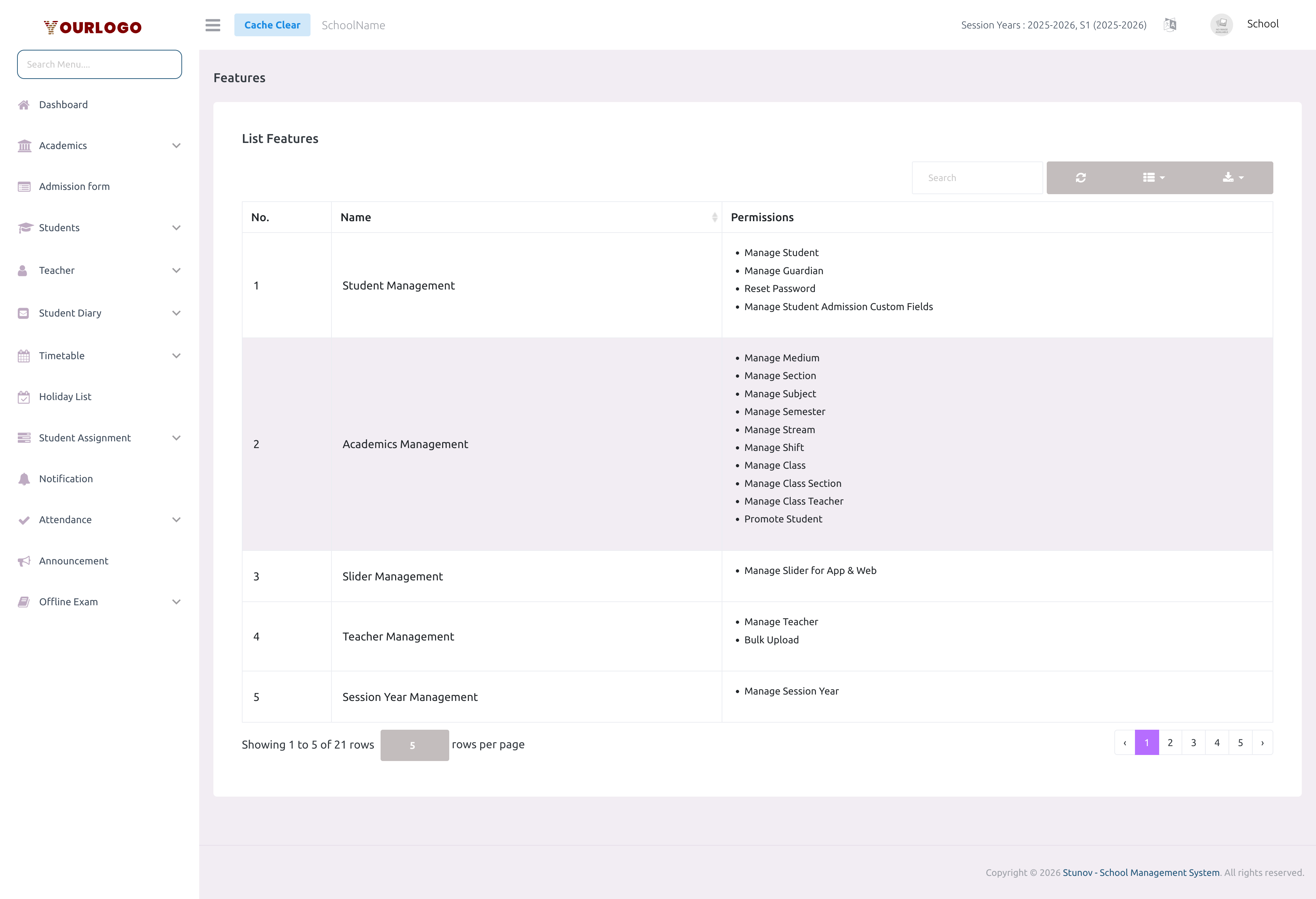
Feature List
Navigate to Features in the sidebar to see the full list. The table displays:
| Column | Description |
|---|---|
| No. | Row number |
| Name | Feature group name (e.g., "Student Management", "Exam Management") |
| Permissions | List of specific permissions included in this feature group |
The table is searchable, sortable, and supports pagination. Use the toolbar for:
- Search — Filter features by name or permission keyword
- Columns — Toggle column visibility
- Export — Download the feature list as a file
- Refresh — Reload the data
Available Features
Below is the complete list of feature groups and what permissions they include:
| Feature | Permissions Included |
|---|---|
| Student Management | Manage Student, Manage Guardian, Reset Password, Manage Admission Custom Fields |
| Academics Management | Manage Medium, Section, Subject, Semester, Stream, Shift, Class, Class Section, Class Teacher, Promote Student |
| Slider Management | Manage Slider for App & Web |
| Teacher Management | Manage Teacher, Bulk Upload |
| Session Year Management | Manage Session Year |
| Holiday Management | Manage Holiday |
| Timetable Management | Manage Timetable, Create Timetable Using Drag & Drop |
| Attendance Management | Manage Attendance |
| Exam Management | Manage Exam, Exam Timetable, Grade, Student Result, Online Exam, Online Exam Question, Online Result |
| Lesson Management | Manage Lesson, Manage Lesson Topic |
| Assignment Management | Manage Assignment, Manage Assignment Submission |
| Announcement Management | Manage Announcement |
| Staff Management | Manage Staff, Manage Staff Role & Permission |
| Expense Management | Manage Expense, Manage Expense Category |
| Staff Leave Management | Manage Staff Leave |
| Fee Management | Manage Fees Type, Fees, Compulsory Fees, Optional Fees, Fees Transaction Logs |
| School Gallery Management | Manage Gallery |
| ID Card & Certificate Generation | Manage Certificate, Manage ID Card |
| Website Management | Manage Website Settings |
| Chat Module | Chat |
| Transport Module | Manage Transportation |
The feature list shows all possible features in the platform. Whether a feature is active for your school depends on your subscription plan. Check your Subscription page to see which features are included in your current plan.
How Features Connect to Your Plan
If a sidebar menu item is missing or a page shows an access error, it likely means that feature is not included in your current subscription plan. Contact your platform administrator or check the Plans page to upgrade.
Related Pages
- Subscription — Manage your plan and see which features are active
- Staff Management — Role & Permission — Assign feature-level permissions to staff roles