Fees Type
A Fees Type is a category label for classifying school fees (e.g., Registration Fee, Tuition Fee, Library Fee, Laboratory Fee). Fee types are the first building block of the fees module — you assign them to fee configurations when creating a fee for a class.
You must create Fee Types before you can configure fees under Manage Fee. Each compulsory or optional fee line in a fee configuration references a Fee Type.
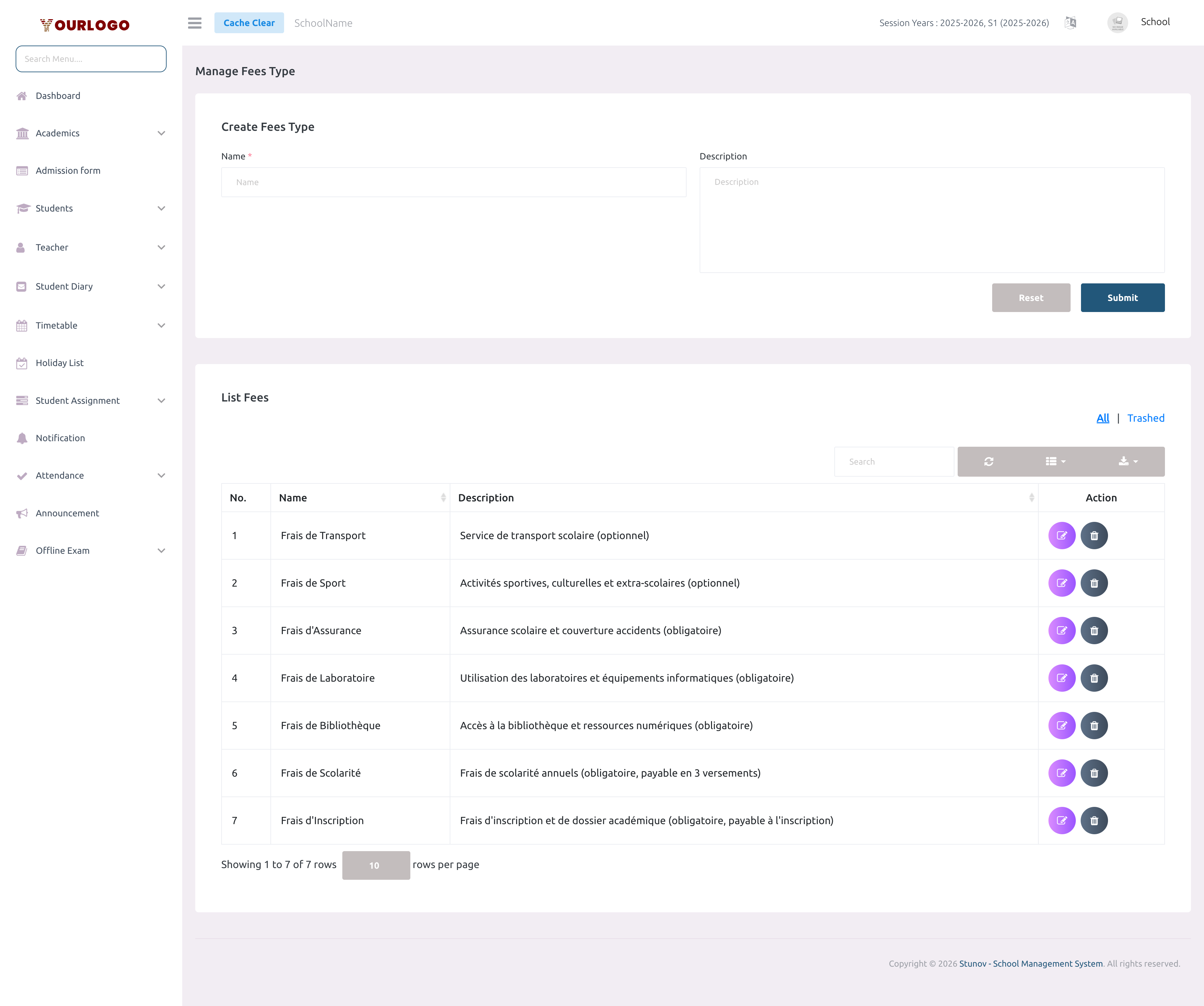
Create a Fees Type
View Fee Types
The list table displays all created fee types with search, pagination, and export. Use the All / Trashed toggle to switch between active and deleted fee types. Click Export to download the list.
Edit a Fees Type
Renaming a Fee Type updates the label everywhere it is referenced (fee configurations, student fee screens, receipts). It does not change existing payment records.
Delete a Fees Type
If the Fee Type is currently used in any fee configuration (compulsory or optional), the system will prevent deletion. Remove all references first.
Restore a Deleted Fees Type
Deleted fee types are soft-deleted and can be recovered:
- In the fee type list, click the Trashed tab to view deleted items
- Click Restore next to the fee type you want to recover
- The fee type returns to the active list
To permanently remove a fee type, click Force Delete from the Trashed view.
Related Pages
- Manage Fee — Create fee configurations using fee types
- Student Fees — View and collect student payments
- Optional Fee — Track optional fee payments