Optional Fee
The Optional Fee page provides a dedicated view for tracking optional fee payments across class sections. Unlike compulsory fees, optional fees are not mandatory — students choose which optional fees to pay (e.g., Sport Fee, Transport Fee). This page shows which students have paid optional fees and the payment details.
Optional fees are defined as part of a fee configuration under Manage Fee. Add optional fee types and amounts when creating or editing a fee. Payments are collected from the Student Fees page.
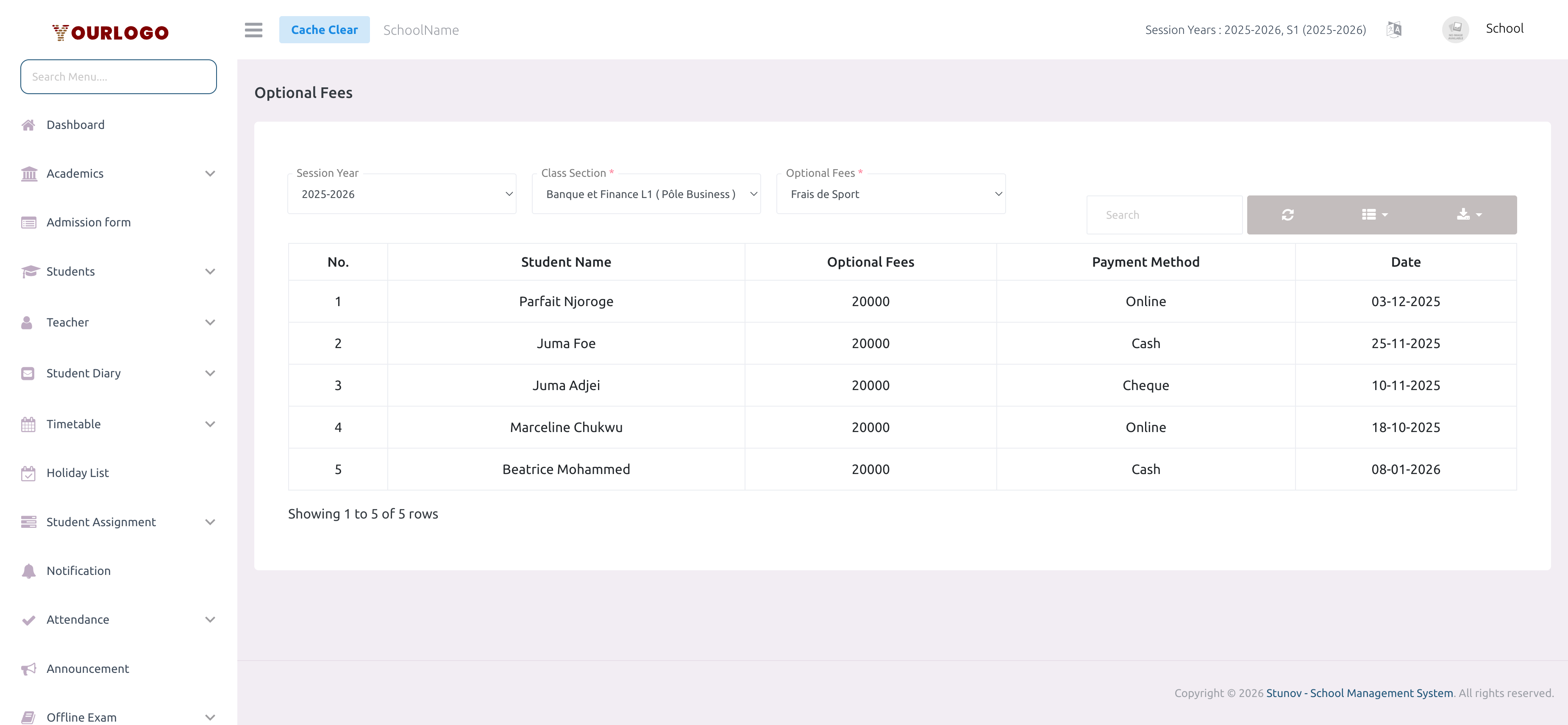
View Optional Fee Payments
Payment List
The table shows all students who have paid the selected optional fee, with their payment amount, method, and date. Use the Search bar to find specific students and Export to download the list.
This page is read-only — it displays payment records. To collect optional fee payments, go to Student Fees and use the Pay Optional Fees action on a student.
Related Pages
- Student Fees — Collect optional fee payments from students
- Manage Fee — Configure optional fee types and amounts per class
- Fees Type — Create fee type categories used for optional fees
- Fees Transaction Logs — View online payment records