Subscription
The Subscription section lets you manage your school's plan, browse available packages, subscribe to addons, and review billing history. Only the School Admin role has access to this section.
The Subscription menu contains three sub-pages: Subscription (history & active plan), Plans (browse & switch packages), and Addons (extra features). Each is described below.
Subscription History
The main Subscription page shows a complete overview of your current plan, upcoming plan, billing details, and payment history.
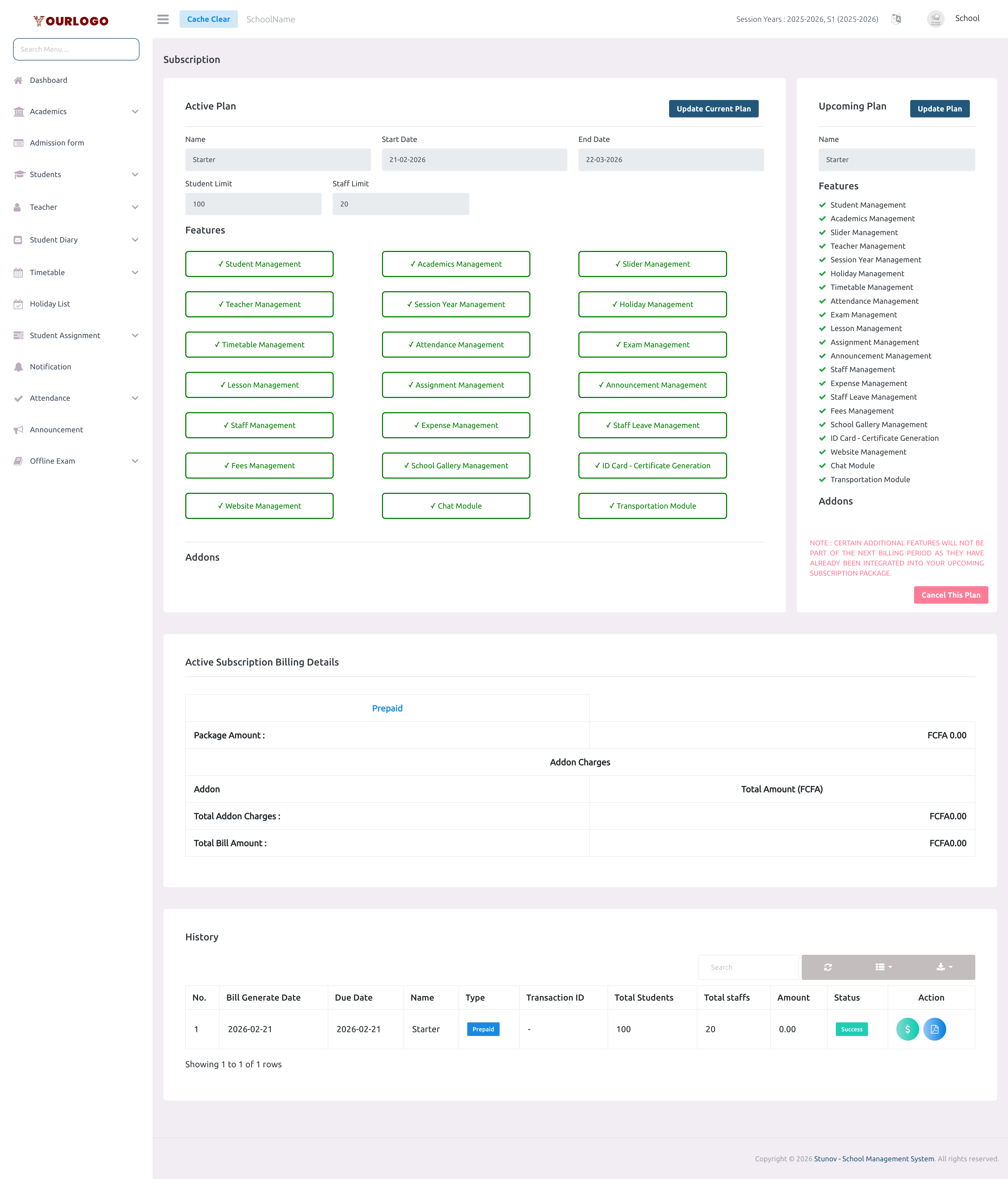
Active Plan
The left panel displays read-only information about your currently active subscription:
| Field | Description |
|---|---|
| Name | The package name (e.g., "Starter", "Premium") |
| Start Date | When the current billing cycle began |
| End Date | When the current billing cycle ends |
| Student Limit | Maximum number of students allowed (prepaid plans) |
| Staff Limit | Maximum number of staff members allowed (prepaid plans) |
| Per Student Charge | Charge per student (postpaid plans only) |
| Per Staff Charge | Charge per staff member (postpaid plans only) |
Below the plan details, you will see:
- Features — A checklist of all features included in your plan (e.g., Student Management, Exam Management, Fee Management)
- Addons — Any additional addons you have subscribed to
Upcoming Plan
The right panel shows your scheduled next plan (if any). From here you can:
- Click Update Plan to change the upcoming plan
- Click Cancel This Plan to remove the upcoming plan
If you cancel an upcoming plan that was already paid for, contact your platform administrator for a refund.
Billing Details
Below the plans panel, the billing section shows a summary for the current cycle:
- Package Amount — The base subscription fee
- Addon Charges — Itemized list of addon costs
- Total Bill Amount — Sum of package + addon charges
Bills Table
The History table at the bottom lists all past and current bills:
| Column | Description |
|---|---|
| No. | Row number |
| Bill Generate Date | When the bill was created |
| Due Date | Payment due date |
| Name | Plan/package name |
| Type | Prepaid or Postpaid |
| Transaction ID | Payment gateway reference |
| Total Students | Student count at time of billing |
| Total Staff | Staff count at time of billing |
| Amount | Total bill amount |
| Status | Payment status (Success, Pending, Failed) |
| Action | View bill details / Download receipt |
Plans
The Plans page displays all available subscription packages as pricing cards.
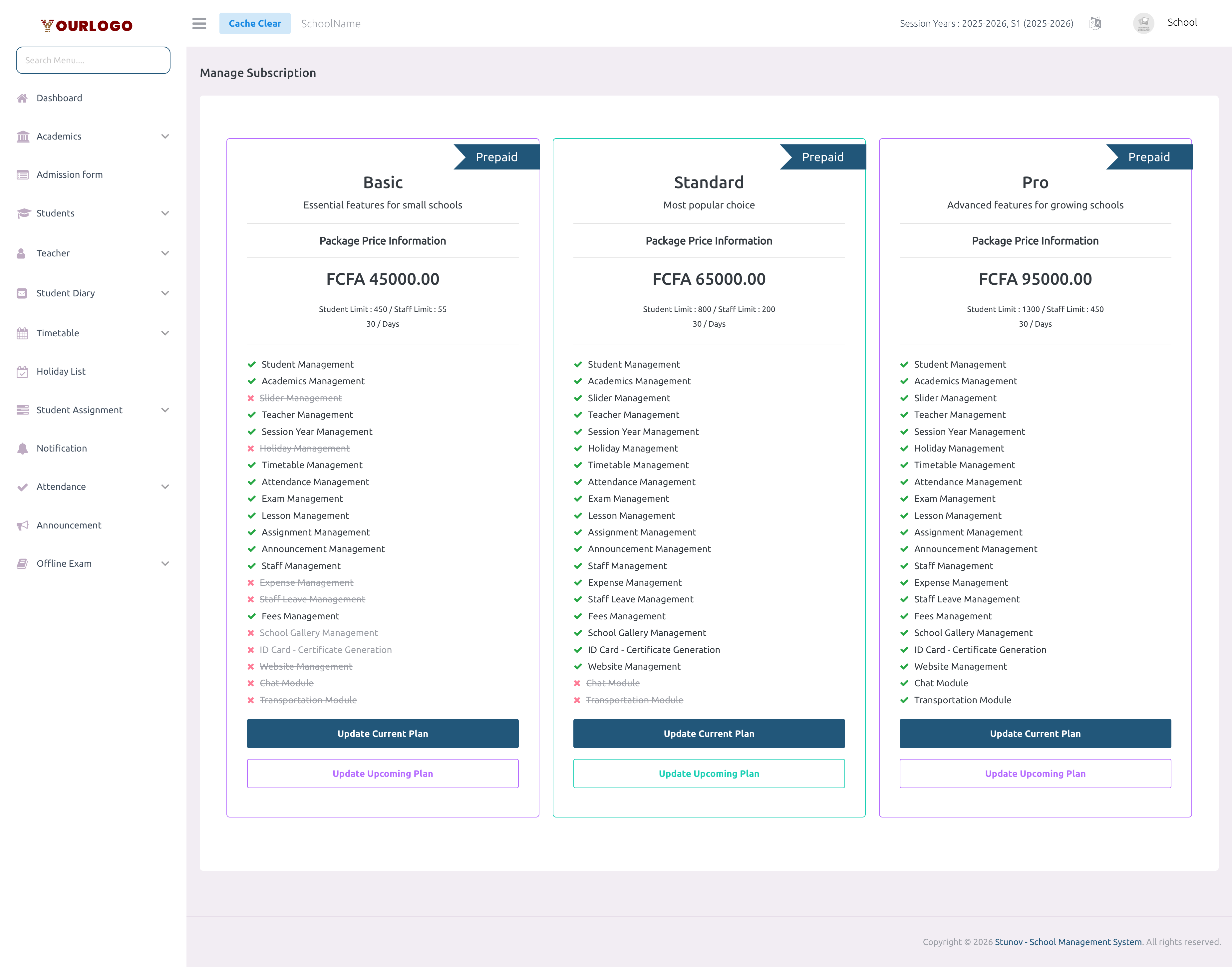
Package Types
Each package card indicates its type:
| Type | Description |
|---|---|
| Prepaid | Fixed price with set student & staff limits. Pay upfront for a defined duration. |
| Postpaid | Pay per student and per staff at the end of the billing period. No hard limits. |
| Trial | Free trial period with limited student/staff counts. |
Package Card Details
Each pricing card shows:
- Package name and description
- Price (flat fee for prepaid, per-student/staff rates for postpaid)
- Student limit and Staff limit
- Duration in days
- Feature checklist (features included vs. not included)
Switch or Update a Plan
Available payment methods depend on what your platform administrator has configured in System Settings → Payment Settings. Not all gateways may be available.
Addons
Addons are extra features that can be added to your base subscription plan.
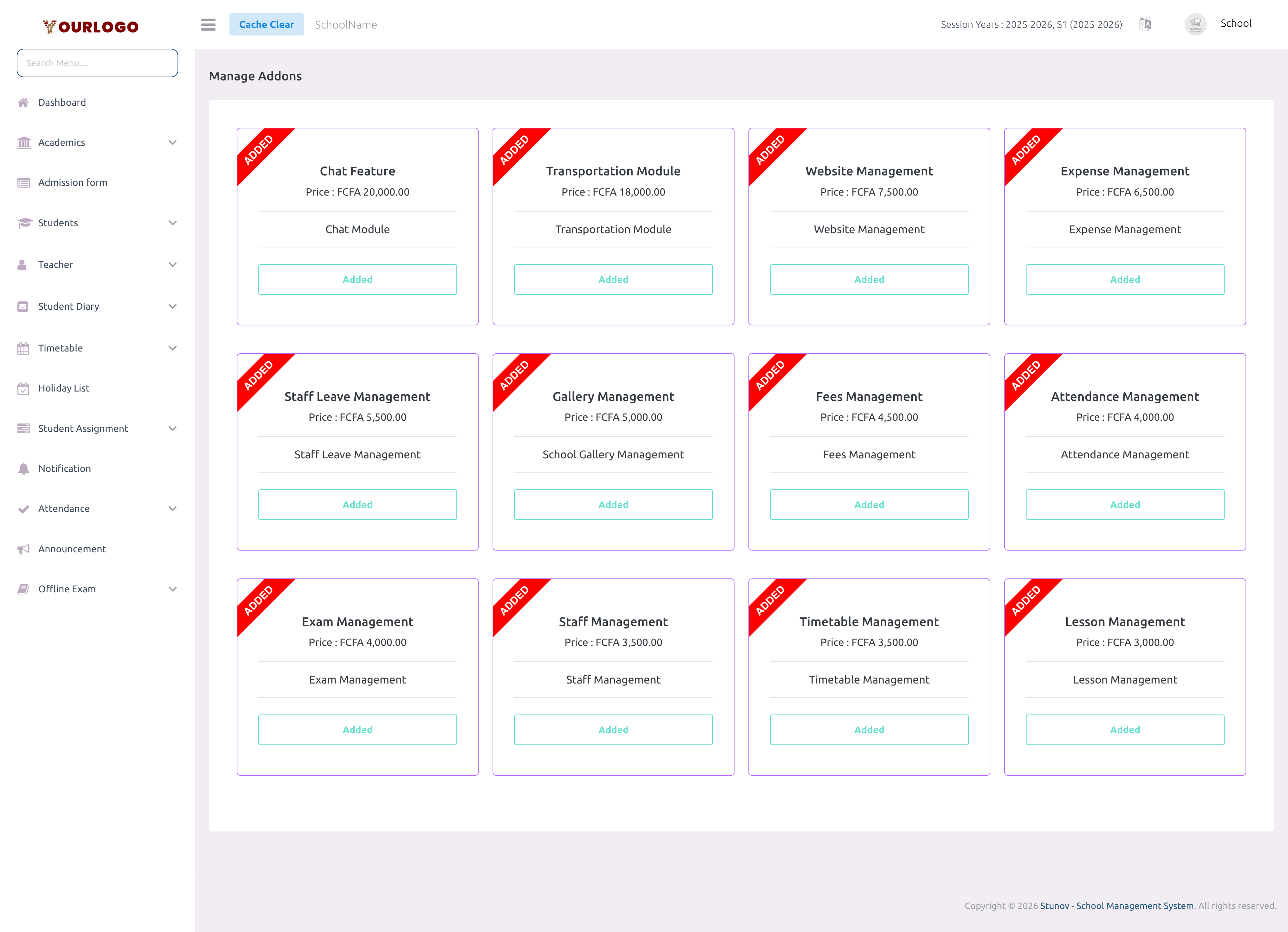
Subscribe to an Addon
Discontinue an Addon
To stop using an addon at the end of the current billing cycle:
- Go to Subscription → Addons
- Find the active addon
- Click Discontinue
- The addon will remain active until the end of the current billing period
Some addons included in your upcoming plan package will be automatically removed from your separate addon billing at renewal.
Related Pages
- Features — View all features and their associated permissions
- System Settings — Configure payment gateways