Teacher Reports
The Teacher Reports page gives a complete, read-only view of every teacher in your school. Start from a searchable list of all teachers, then open any teacher to see a detailed profile that brings together their personal details, class and subject assignments, attendance, timetable, salary structure, leave history, and transportation — all in one place.
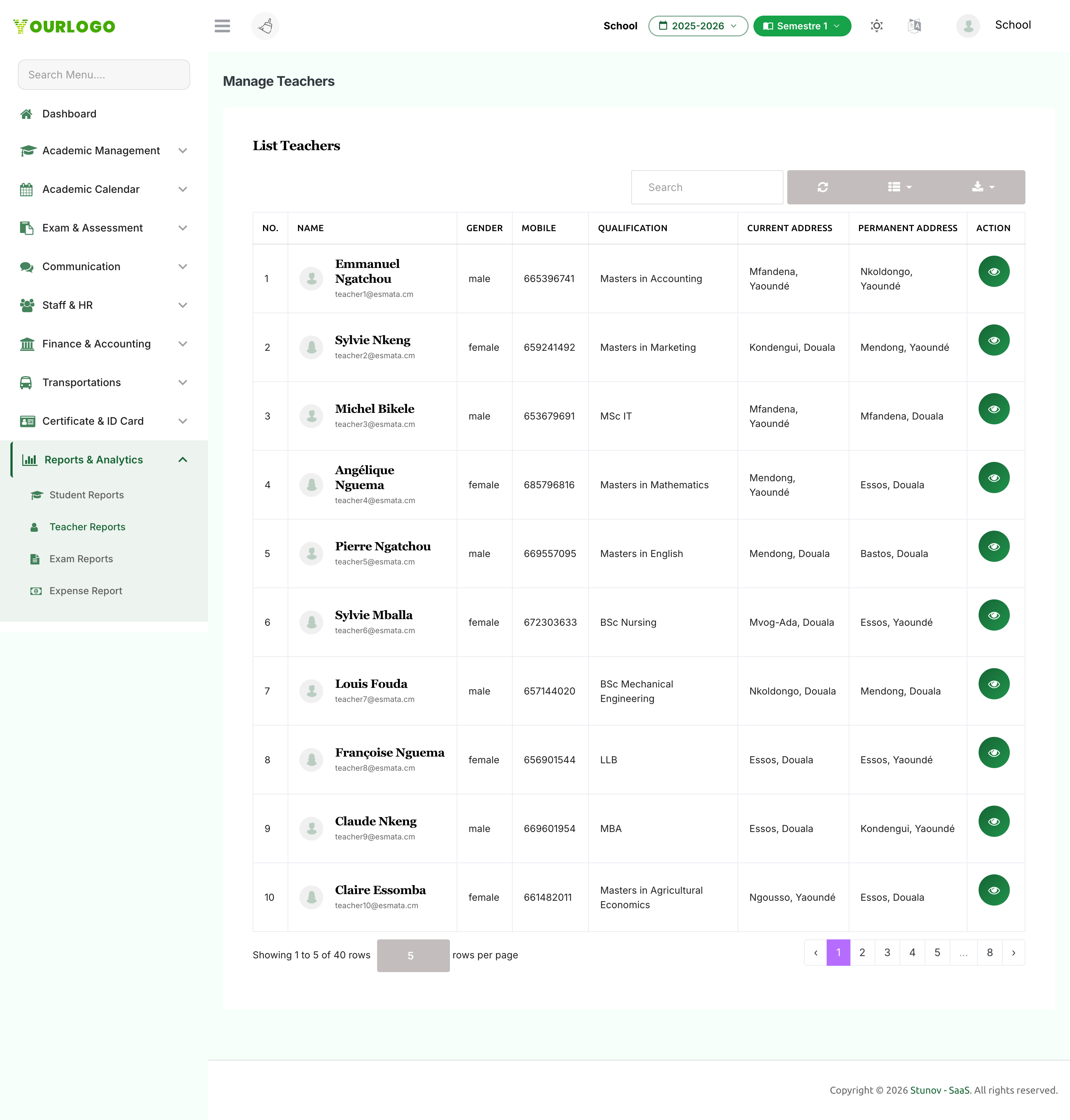
Browse the Teacher List
The list shows the teacher's Name, Gender, Mobile, Qualification, and Current / Permanent Address, with DOB and Salary available as optional columns.
Open a Teacher Report
Click the View (eye) button in the Action column to open a teacher's full report. The report has a profile card on the left and a set of tabs on the right.
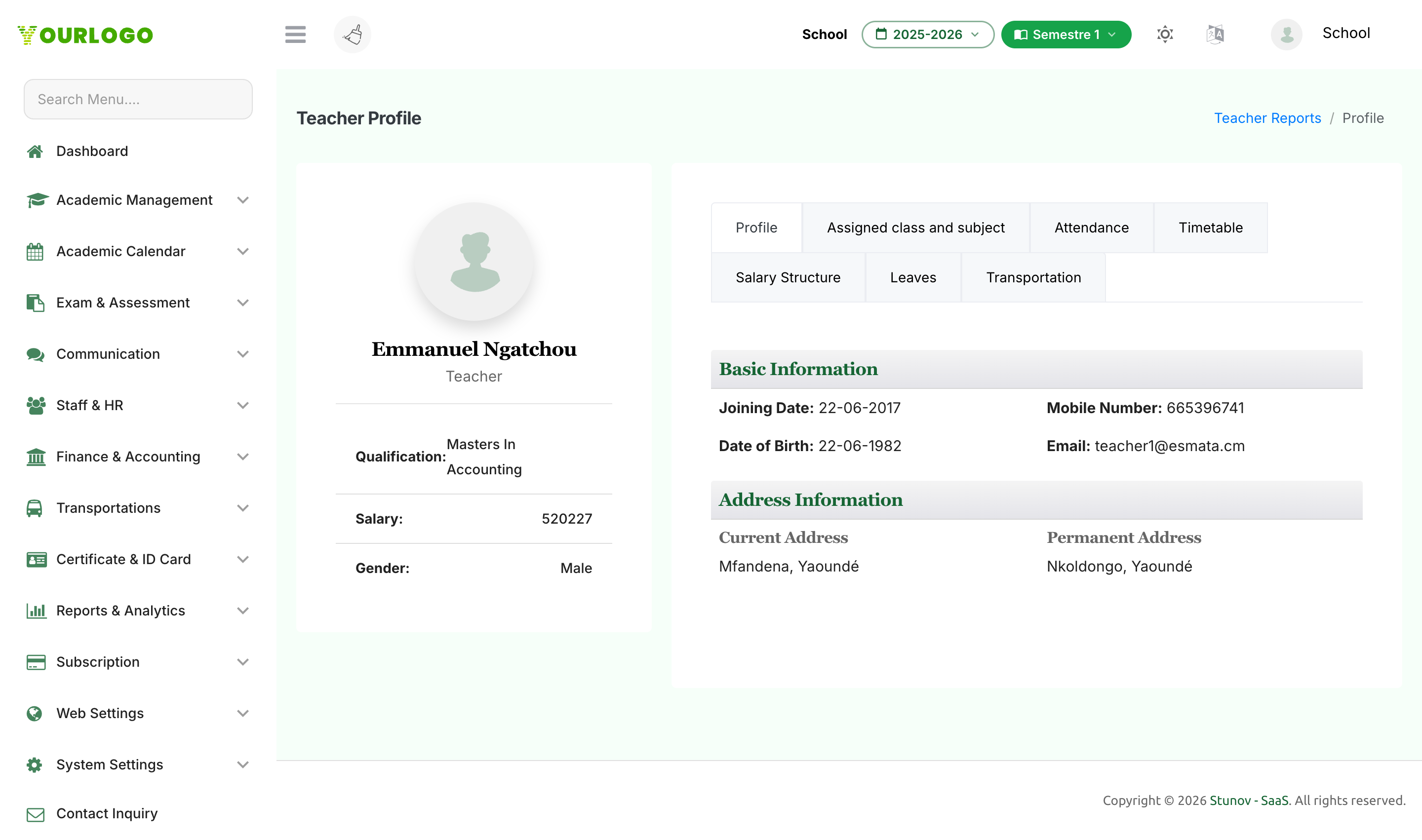
The tabs cover:
| Tab | What it shows |
|---|---|
| Profile | Basic information (joining date, date of birth, mobile, email) and current / permanent address. |
| Assigned Class and Subject | The classes where the teacher is class teacher, plus a teaching overview of every class, section, medium, stream, shift, and the subjects they teach. |
| Attendance | A monthly attendance summary (total, present, absent, holiday, half days, and attendance %) and a day-by-day grid. Pick the month from the dropdown. |
| Timetable | A calendar view of the teacher's weekly schedule, with each period showing the subject, class/section, and time. |
| Salary Structure | Basic salary, total allowances, total deductions, and net salary, with itemised allowance and deduction tables. |
| Leaves | Approved leave records for the selected month — date, type (full/half), reason, and status. |
| Transportation | The teacher's transport plan, route, shift, fees, vehicle, and driver/helper details, plus a pickup/drop attendance grid (shown only if the teacher has opted into transportation). |
Teacher Reports is for viewing and analysis. To change a teacher's details, salary, or class assignments, use the Teacher and Academics pages.
Related Pages
- Student Reports — Detailed per-student reports
- Exam Reports — Rank-wise and exam-based results
- Manage Teacher — Add and edit teacher records
- Staff Attendance — Record staff attendance