Dashboard
The Dashboard is the first screen you see after logging in. It provides a real-time overview of your school's key metrics, upcoming events, and actionable insights — all in one place.
- School Admin sees the full dashboard with all widgets (counters, charts, tables, and financial data).
- Teacher sees a streamlined dashboard focused on today's schedule, attendance, announcements, and leave status.
- Other staff (Accountant, IT Manager, etc.) see the School Admin or Teacher dashboard depending on their assigned role in the system.
School Admin Dashboard
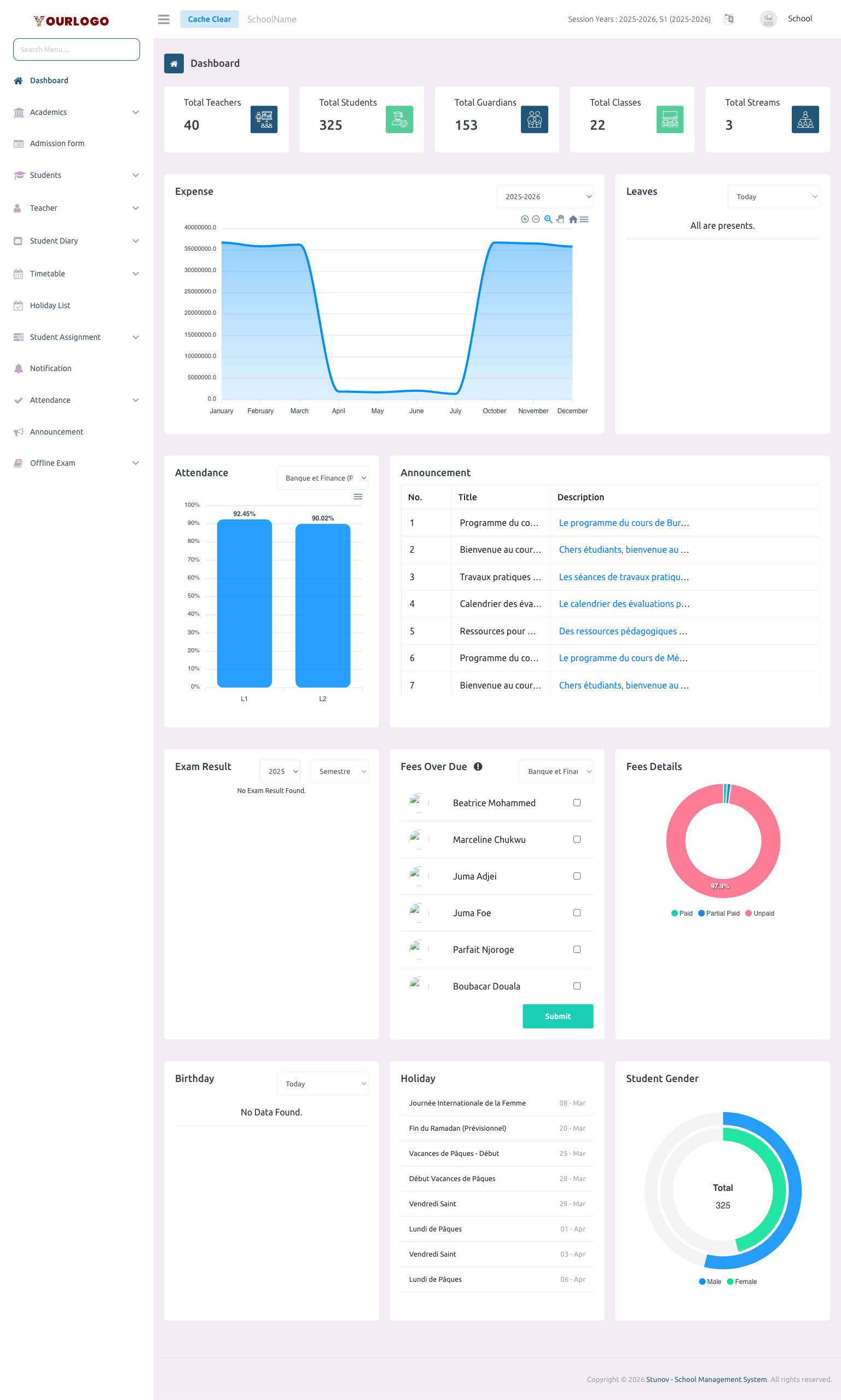
The School Admin dashboard provides a comprehensive overview of the entire school. It is divided into the following sections:
Counter Cards
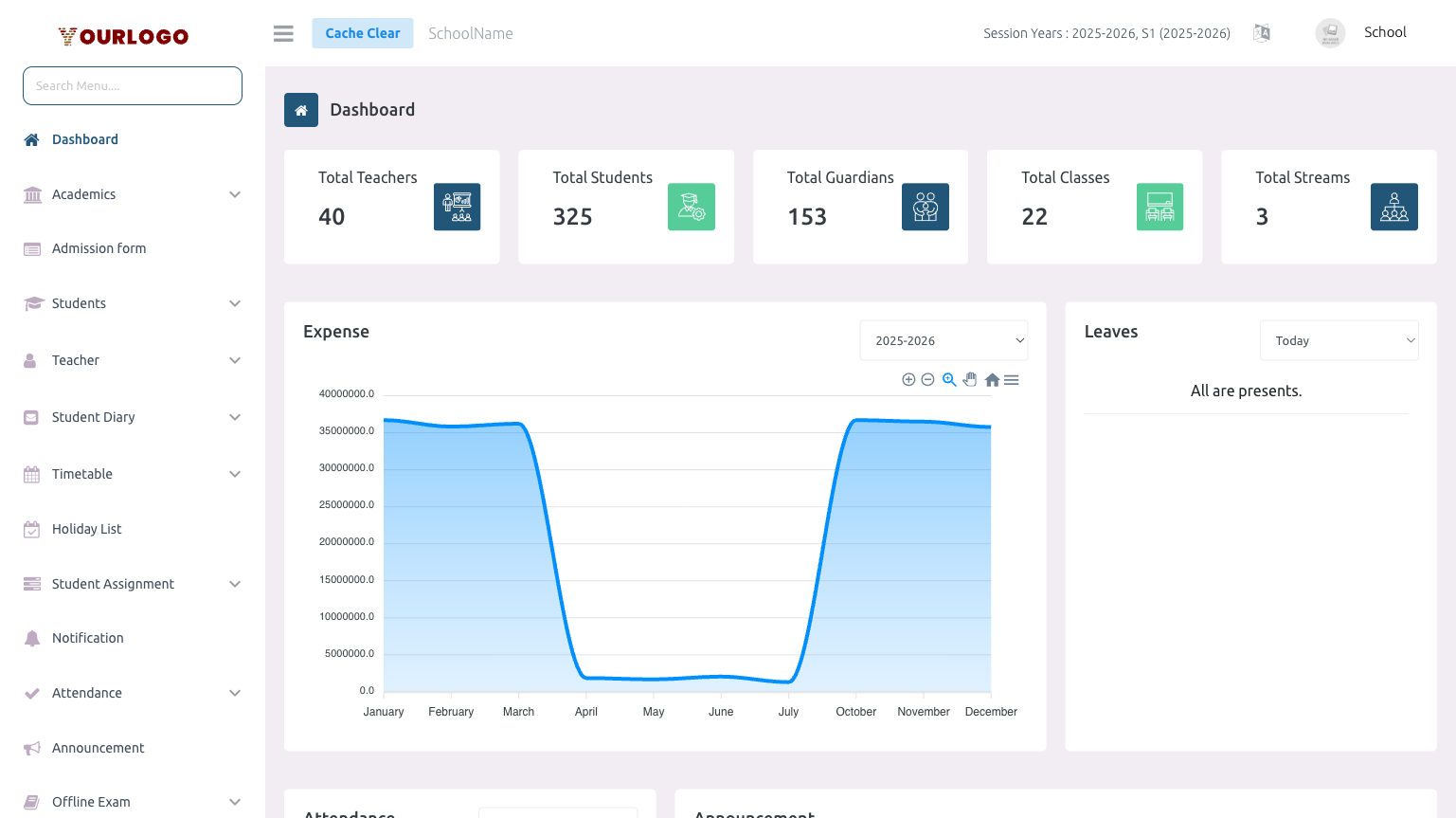
Five summary cards at the top of the page show real-time totals:
| Card | Description |
|---|---|
| Total Teachers | Number of all teachers (including soft-deleted) registered in the school |
| Total Students | Number of all students (including soft-deleted) enrolled in the school |
| Total Guardians | Number of unique guardians linked to admitted students |
| Total Classes | Number of classes configured in the academic structure |
| Total Streams | Number of streams (e.g., Science, Arts) configured |
Financial Health
A row of four financial summary cards sits directly below the counter cards, giving School Admins an at-a-glance view of fee collection and cash position for the active session year.
| Card | Description |
|---|---|
| Fee Collection Rate | Percentage of total due fees that have been collected for the current session year (total paid ÷ total due). The icon is colour-coded — green at 75% or above, amber between 50–74%, red below 50% |
| Outstanding Fees | Total compulsory fees still unpaid for the current session year (total due − total paid), shown in your school currency |
| Revenue This Month | Total income collected in the current calendar month, combining fee payments and transport payments |
| School Wallet | Current balance of your school's wallet |
These cards summarise live financial data and use the currency configured in your General Settings.
Academic Performance
Below the financial cards, a row of charts summarises teaching and assessment activity for the current session year.
| Widget | Type | Description |
|---|---|---|
| Assignment Completion | Gauge | Percentage of expected assignment submissions that students have actually submitted. The subtitle shows the submitted-vs-expected count |
| Top Subject Scores | Horizontal bar | The top 5 subjects ranked by their average exam score |
| Online Exam Participation | Bar | The top 5 online exams ranked by number of student attempts |
Top Subject Scores and Online Exam Participation appear only when there is exam data for the session year. Until then, only the Assignment Completion gauge is shown.
Transportation Overview
When the Transportation Management add-on is active and at least one vehicle with capacity is configured, an additional row of transport metrics appears.
| Card | Description |
|---|---|
| Fleet Utilization | Percentage of total vehicle seating capacity currently taken by enrolled students (green at 80% or above, amber below) |
| Active Vehicles | Number of vehicles currently marked active |
| Transport Fees Collected | Total transport fees paid, shown in your school currency |
| Transport Fees Pending | Outstanding transport fees still due |
This row is only visible when the Transportation Management add-on is purchased and vehicle capacity has been configured.
Expense Chart
- Location: Left side, below the summary cards (takes ~65% width)
- Type: Area chart showing monthly expense totals
- Filter: Session year dropdown (top-right of the chart)
- Availability: Requires the Expense Management add-on. If not purchased, a message is shown instead of the chart.
The chart displays monthly expenses for the selected session year (January through December).
Leaves Widget
- Location: Right side, beside the Expense chart (~35% width)
- Filter: Dropdown with three options — Today, Tomorrow, Upcoming
- Content: Lists staff members on leave for the selected period, showing name and leave details
- Availability: Requires the Staff Leave Management add-on. Shows "All are presents." when no leaves are found.
Attendance Chart
- Location: Left side, paired with the Announcement table
- Type: Bar chart showing Present vs. Absent counts
- Filter: Class dropdown — select a class to view its attendance breakdown by section
- Data: Shows attendance data for the current day per section of the selected class
Announcement Table
- Location: Right side, paired with the Attendance chart
- Type: Server-side paginated table
- Columns: No., Title, Description
- Content: Lists school-wide announcements (not tied to a specific class/subject) ordered by newest first
- Pagination: Supports 5, 10, 20, 50, 100, 200 items per page
Exam Performance
- Location: Left column, alongside Fees Over Due and Fee Payment Status
- Filters:
- Session year dropdown
- Exam name dropdown (filters dynamically based on the selected session year)
- Content: Shows a class-wise progress report for the selected exam — pass/fail distribution per class. Until you choose an exam, the widget prompts "Select an exam to view results"
Fees Over Due
- Location: Center, between Exam Performance and Fee Payment Status
- Filter: Class section dropdown
- Content: Lists students who have not fully paid their compulsory fees for the current session year
- Action: Checkbox to select students → Submit button to deactivate student accounts for non-payment
- Availability: Requires the Fees Management add-on
Deactivating a student removes their access to the system. Use this feature with caution.
Fee Payment Status
- Location: Right column of the same row as Exam Performance and Fees Over Due
- Type: Donut/pie chart
- Segments: Three categories:
- Paid (green) — Students who have fully paid all compulsory fees
- Partial Paid (orange) — Students with partial payments
- Unpaid (red) — Students with no payments
- Availability: Reflects compulsory-fee payment data; meaningful once fees are configured (Fees Management)
Birthday Widget
- Location: Left column of the bottom row
- Filter: Dropdown with three options — Today, This Month, Next Month
- Content: Lists students and staff with birthdays in the selected period (name + date)
Holiday List
- Location: Center column of the bottom row
- Content: Upcoming holidays from today until the end of the current session year, sorted by date
- Columns: Holiday title, Date (day-month format)
- Availability: Requires the Holiday Management add-on
Gender Distribution
- Location: Right column of the bottom row
- Type: Donut chart
- Data: Male vs. Female student ratio with percentage labels
- Center label: "Total" with total student count
Teacher Dashboard
Teachers see a different, streamlined dashboard with the widgets most relevant to their daily workflow.
Available Widgets
| Widget | Description |
|---|---|
| Holiday List | Upcoming holidays until session end |
| Leaves | Personal leave status (Today / Tomorrow / Upcoming filter) |
| Student Gender | Male/Female student ratio chart |
| Expense Chart | Monthly expense chart (only if the teacher has expense-create permission) |
| Today's Schedule | Teacher's timetable for the current day — shows start/end time, subject name, and class section for each period |
| Attendance | Class-wise attendance chart (select class from dropdown) |
| Exam Performance | Class progress report (filterable by session year and exam name) |
| Announcement | School-wide announcement table (paginated) |
The Today's Schedule widget is unique to the Teacher dashboard. It shows only the logged-in teacher's timetable for today, making it easy to see what classes you have coming up.
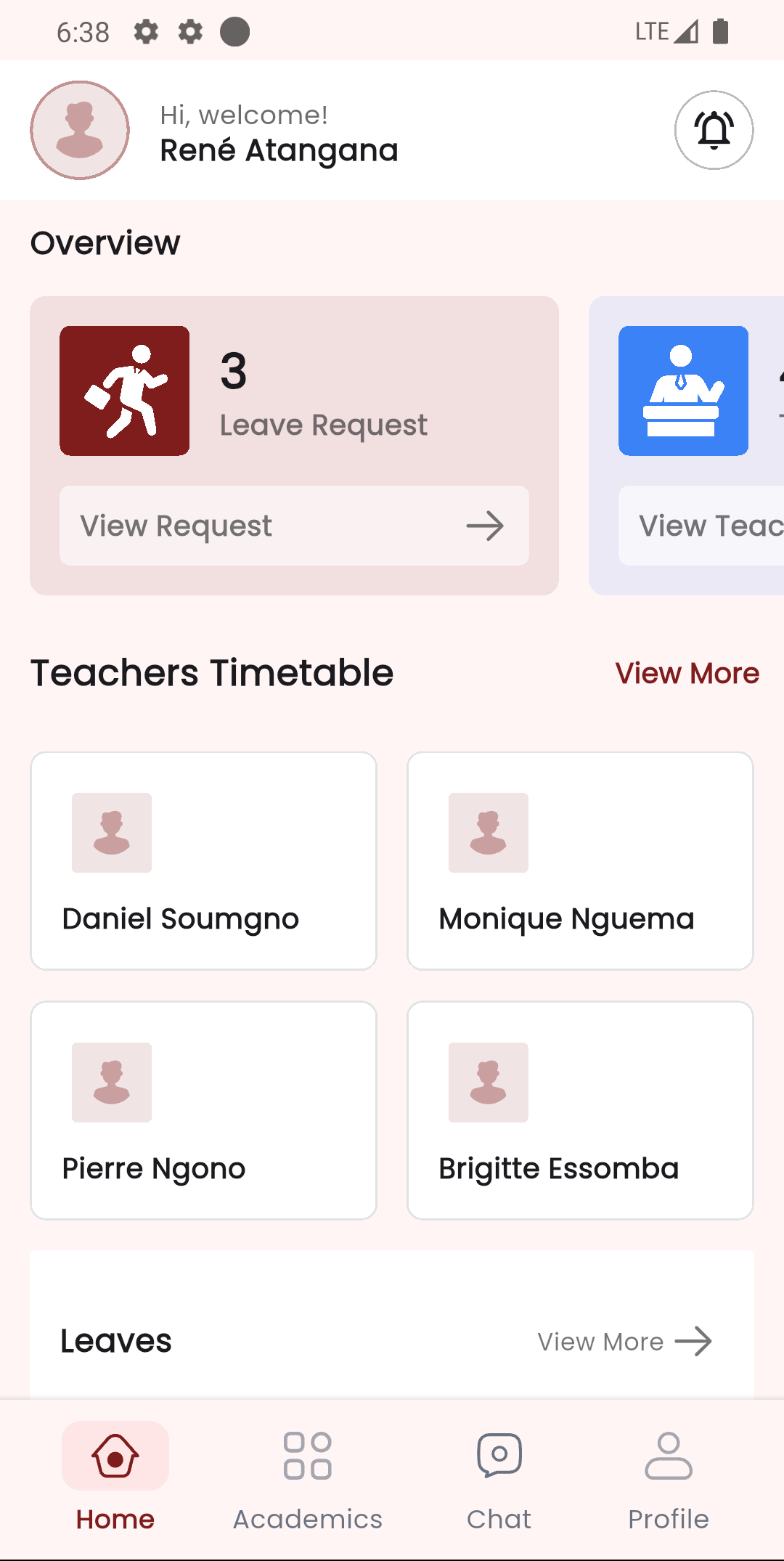
Staff App Home Screen
The Stunov+ Staff app provides a mobile-optimized home screen that mirrors key dashboard metrics. After logging in, the home screen shows quick access to:
- Student and teacher counts
- Quick navigation to Academics, Attendance, Exams, Fees, and other modules
- Announcements and notifications
- Role-specific shortcuts
Feature-Dependent Widgets
Several dashboard widgets require specific add-ons to be purchased and activated in your subscription plan. If a required add-on is not active, the widget area displays a message indicating which add-on is needed.
| Widget | Required Add-on |
|---|---|
| Expense Chart | Expense Management |
| Leaves Widget | Staff Leave Management |
| Fees Over Due | Fees Management |
| Holiday List | Holiday Management |
| Transportation Overview (Fleet Utilization, Active Vehicles, Transport Fees) | Transportation Management |
Contact your School Admin or check the Subscription page to activate additional add-ons for your school.
Related Pages
- Attendance — Take and view student attendance
- Announcement — Create and manage school announcements
- Fees — Configure fee types and manage student payments
- Offline Exam — Manage exams and publish results
- Timetable — Create and view class/teacher timetables
- Holiday List — Manage school holidays
- Leave — Apply for personal leave
- Expense — Track and manage school expenses