Holiday List
The Holiday List lets you define official school holidays, vacation periods, and public holidays for the current academic year. Holidays appear in the student and staff mobile apps, helping everyone stay informed about days off.
- School Admins can create, edit, and delete holidays
- Teachers and Marketing Managers can view the holiday list (read-only)
- Holidays are scoped to the active Session Year — dates must fall within the session year range
- The holiday list is available in the Staff App for quick reference on mobile
Holiday Management must be enabled in your school's subscription plan. If you don't see the Holiday List menu item, contact your platform administrator to enable the Holiday Management feature.
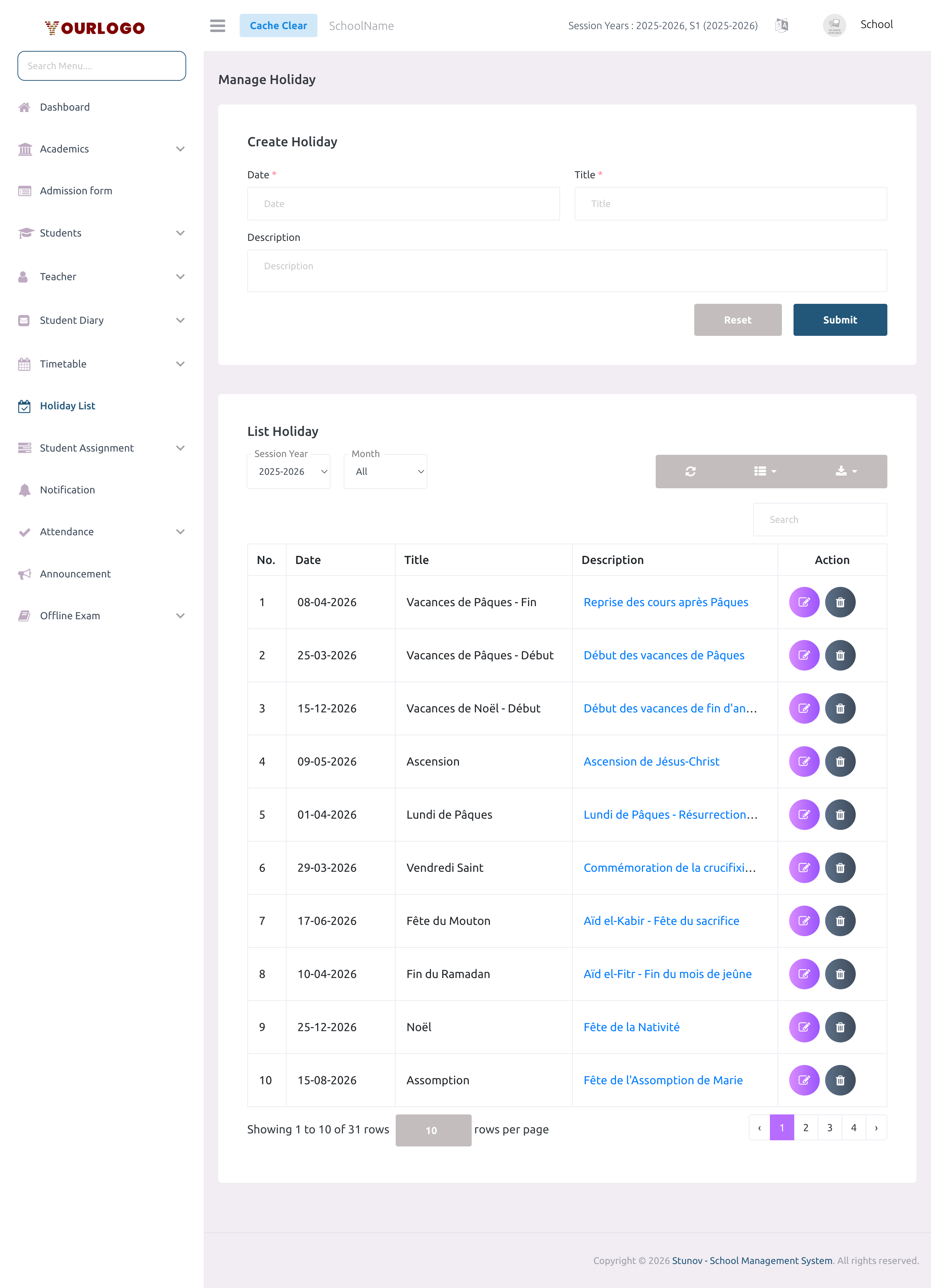
Create a Holiday
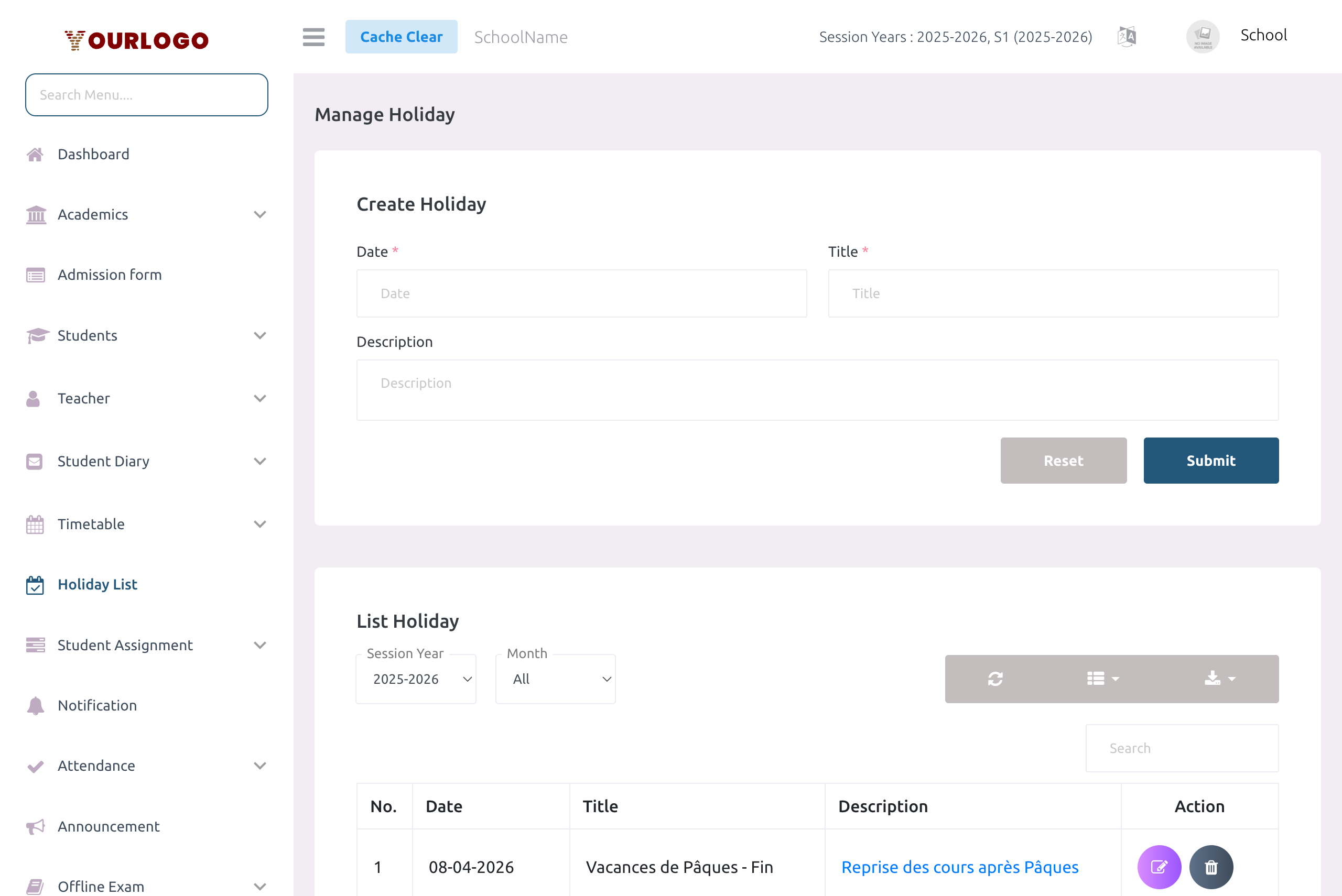
Form Fields
| Field | Type | Required | Description |
|---|---|---|---|
| Date | Date Picker | Required | The date of the holiday. Must fall within the current session year range. Format: YYYY-MM-DD. |
| Title | Text | Required | The name of the holiday (e.g., "National Day", "Easter Monday"). Maximum 128 characters. |
| Description | Textarea | Optional | Optional details about the holiday. Maximum 1024 characters. Long descriptions are truncated in the list with a "Read More" link. |
The date picker only allows dates within the current session year boundaries. For example, if your session year runs from September 2025 to July 2026, you can only create holidays within that range. To add holidays for a different year, switch the session year from Settings first.
View and Filter Holidays
The holiday list table displays all holidays for the selected session year with powerful filtering and search capabilities.
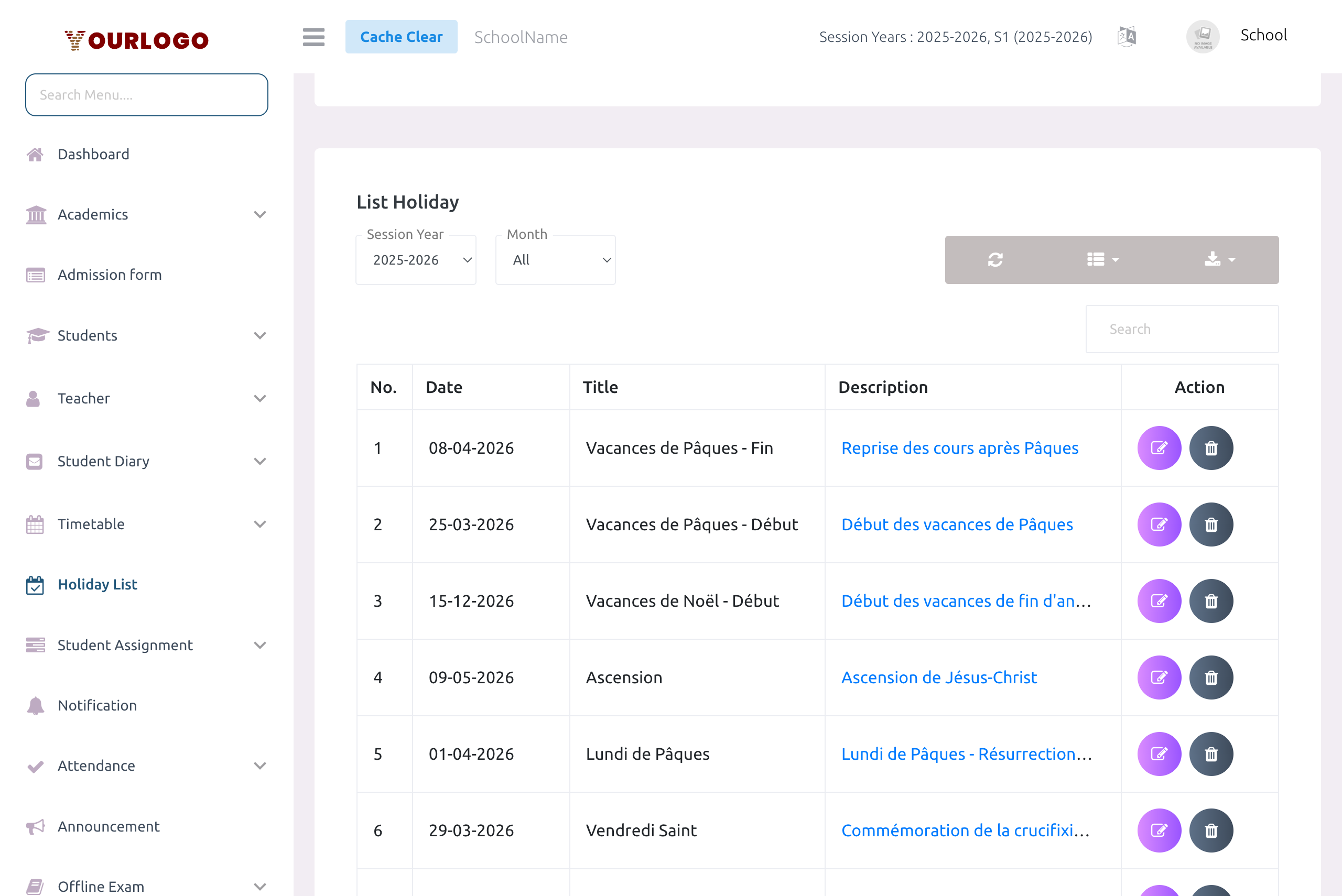
Filters
| Filter | Description |
|---|---|
| Session Year | Select which academic year's holidays to display. Defaults to the current active session year. |
| Month | Filter holidays by month (January–December) or select All to show the entire year. |
Table Columns
| Column | Description |
|---|---|
| No. | Row number |
| Date | The holiday date (displayed in DD-MM-YYYY format) |
| Title | The holiday name |
| Description | Holiday details. Long descriptions are truncated — click to expand and read the full text. |
| Action | Edit and Delete buttons (visible only to users with the corresponding permissions) |
Additional Features
- Search: Use the search bar to find holidays by title or description
- Column Visibility: Click the Columns button to show or hide specific columns
- Export: Click the Export button to download the holiday list as a CSV file (filename:
holiday-list-{date}) - Refresh: Click the Refresh button to reload the table data
- Pagination: Use the rows-per-page selector (5, 10, 20, 50, 100, 200) and page navigation at the bottom
Edit a Holiday
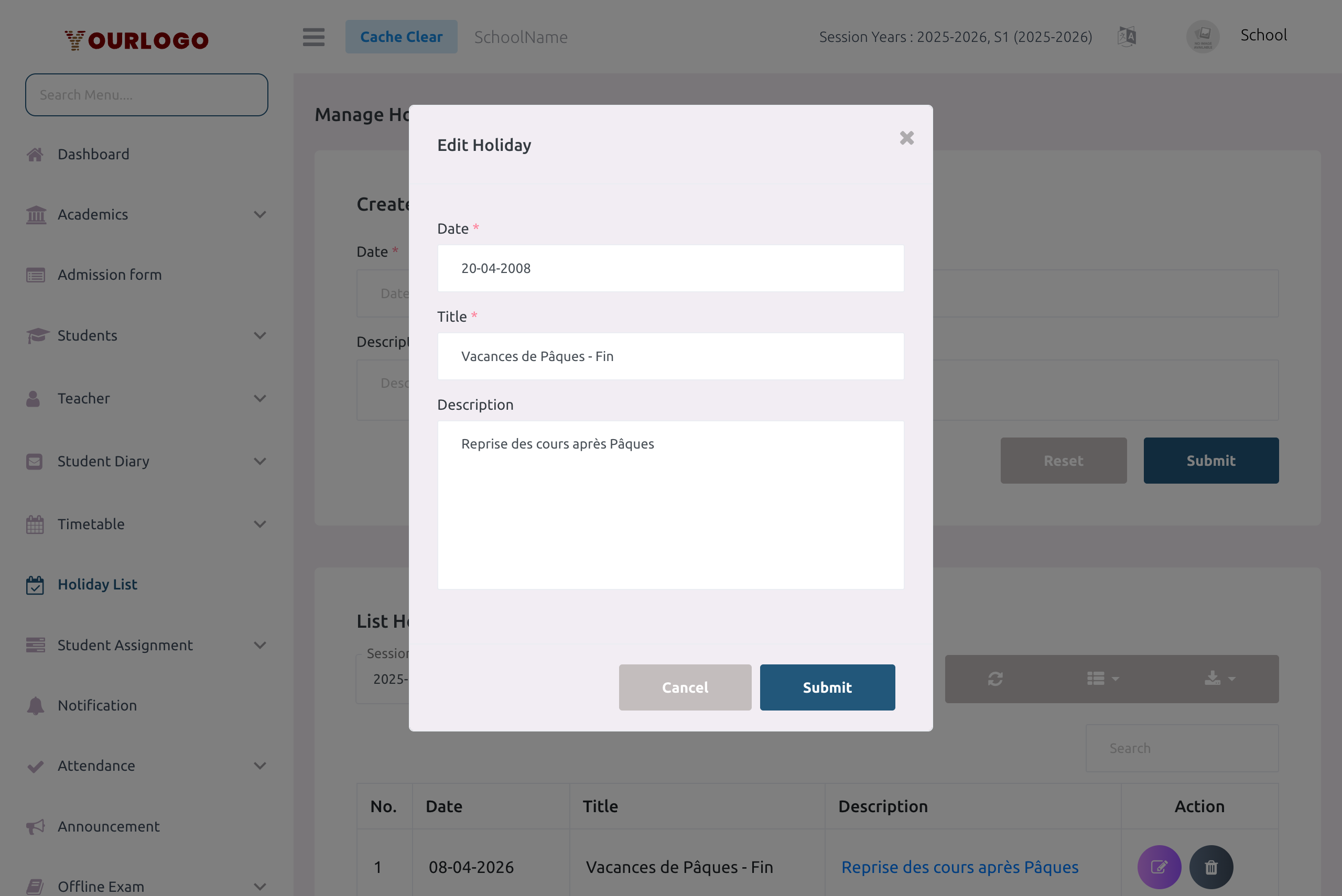
When you edit a holiday, the system tracks the session year associated with the holiday date. This ensures the holiday remains properly linked to the correct academic year.
Delete a Holiday
Holiday deletion is permanent — there is no soft-delete or trash view for holidays. Deleted holidays cannot be recovered. Make sure you want to remove the holiday before confirming.
Staff App View
In the Stunov+ Staff App, holidays are displayed prominently to keep staff and teachers informed:
- Home Screen: Upcoming holidays appear in the holidays widget on the dashboard
- Holiday List Screen: A dedicated scrollable list showing all holidays for the current academic year
- Each holiday card displays the date (day number and month), title, and a truncated description with a "Read More" option for longer text
The mobile app syncs holidays via API and supports incremental updates — only new or modified holidays are fetched to save bandwidth.
Permissions Summary
| Action | Permission | Roles |
|---|---|---|
| View holiday list | holiday-list | School Admin, Teacher, Staff |
| Create holiday | holiday-create | School Admin |
| Edit holiday | holiday-edit | School Admin |
| Delete holiday | holiday-delete | School Admin |
Related Pages
- Dashboard — Holidays widget shows upcoming holidays
- Timetable — Holidays affect the school calendar
- Attendance — Attendance is not taken on holidays
- System Settings — Session Year settings define the date range for holidays