Exam Reports
The Exam Reports module provides a deep analysis of student performance across three views: Subject-Wise Results, Yearly Results, and Rank-Wise Results. Each view includes statistics cards, a searchable results table, and PDF export for individual or bulk report generation.
Switch between the three result views to analyze performance from different angles — by subject, by annual aggregate, or by class ranking.
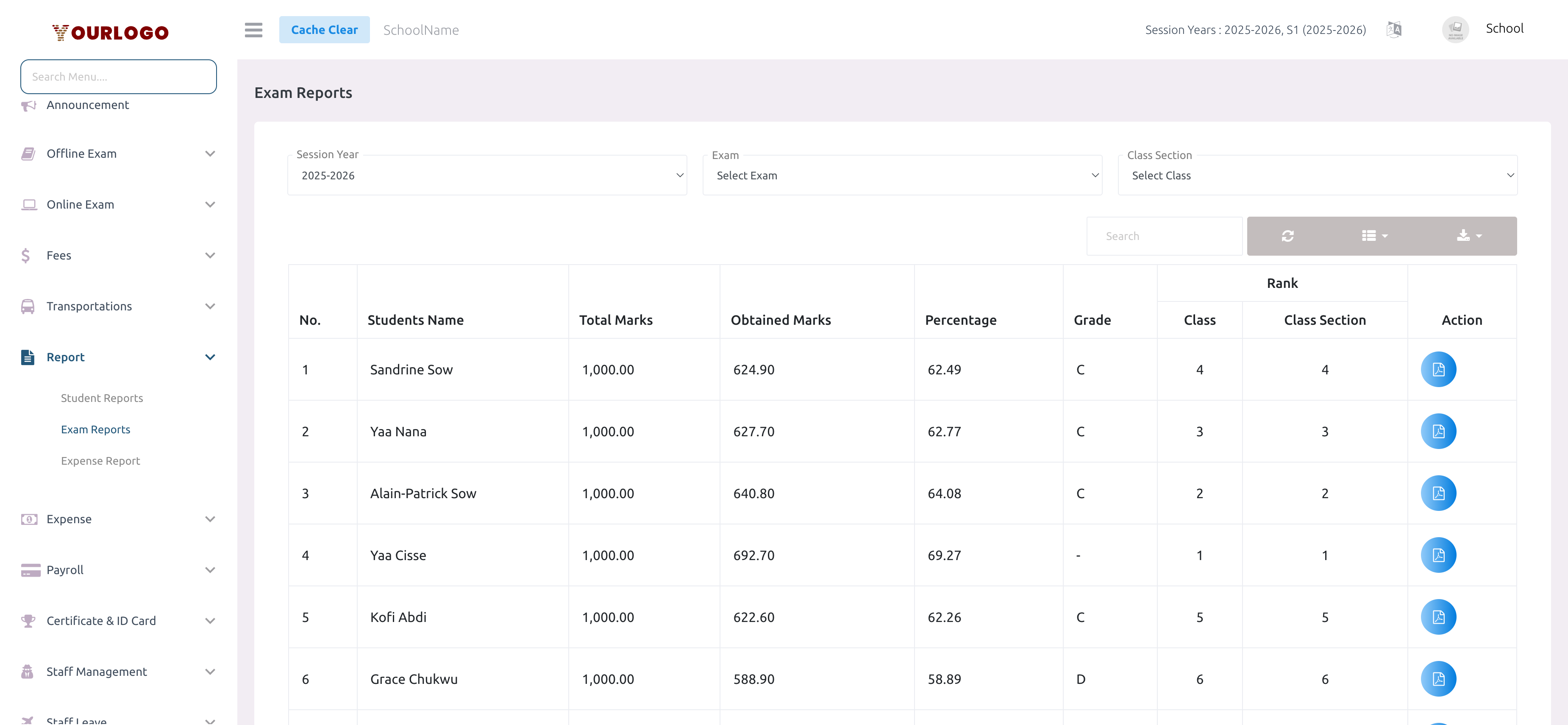
Generate Exam Reports
Subject-Wise Results
Shows per-subject performance for each student across the selected exam.
Statistics Cards:
- Total Subjects — Number of subjects in the exam
- Subjects Passed — Subjects where the student met the pass threshold
- Subjects Failed — Subjects below the passing mark
- Overall Pass Rate — Percentage of students who passed all subjects
Yearly Results
Aggregates all exams in the session year to show overall annual performance.
Statistics Cards:
- Total Students — Students enrolled in the class section
- Students Passed — Students who passed overall
- Students Failed — Students who did not pass
- Pass Percentage — Overall pass rate for the class
Rank-Wise Results
Ranks students by performance, showing their standing within both the class and section.
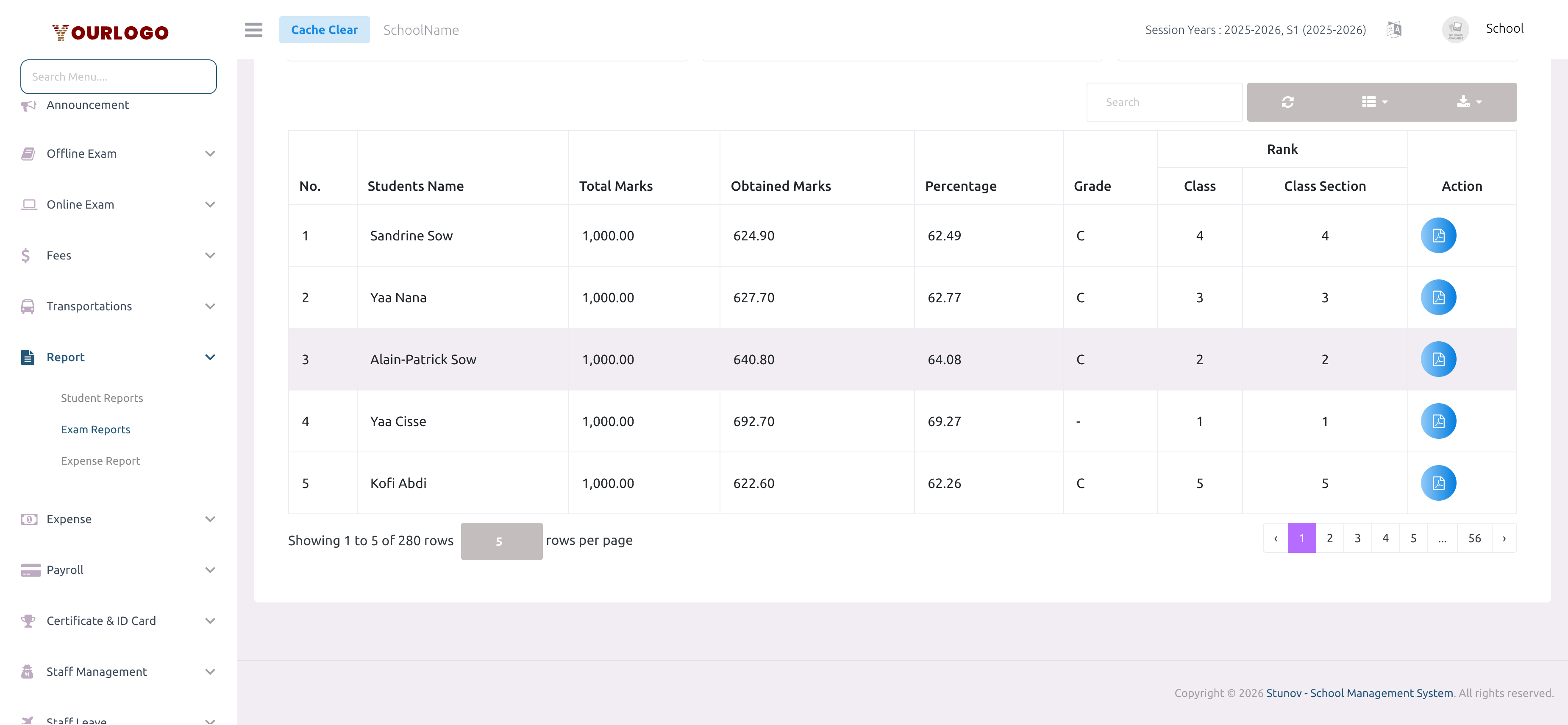
Statistics Cards:
- Total Students — Total students in the exam
- Students Passed — Number who met the pass criteria
- Students Failed — Number below the threshold
- Pass Percentage — Class-wide pass rate
Rank-Wise Result PDF
Click the View button next to any student to generate their individual rank-wise result PDF. This PDF includes subject-wise breakdown, obtained marks, grades, and final rank.
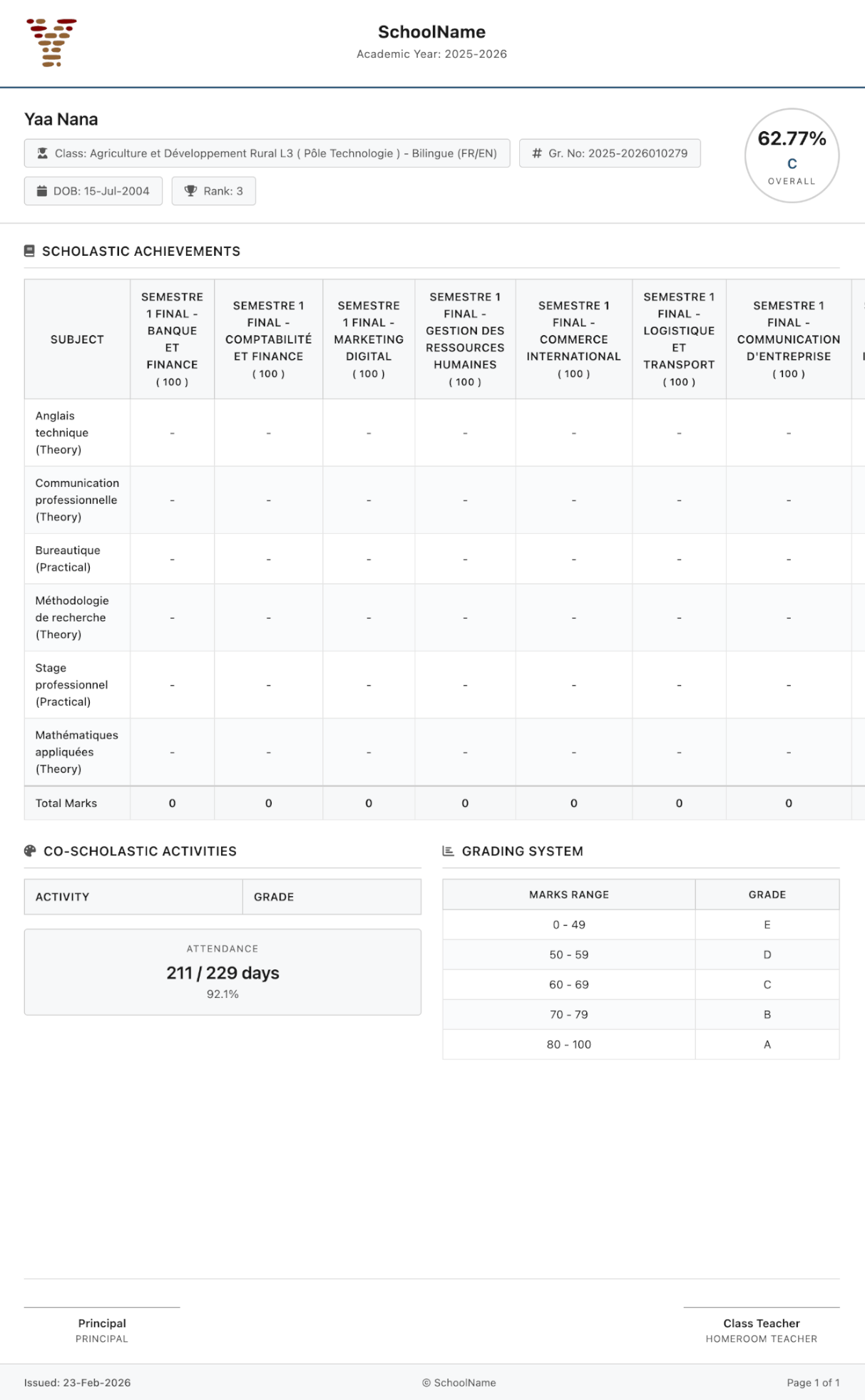
Bulk PDF Export
For each result view, you can generate PDFs in bulk:
- Click the Export button in the toolbar
- Select your preferred format (PDF for print, CSV/Excel for data analysis)
- The export includes all visible data respecting current filters
The bulk export downloads a combined file with all students. For individual student result cards (with school logo and formal layout), use the View button per student.
Related Pages
- Student Reports — Individual student profiles with attendance, exam, and fee history
- Offline Exam — Create and manage offline examinations
- Exam Grade — Configure grading scales
- Expense Report — Track school expenses