Manage Fee
Manage Fee is where you create the complete fee structure for one or more classes. Each fee configuration bundles together compulsory fees, optional fees, installment schedules, and late-payment (due) charges. This is the central page of the fees module.
- Create Fee Types first (e.g., Tuition, Library, Sport)
- Create a fee here, assigning compulsory and optional fee types with amounts
- Students can then be charged and payments tracked on Student Fees
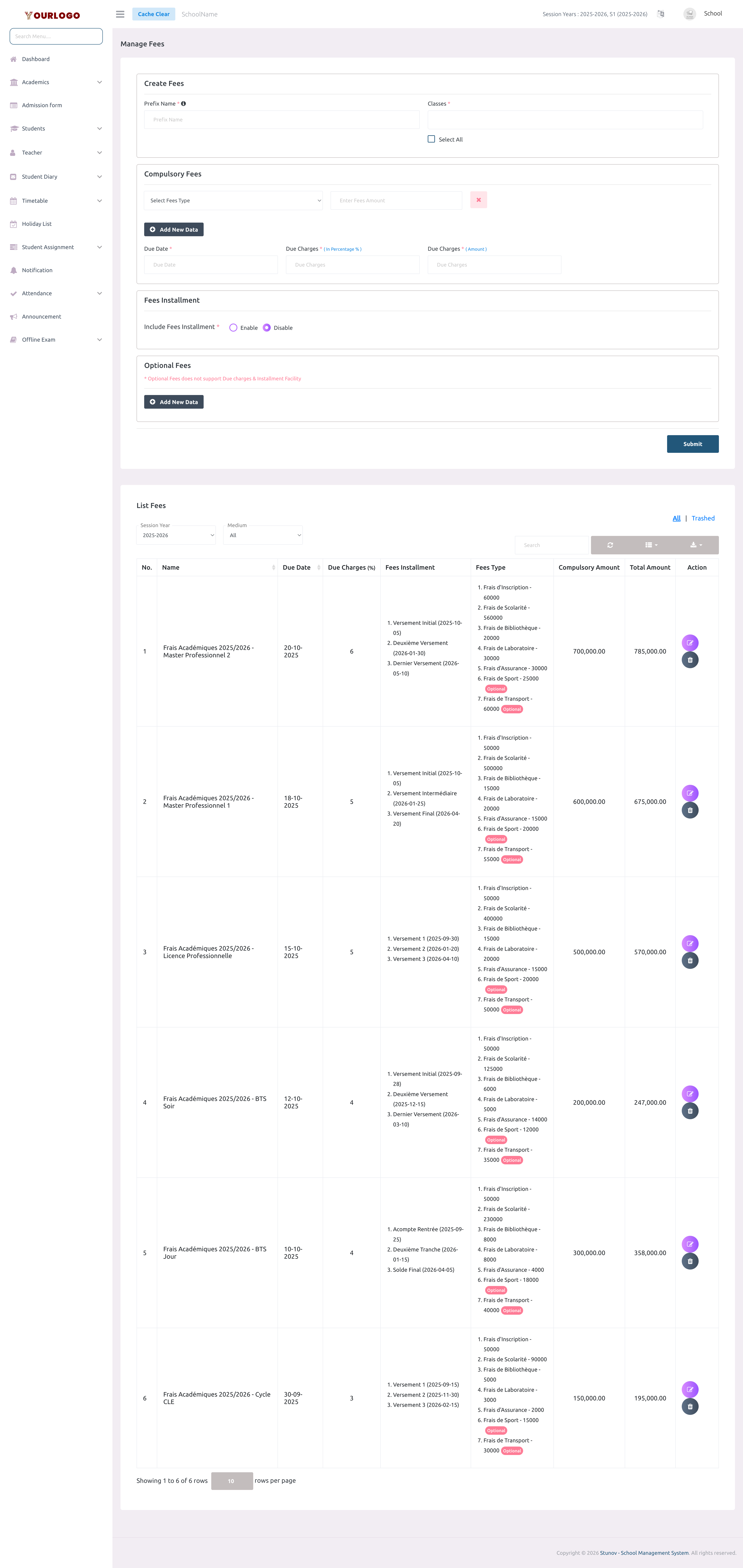
Create a Fee
Optional fees do not support due charges or installment facilities. They are standalone payments that students can opt into.
View Fees
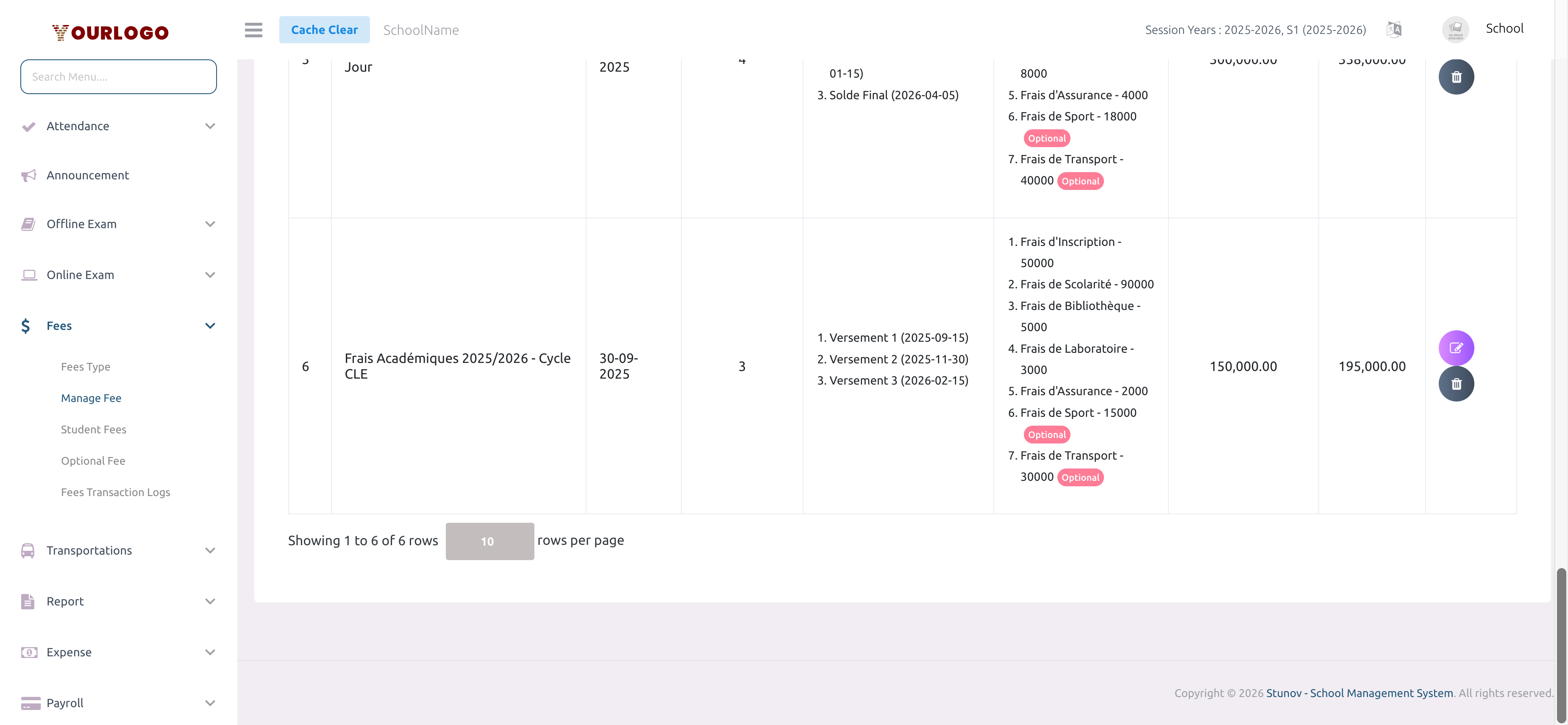
The fee list displays all configured fees with their compulsory amount, total amount, installment details, and due dates. Use the Session Year and Medium dropdowns to filter, and the All / Trashed toggle to switch between active and deleted fee configurations.
Edit a Fee
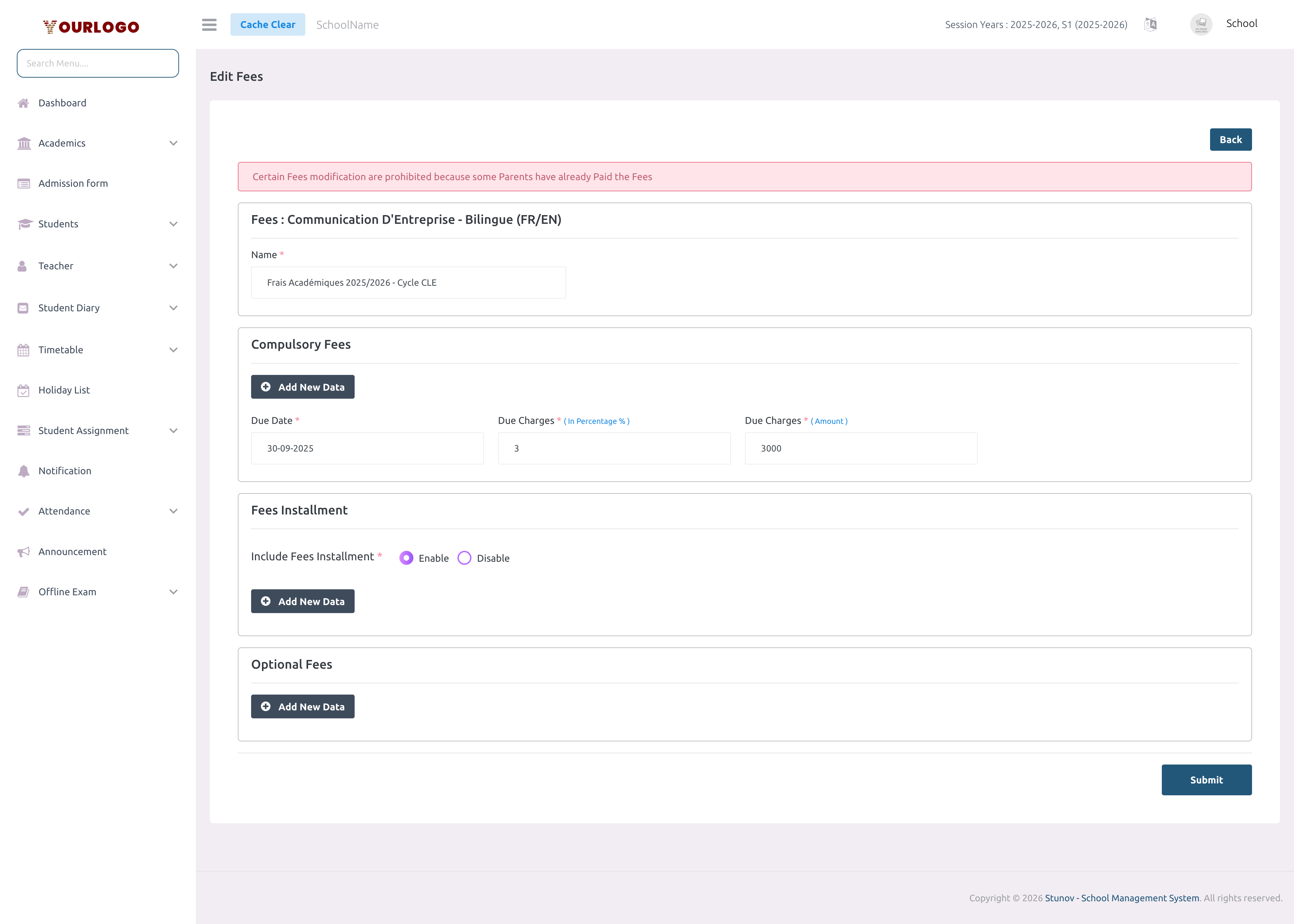
The assigned class cannot be changed after a fee is created. To assign the same fee structure to a different class, create a new fee configuration.
Delete a Fee
Restore a Deleted Fee
- Switch to the Trashed tab in the fee list
- Click Restore to recover the fee, or Force Delete to permanently remove it
Related Pages
- Fees Type — Create fee type categories before configuring fees
- Student Fees — Collect payments from students
- Optional Fee — Track optional fee payments
- Fees Transaction Logs — View online payment transactions