Staff Leave
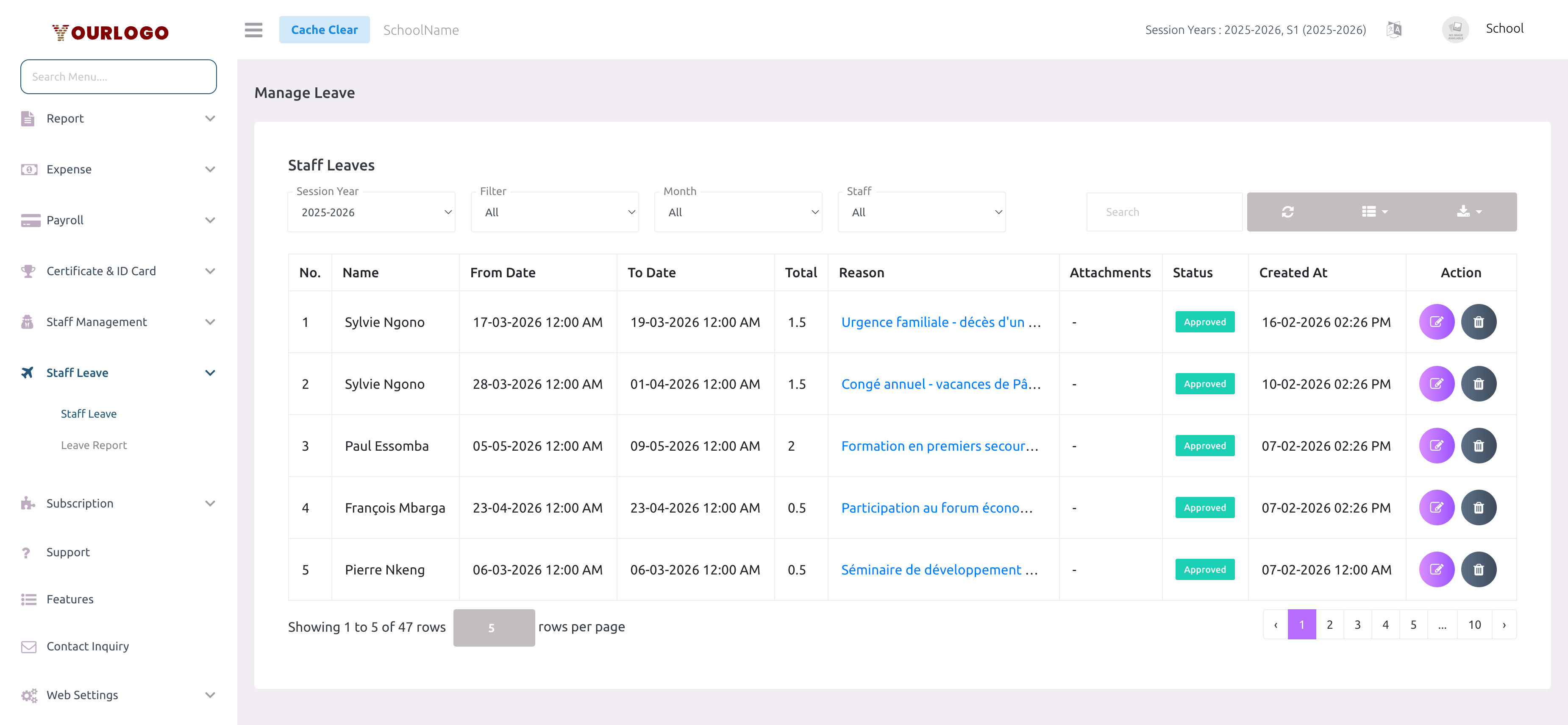
The Staff Leave page is where School Admins and Academic Coordinators review leave requests submitted by teachers and staff. From here you can filter requests, view details (dates, reason, day-by-day breakdown), and approve or reject each request.
Monthly leave allocation, weekly holidays, and public holidays are configured under System Settings → General Settings → Leave Settings. Each staff member receives the configured number of casual leaves per month.
Filter Leave Requests
The filter bar at the top lets you narrow down the displayed requests:
| Filter | Options | Description |
|---|---|---|
| Session Year | Dropdown of session years | Show leave requests for a specific academic year |
| Filter | All, Today, Tomorrow, Upcoming | Quick date-based filters for leaves starting today, tomorrow, or in the future |
| Month | All, January–December | Show leaves from a specific month |
| Staff | All, or a specific staff member | Isolate requests from one person |
- Use the Search box to find requests by staff name or reason
- Click Refresh to reload the table
- Use Export to download the filtered data
Review a Leave Request
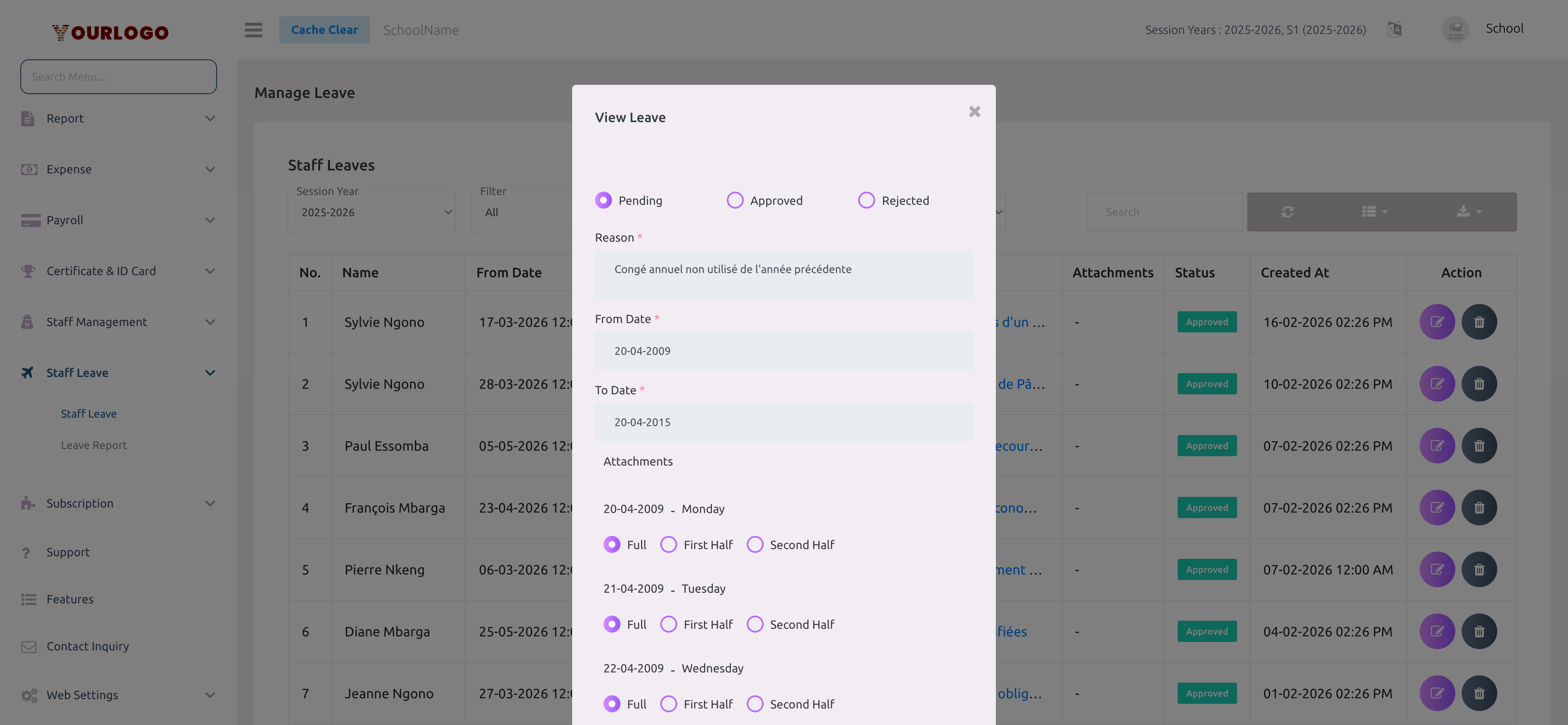
Understanding the Table Columns
| Column | Description |
|---|---|
| Name | Staff member who submitted the request |
| From Date | Start date and time of the leave |
| To Date | End date and time of the leave |
| Total | Total leave days (full days count as 1, half days as 0.5) |
| Reason | Click the link to see the full reason text |
| Attachments | Any files attached to the request (medical certificates, etc.) |
| Status | Current status badge — Pending (yellow), Approved (green), or Rejected (red) |
| Created At | Date and time the request was submitted |
| Action | Edit (change status) and Delete buttons |
Delete a Leave Request
Deleting an approved leave request will reverse its impact on the staff member's leave balance. The allocated leaves for the affected months are restored.
Staff App View
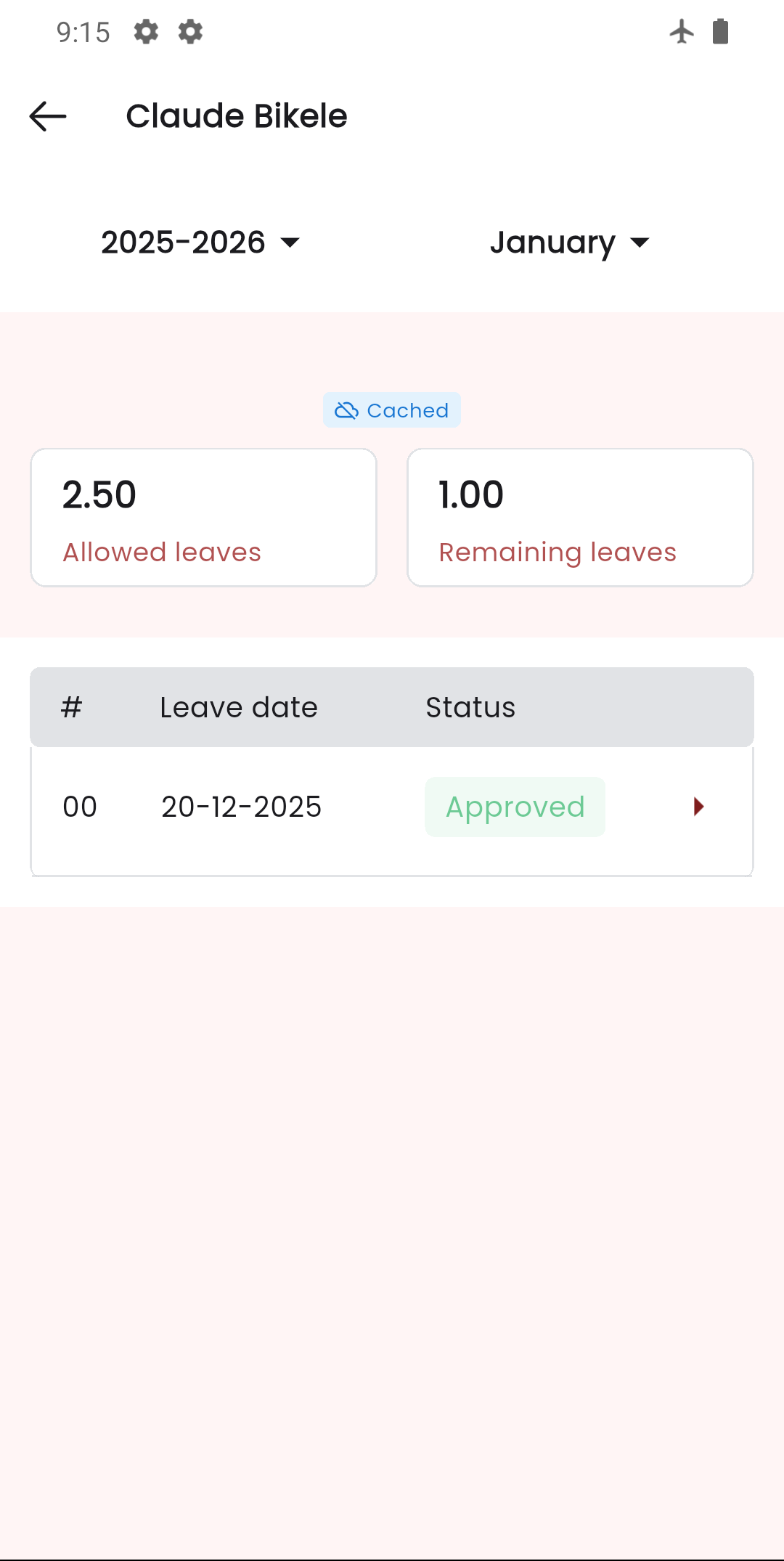
In the Stunov+ Staff app, admins can also manage staff leave requests. The app shows a list of staff members with their leave requests, and tapping into a request reveals details and status update options.
Related Pages
- Leave Report — Monthly leave balance breakdown per staff member
- Leave (Personal) — How staff submit their own leave requests
- System Settings — Leave Settings — Configure monthly allocation, weekly holidays, and public holidays