Leave Report
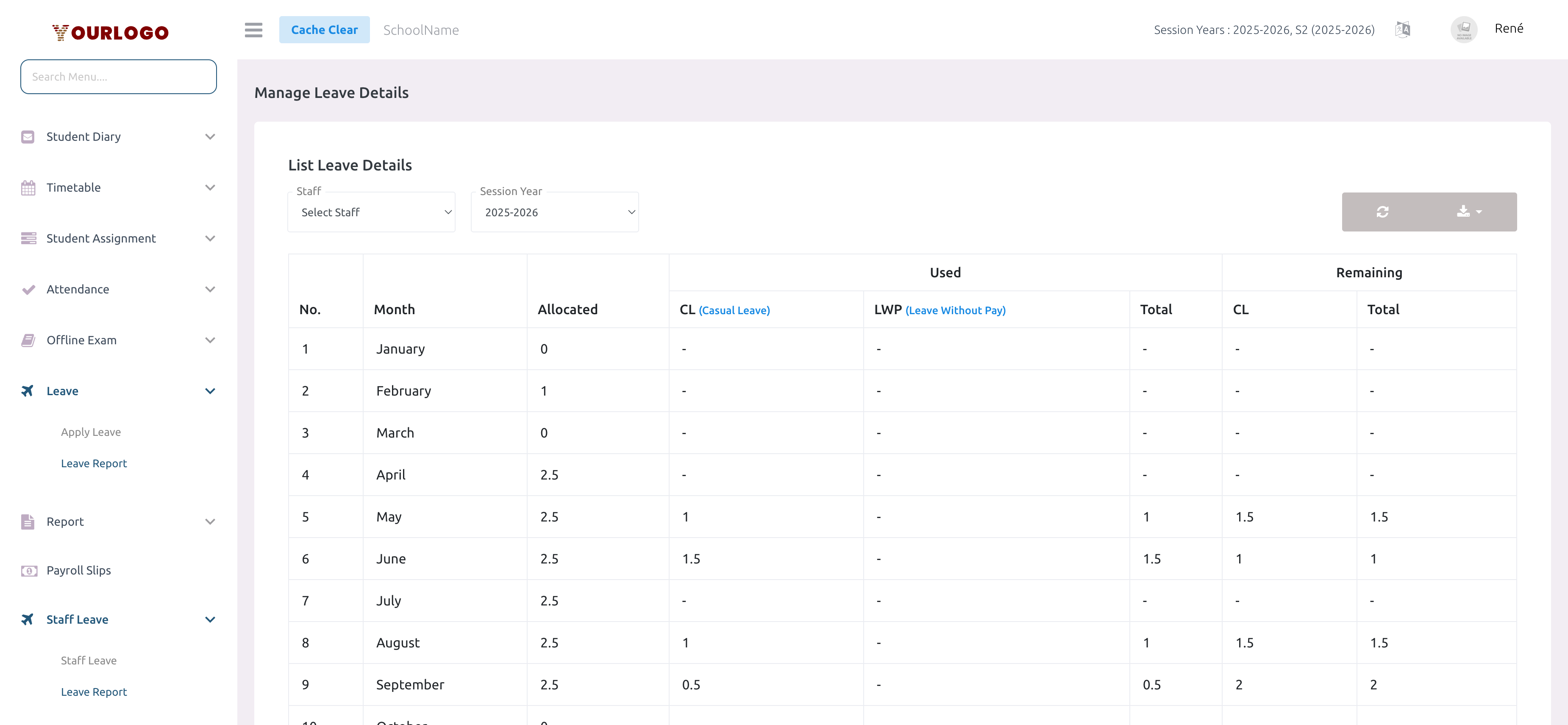
The Leave Report page provides a month-by-month view of your leave allocation, usage, and remaining balance for the current session year. It helps you track how many leave days you have used, what type of leave was taken, and how many days remain available.
View Your Leave Report
Understanding the Report Table
The report displays one row per month (January through December) with the following columns:
| Column | Description |
|---|---|
| No. | Row number (1–12) |
| Month | Calendar month name |
| Allocated | Number of leave days allocated for that month (set by school admin in Leave Settings) |
| CL (Casual Leave) — Used | Casual leave days used in that month |
| LWP (Leave Without Pay) — Used | Leave-without-pay days taken in that month |
| Total — Used | Sum of CL + LWP used that month |
| CL — Remaining | Casual leave days still available |
| Total — Remaining | Overall remaining leave balance |
- CL (Casual Leave) — Standard paid leave days allocated by your school each month
- LWP (Leave Without Pay) — Leave taken beyond your allocated balance, which is unpaid
The allocation is configured by your school administrator under System Settings → General Settings → Leave Settings.
Reading the Numbers
- A month showing Allocated: 2.5 and CL Used: 1 means you took 1 casual leave day out of 2.5 available that month
- Remaining CL: 1.5 means you have 1.5 casual leave days left for that month
- Months with 0 allocated and no usage show dashes (-) across all columns
- Fractional values (0.5, 1.5, 2.5) reflect half-day leave entries
Export Leave Data
Use the Export button (download icon) in the top-right corner of the report to download your leave data. This is useful for personal record keeping or submitting to HR.
Staff App View
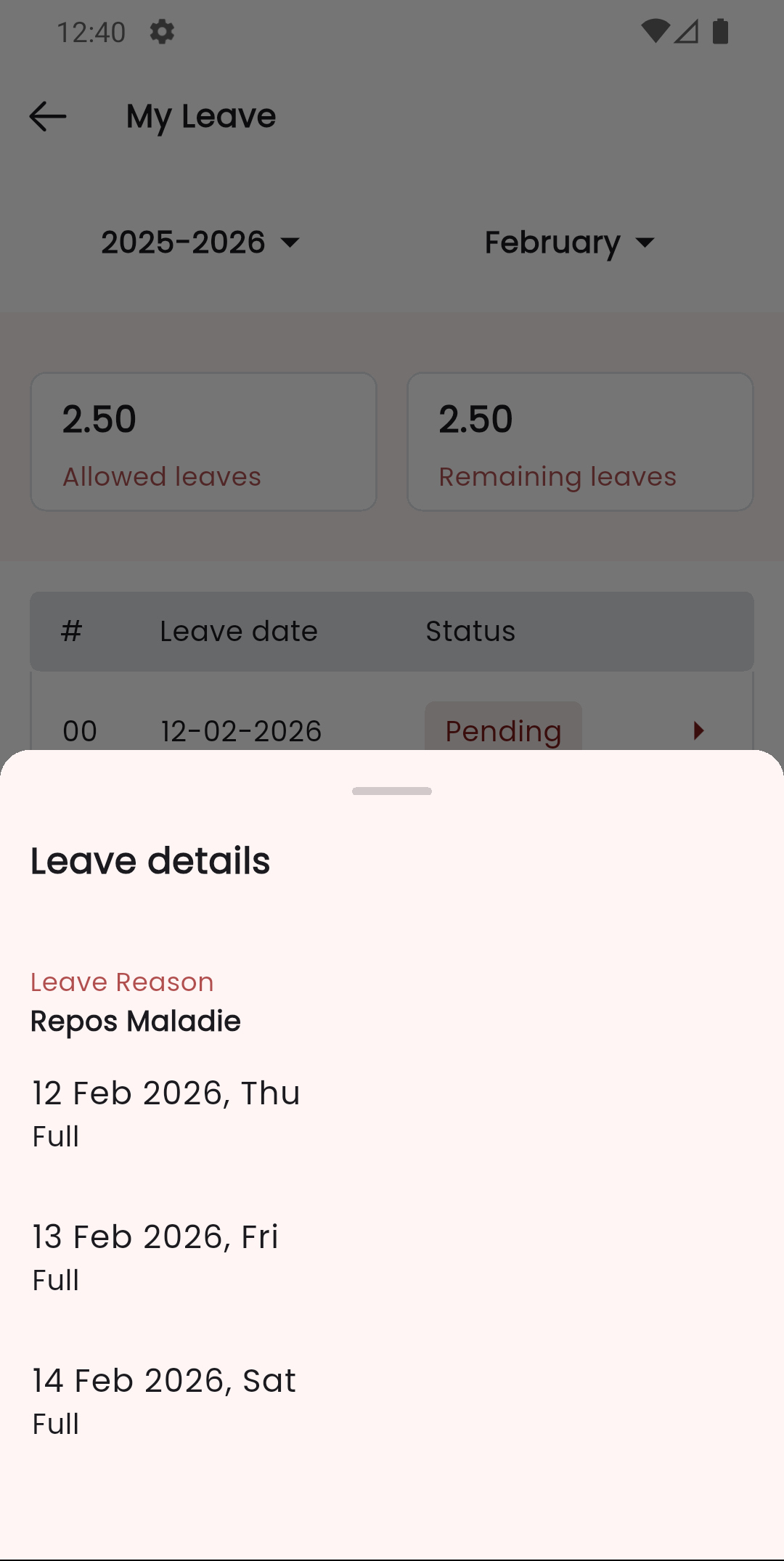
In the Stunov+ Staff app, you can view your leave details and history. The app shows your leave list and detailed views similar to the web panel.
Related Pages
- Apply Leave — Submit new leave requests
- Staff Leave (Management) — How administrators review and approve/reject leave requests
- System Settings — Leave Settings — Configure leave types, allocation, and policies