Payroll Setting
Payroll Settings define the allowances and deductions that are automatically applied to every staff member when you generate payroll. Each setting can be a fixed amount (e.g., 25,000 XAF) or a percentage of the base salary (e.g., 10%).
Configure all your allowances and deductions here before generating your first payroll. Any changes to settings will apply to future payroll runs only — already generated payrolls are not affected.
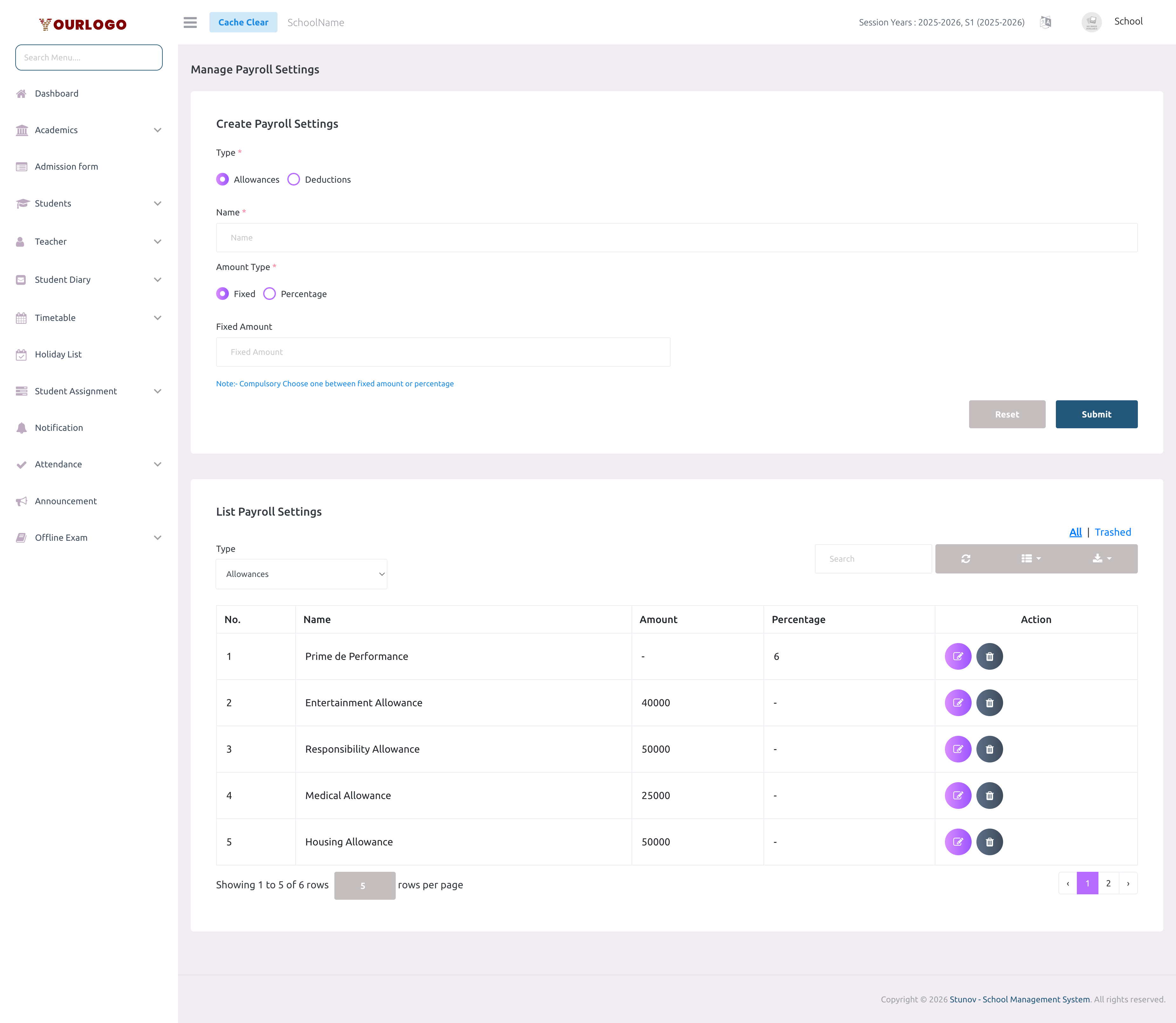
Create a Payroll Setting
| Field | Type | Required | Description |
|---|---|---|---|
| Type | Radio | Required | Allowance or Deduction — determines whether the amount is added to or subtracted from the salary. |
| Name | Text | Required | Descriptive name for the payroll component (e.g., "Housing Allowance", "Income Tax"). |
| Amount Type | Radio | Required | Fixed (flat amount) or Percentage (of base salary). You must choose one. |
| Fixed Amount | Number | Optional | The flat amount to add or deduct. Required if Amount Type is Fixed. |
| Percentage | Number | Optional | The percentage of the base salary. Required if Amount Type is Percentage. |
- Fixed amount — same amount for every staff member regardless of base salary (e.g., Housing Allowance = 50,000 XAF)
- Percentage — calculated per staff member based on their individual base salary (e.g., CNPS at 6.5% means a staff with 400,000 base gets 26,000 deducted)
View Payroll Settings
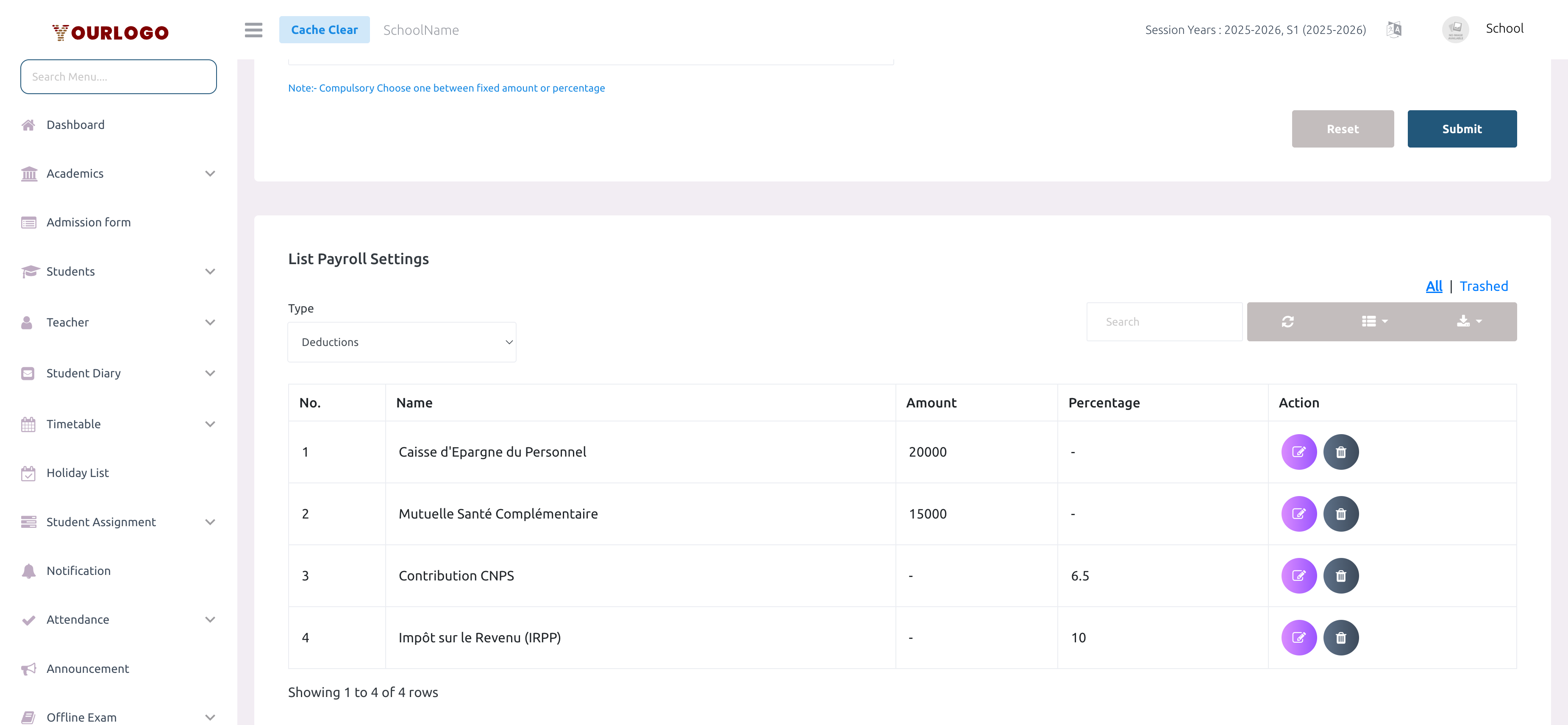
The list below the form displays all payroll settings, filtered by type (Allowances or Deductions).
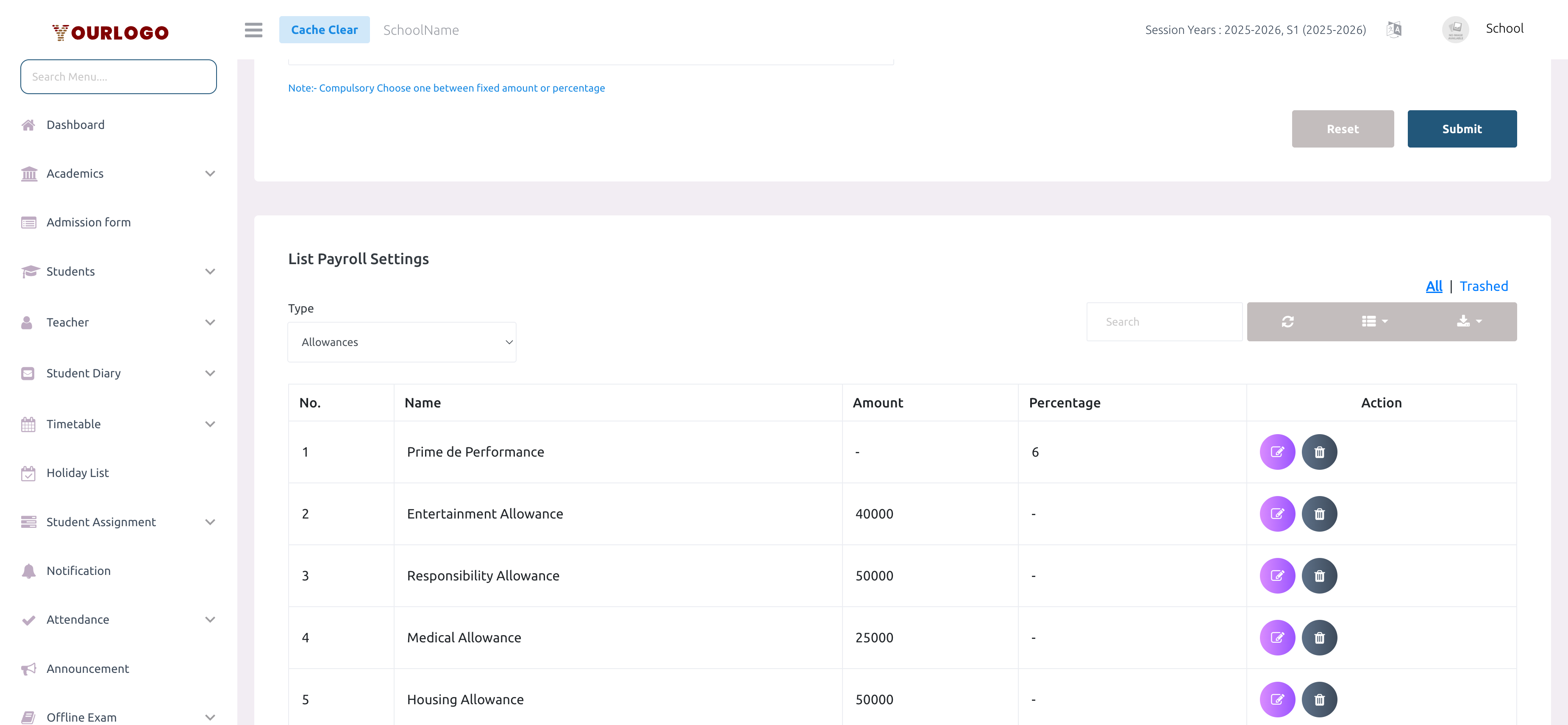
| Column | Description |
|---|---|
| No. | Row number |
| Name | The setting name |
| Amount | Fixed amount value (or - if percentage-based) |
| Percentage | Percentage value (or - if fixed amount) |
| Action | Edit and Delete buttons |
- Use the Type dropdown to switch between Allowances and Deductions views
- Use the Search bar to filter by name
- Switch between All and Trash to see active or deleted settings
Edit a Payroll Setting
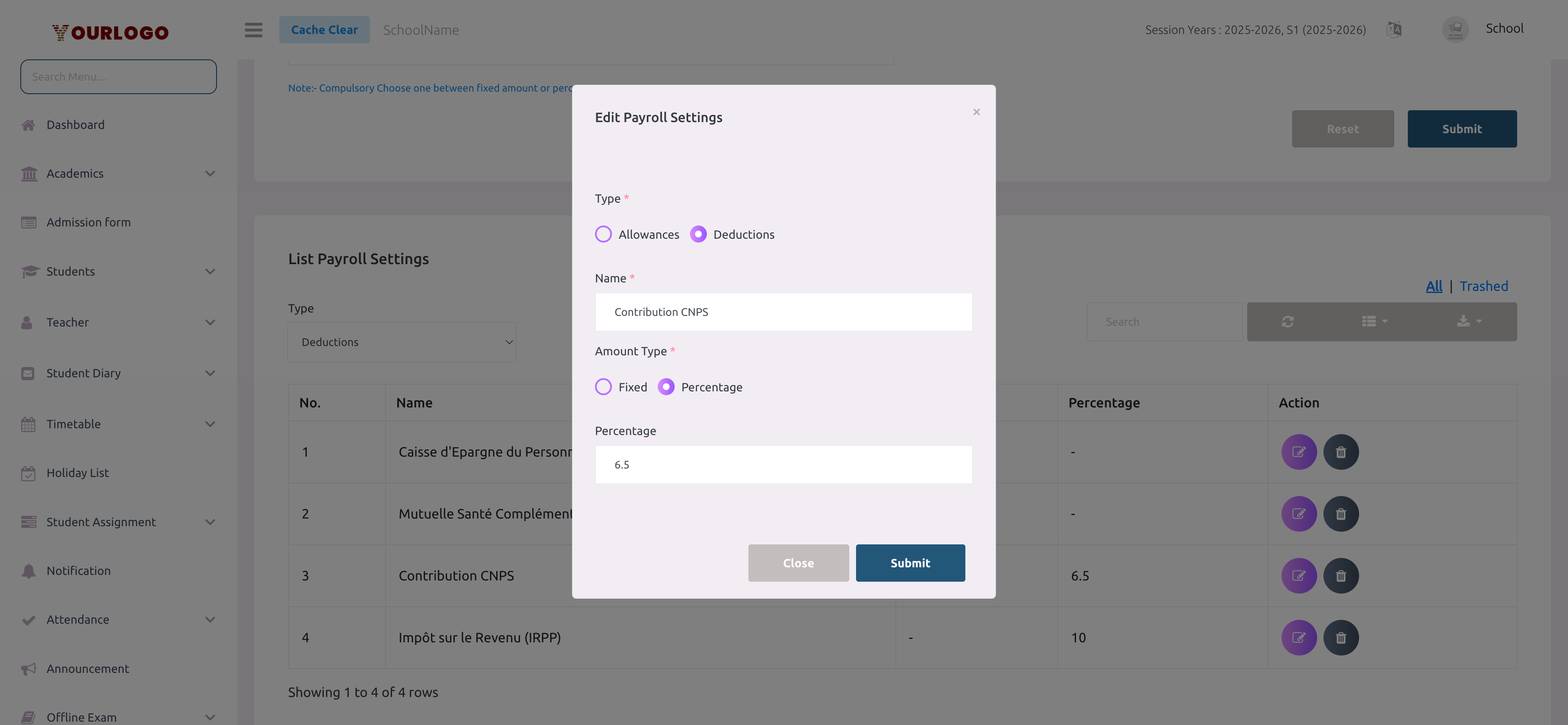
Editing a payroll setting does not retroactively update already-generated payrolls. Only new payroll runs will use the updated values.
Delete a Payroll Setting
Restore a Deleted Setting
Deleted settings are soft-deleted and can be restored:
- In the list view, click Trash to see deleted settings
- Click Restore next to the deleted setting
- The setting returns to the active list
To permanently remove a setting, use Force Delete from the Trash view.
Staff App View
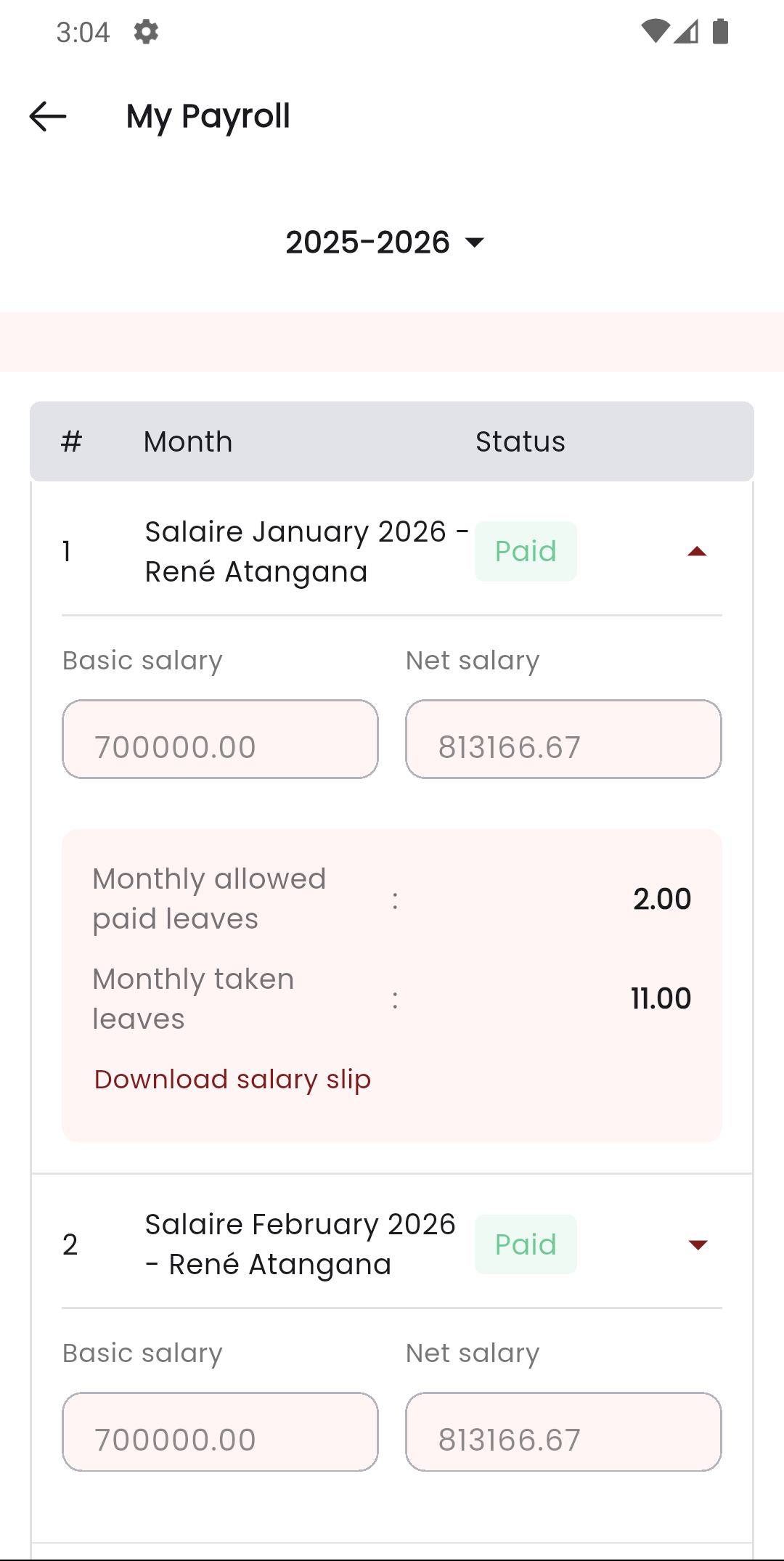
In the Stunov+ Staff app, staff members can view their payroll breakdowns showing how allowances and deductions are applied to their salary. The detailed view shows each component with its amount.
Related Pages
- Manage Payroll — Generate monthly payroll using these settings
- Staff Management — Manage staff base salaries
- Expense — View payroll-related expenses