Teacher Timetable
The Teacher Timetable page displays every teacher's weekly schedule at a glance. It shows a summary of all their teaching assignments per day, and you can open a detailed weekly calendar view for any individual teacher.
Teachers see only their own timetable in the Staff app. School Admins and Academic Coordinators can view any teacher's schedule from the web panel.
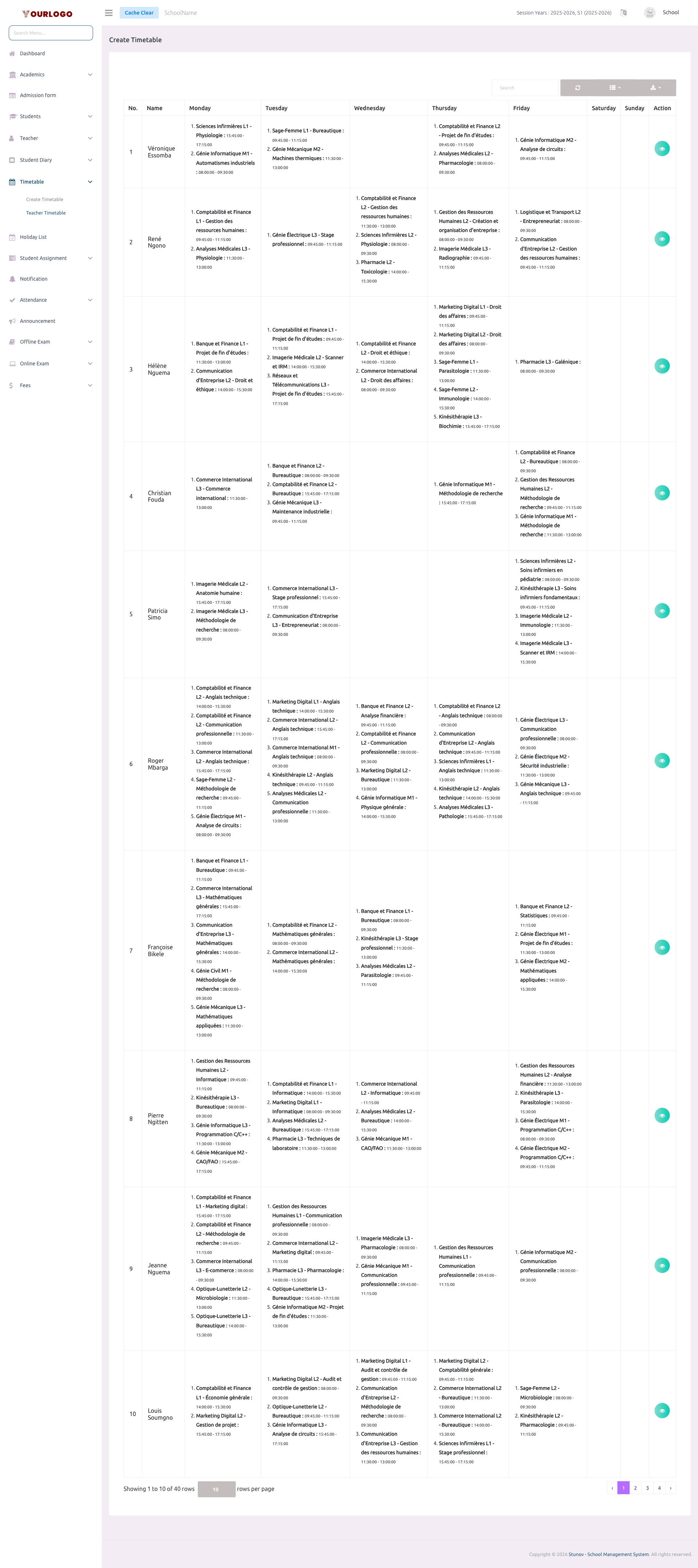
View Teacher Timetable List
List Columns
| Column | Description |
|---|---|
| No. | Row number |
| Name | Teacher full name |
| Monday – Sunday | Ordered list of teaching assignments per day. Each entry shows: Class Section - Subject : start time – end time |
| Action | View Timetable button to open the detailed weekly calendar |
Toolbar & Pagination
| Tool | Description |
|---|---|
| Search bar | Free-text search to find a teacher by name |
| Refresh button | Reload the table data from the server without refreshing the page |
| Columns button | Toggle individual day columns on or off |
| Export button | Download the list as CSV, Excel, JSON, or PDF |
The table supports page sizes of 5, 10, 20, 50, 100, or 200 rows per page with server-side pagination.
View Individual Teacher's Timetable
Click the View Timetable (eye) button next to a teacher to open their detailed weekly calendar view.
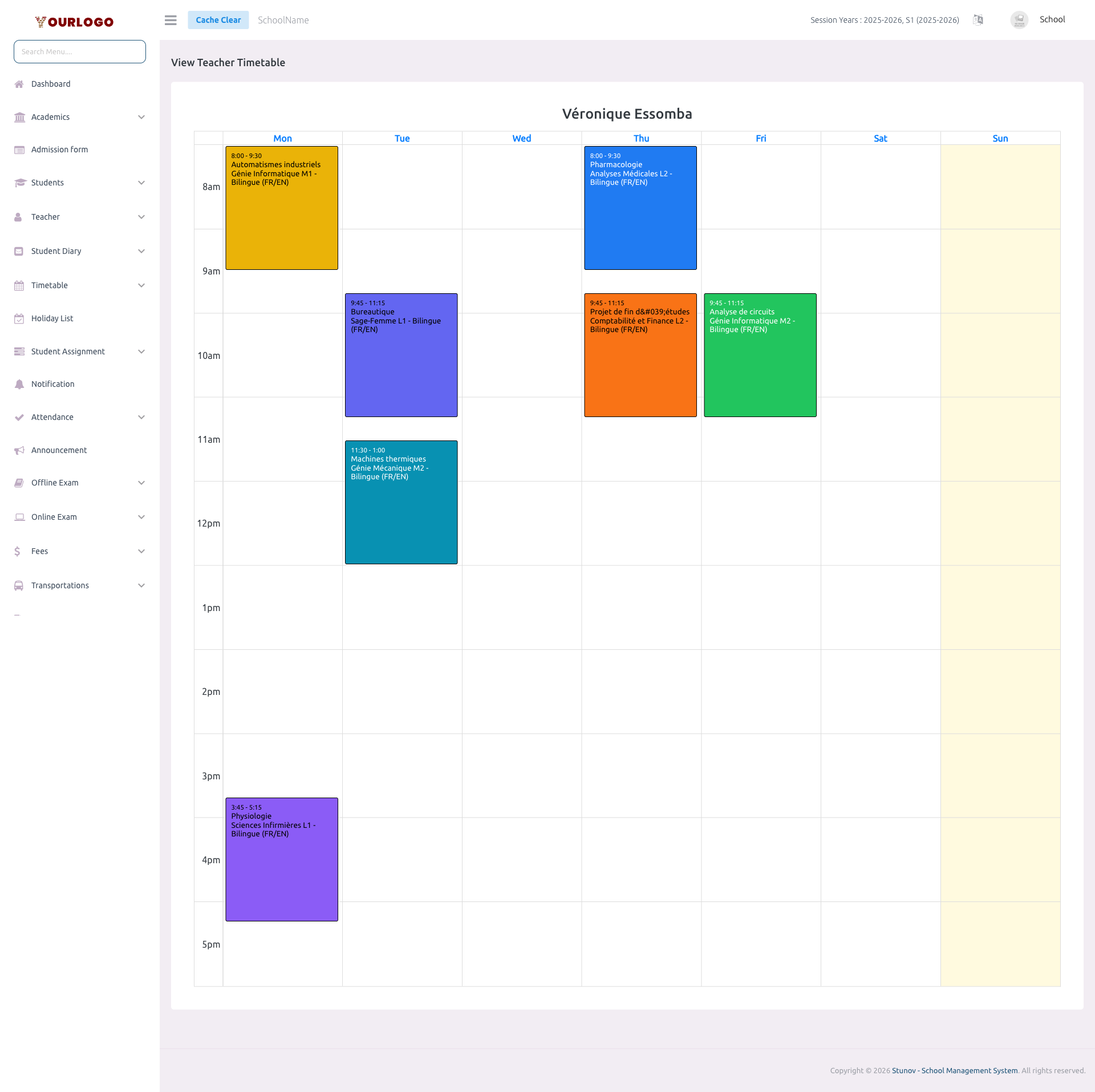
The teacher timetable calendar is a view-only display. Events cannot be dragged, resized, or deleted from this page. To modify a teacher's schedule, go to Create Timetable and edit the corresponding class section's timetable.
Calendar Event Details
| Field | Type | Required | Description |
|---|---|---|---|
| Subject Name | Display | Optional | The name of the subject being taught. The event is color-coded with the subject background color and auto-contrast text. |
| Class Section | Display | Optional | The class section where the teacher teaches this subject — displayed below the subject name inside the event block. |
| Time Range | Display | Optional | Start and end time of the teaching period (e.g., 08:00 – 09:30). Determined by the event position on the grid. |
| Day | Display | Optional | The day of the week (Monday–Sunday) when the period is scheduled. |
Calendar Settings
The teacher timetable calendar inherits the same time boundaries configured in the Create Timetable settings:
| Setting | Description |
|---|---|
| Start time | Earliest visible time in the grid (e.g., 08:00) |
| End time | Latest visible time in the grid (e.g., 17:15) |
| Slot duration | Duration of each time slot row (e.g., 60 minutes) |
| Week start | Monday (fixed) |
Staff App View
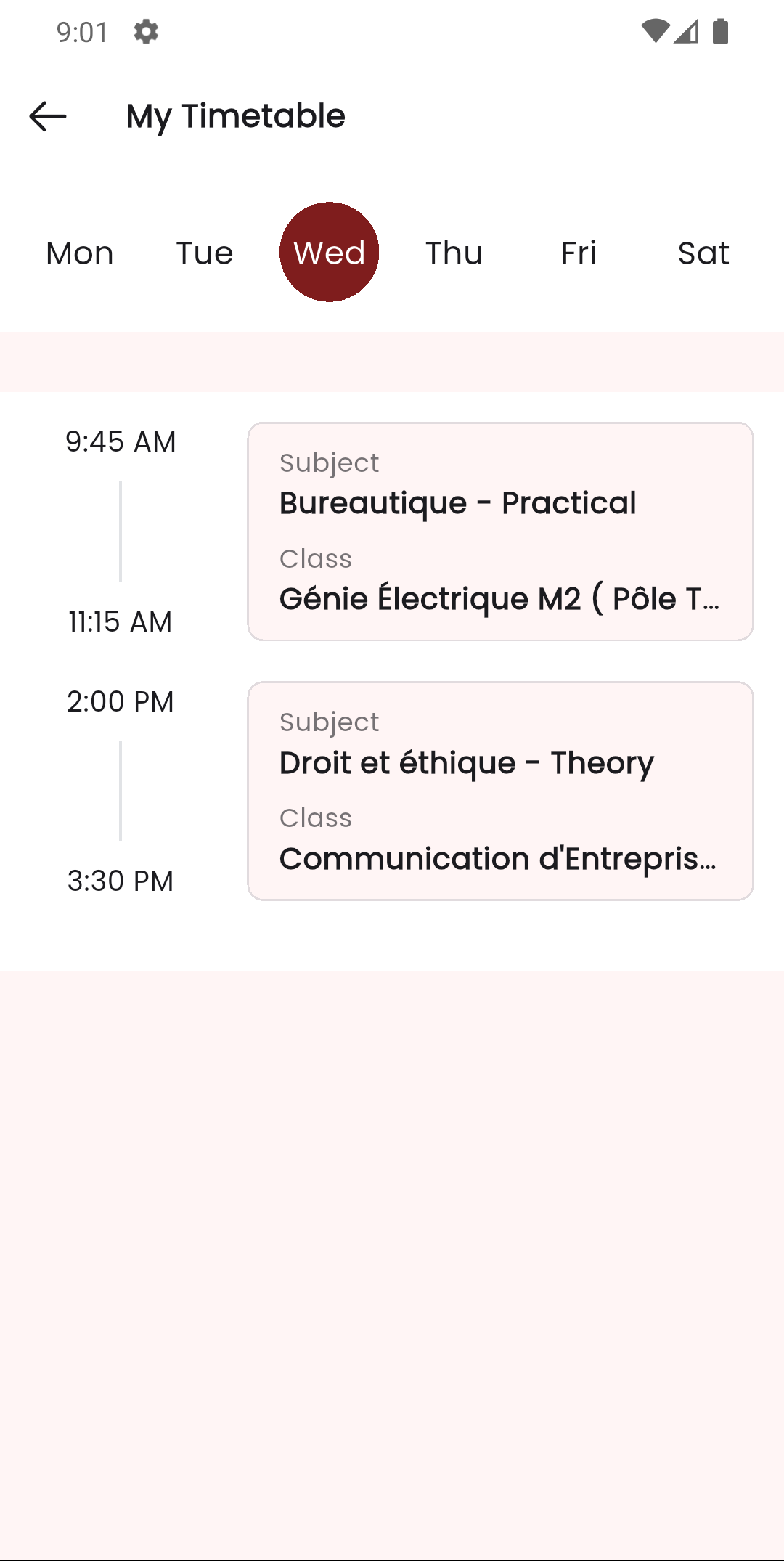
Teachers can view their own weekly timetable directly from the Stunov+ Staff app. The app provides a clean calendar view of their teaching schedule, including subject names, class sections, and time slots.
Related Pages
- Create Timetable — Build and modify class timetables
- Class Section & Teachers — View and manage teacher-class assignments
- Subject — Subjects that appear in the timetable