ID Card Settings
Configure the design and content of ID cards for students and staff separately. Each ID card type has its own settings for colors, layout orientation, profile image style, background image, field selection, page dimensions, and signature. These settings are used when generating ID cards from the Student ID Card and Staff ID Card pages.
Set up ID card settings before generating any ID cards. Changes made here apply to all future ID card generations.
Student ID Card Settings
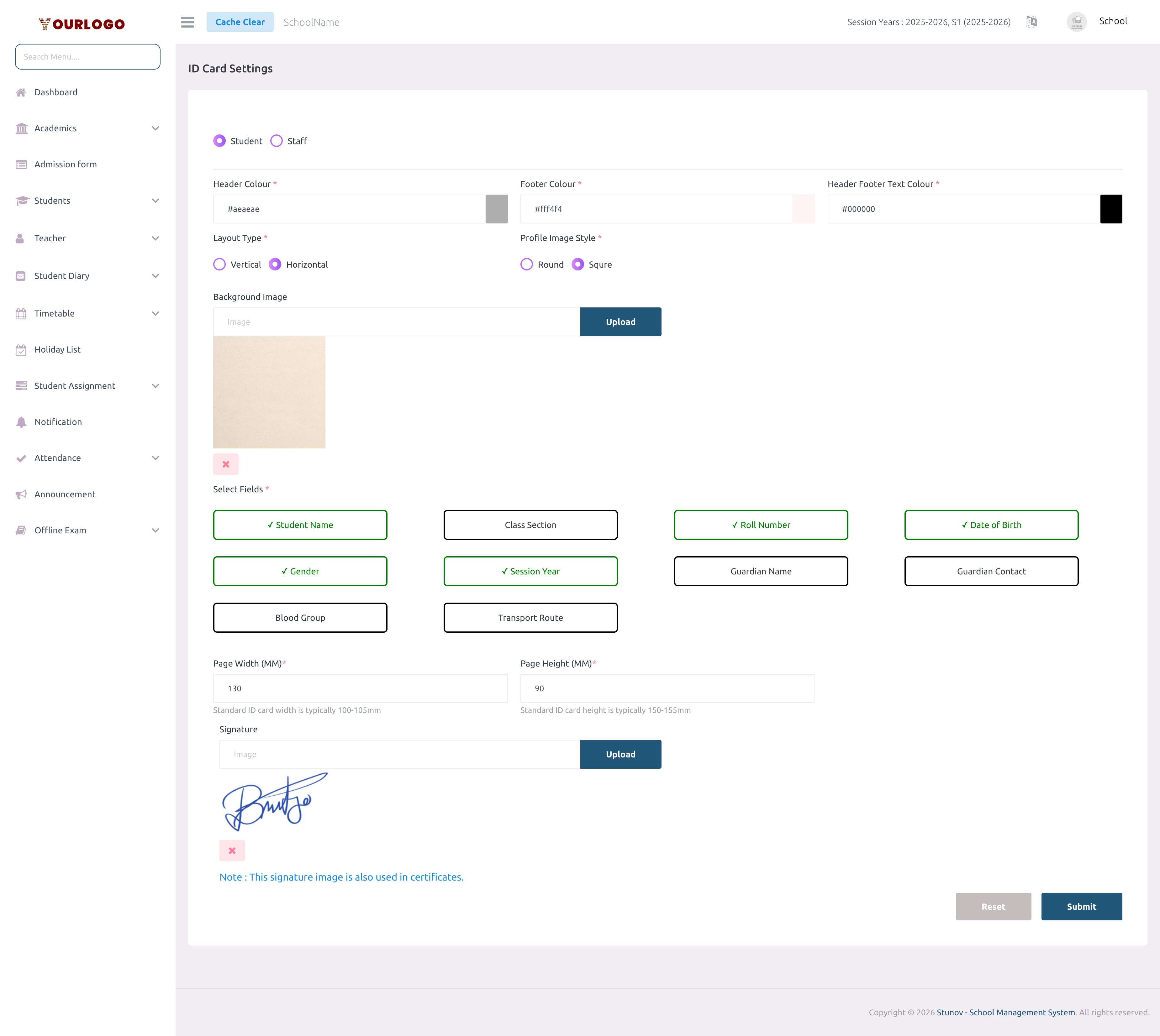
The signature image uploaded here is also used in generated certificates. Updating it in one place updates it everywhere.
Staff ID Card Settings
Switch to the Staff tab to configure staff ID card settings. The interface mirrors the student settings with staff-specific fields.
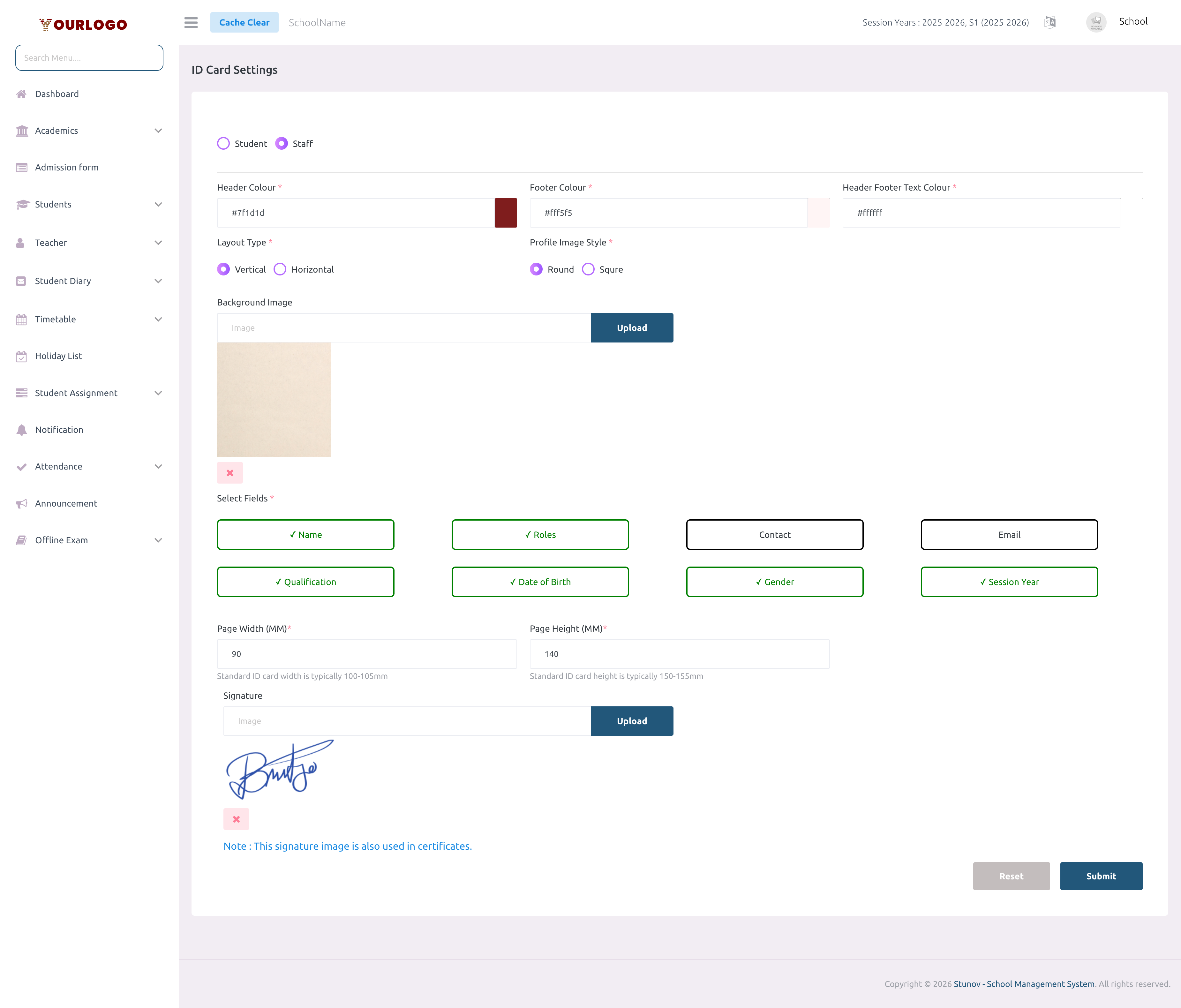
Remove Background or Signature
To remove a previously uploaded background image or signature:
- Click the remove (×) icon next to the uploaded file
- The image is deleted from storage
- Click Submit to save the change
When you click the remove icon, the image is deleted from the server right away, even before clicking Submit.
Related Pages
- Student ID Card — Generate ID cards for students using these settings
- Staff ID Card — Generate ID cards for staff using these settings
- Certificate Template — Certificate templates share the signature image