Student ID Card
Generate and print ID cards for students. Filter by class section, select the students you need, and generate their ID cards as a printable PDF. The cards use the layout, colours, fields, and dimensions configured in ID Card Settings.
Prerequisites
Configure your ID Card Settings (Student tab) before generating ID cards. Make sure at least the required fields are checked and dimensions are set.
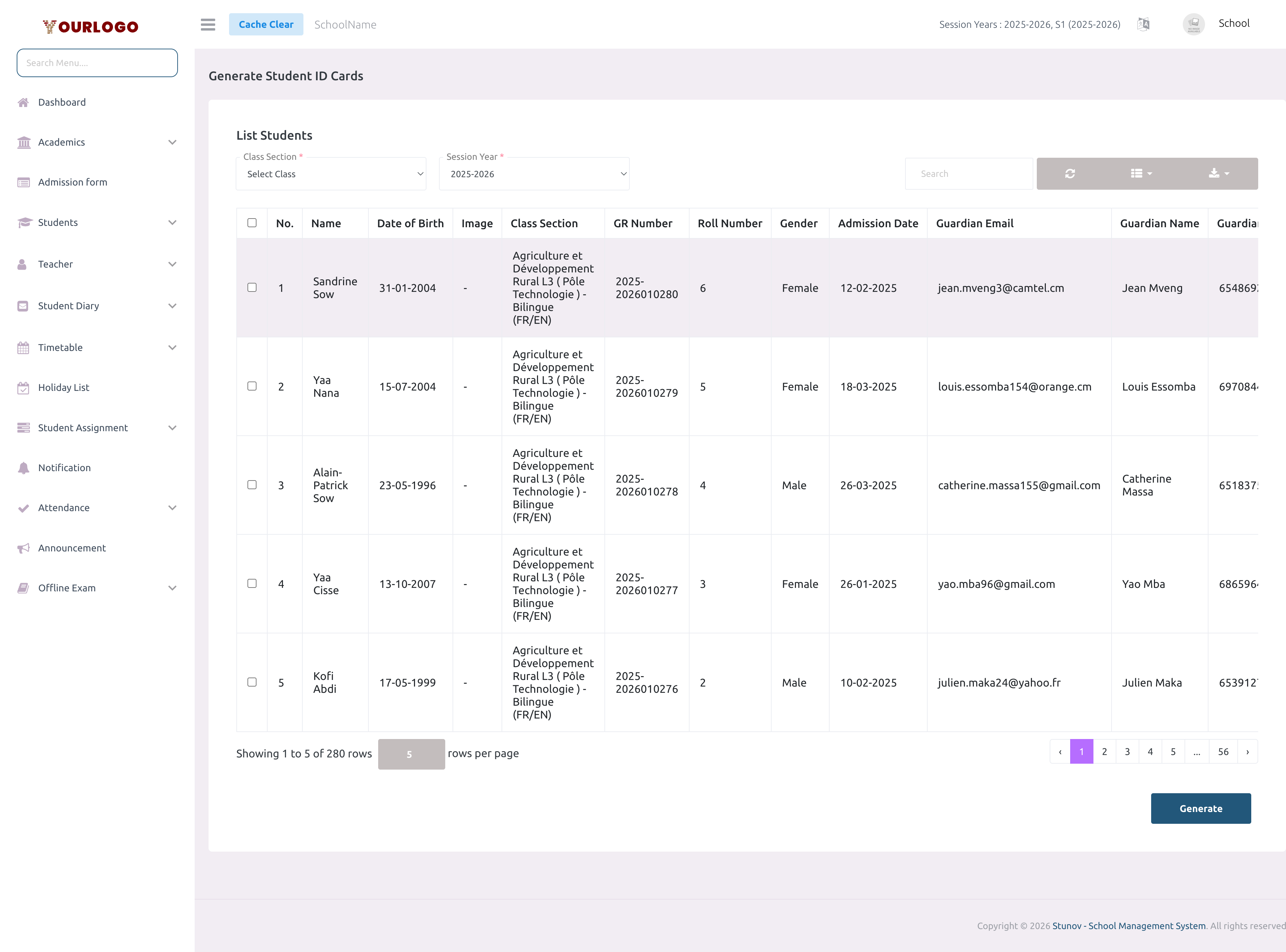
Student ID Card page — select a class section and check students to generate their ID cards
Generate Student ID Cards
1
Navigate to Certificate & ID Card → Student ID Card
From the sidebar, expand **Certificate & ID Card** and click **Student ID Card**.
2
Select a Class Section
Choose a class section from the dropdown to load the list of enrolled students.
3
Select Session Year (optional)
Filter by a specific session year if needed.
4
Select students
Use the checkboxes to select individual students, or use the **header checkbox** to select all visible students in the list.
5
Click Generate
Click **Submit** to generate ID cards. A PDF opens in a new tab with all selected students' ID cards ready to print.
ID Card Output Example
Below is an example of a generated student ID card:
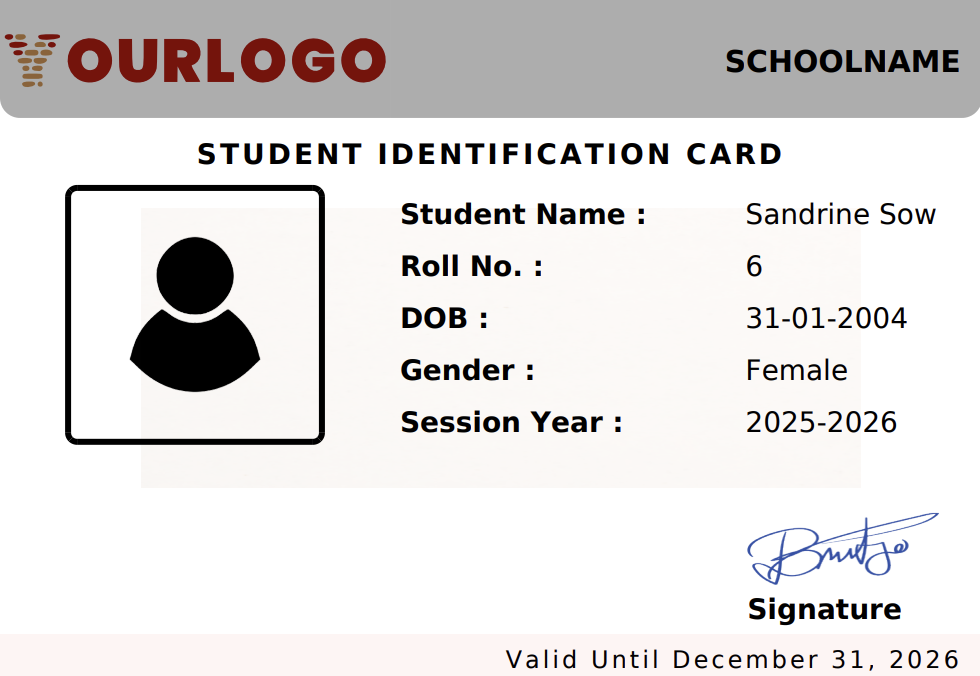
Student ID Card — displays the student's photo, name, and selected fields based on ID Card Settings
Print / Download
The generated ID cards open as a PDF in a new browser tab:
- Use Ctrl+P (or Cmd+P on Mac) to open the print dialog
- The paper size is auto-configured from the page dimensions set in ID Card Settings
- Print directly or save as PDF
Custom paper size
The PDF is generated with the exact width and height you configured in ID Card Settings. For best results, use a printer that supports custom paper sizes or trim standard paper to size.
Student List Columns
| Column | Checkbox | No. | Name | Date of Birth | Image | Class Section | GR Number | Roll Number | Gender |
|---|---|---|---|---|---|---|---|---|---|
| Description | Select/deselect a student | Row number | Student's full name | Student's DOB | Profile photo | Enrolled class and section | Admission number | Assigned roll number | Student's gender |
- Use the search bar to filter students by name
- Click Export to download the student list
Related Pages
- ID Card Settings — Configure the ID card design and fields
- Staff ID Card — Generate ID cards for staff members