All Roles
Attendance
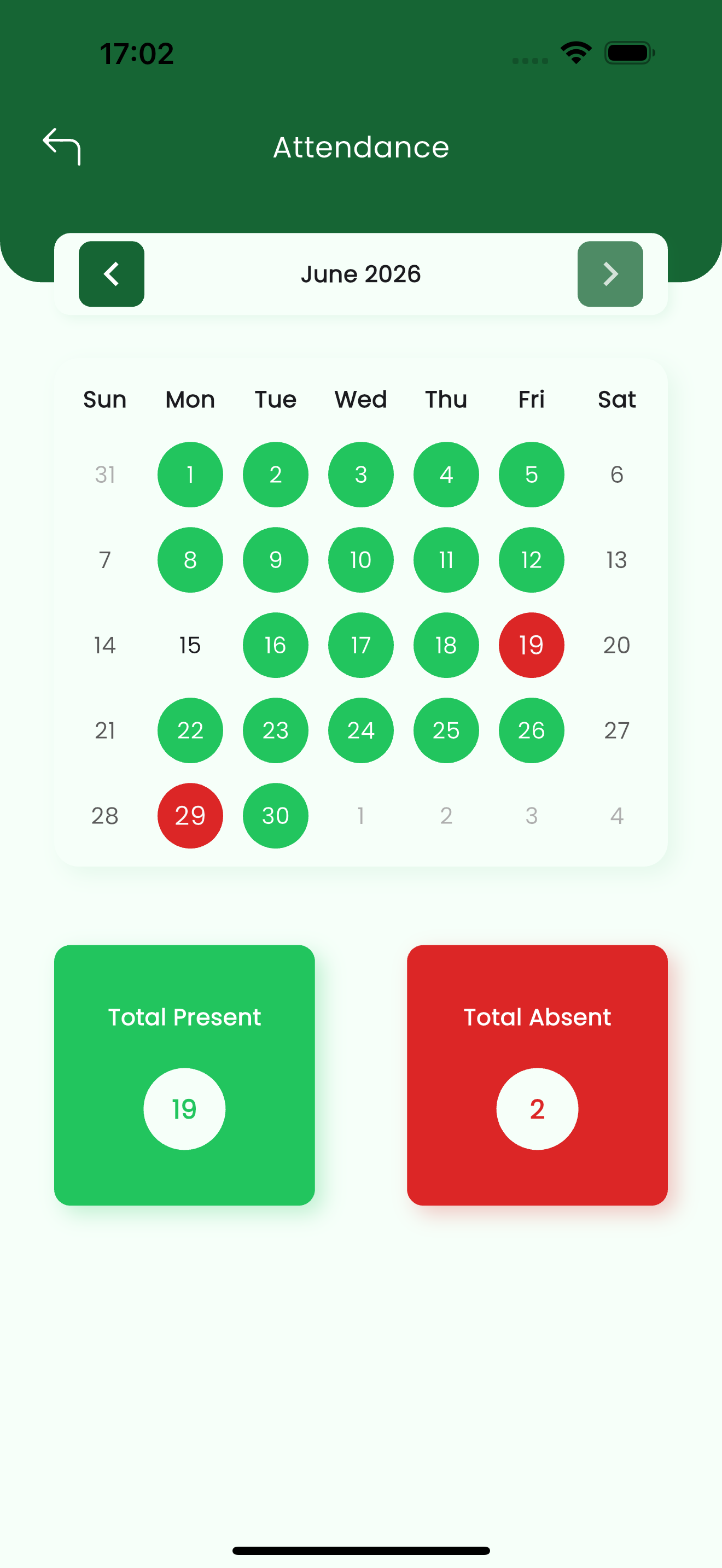
The Attendance screen shows a child's presence as a month calendar, so you can see at a glance which days they were present and which they were absent, with running totals for the month.
The numbered screens below walk through this page — each section references them by number.
Per-child view
For parents, attendance is shown for the child you opened from My Children. A student sees their own attendance.
The attendance calendar
Each day in the month is colour-coded: green for present and red for absent. Days with no record (weekends, holidays, or dates outside the school term) stay uncoloured. Move between months with the arrows above the calendar. (see 1)
| Marker | Meaning |
|---|---|
| Green day | The child was marked present. |
| Red day | The child was marked absent. |
| Uncoloured day | No attendance taken (weekend, holiday, or outside the term). |
| Total Present | Count of present days in the month shown. |
| Total Absent | Count of absent days in the month shown. |
Check a different month
The totals update for whichever month is on screen. Use the ‹ and › arrows to review past or upcoming months.
Related pages
- Getting Started — sign in and open a child
- Academics — subjects, assignments, exams and results
- Chats & Notices — message a teacher about an absence