Trusted By
The Trusted By page manages the "Trusted By" section on your public school website — the strip of partner, client, or affiliated-organization logos that builds credibility with visitors. You control the section's heading text and on/off status, then add and order the individual logo entries.
Feature Requirement
This page requires the Website Management feature in your subscription plan.
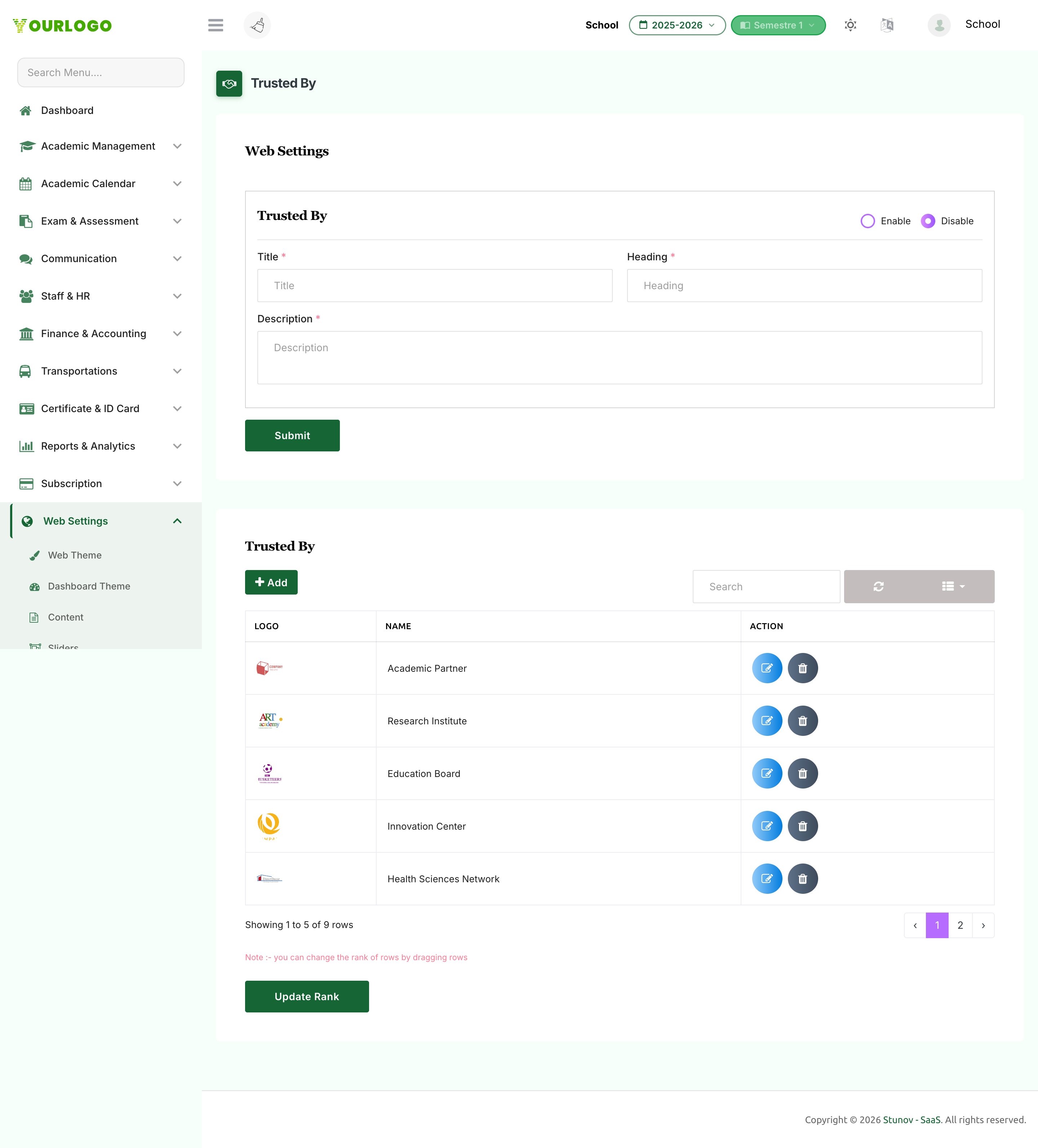
Trusted By — section settings (top) and the logo entries list (bottom)
Configure the Section
The top of the page controls how (and whether) the section appears on your website.
1
Navigate to Web Settings → Trusted By
From the sidebar, open **Web Settings** and click **Trusted By**.
2
Set the status
Choose **Enable** to show the section on the website or **Disable** to hide it.
3
Enter the section text
When enabled, fill in the **Title**, **Heading**, and **Description** shown above the logos.
4
Submit
Click **Submit** to save the section settings.
Section Settings Fields
| Field | Type | Required | Description |
|---|---|---|---|
| Trusted By Status | Radio (Enable / Disable) | Required | Whether the section is shown on the public website. |
| Title | Text | Optional | The section title. Required when the section is enabled. |
| Heading | Text | Optional | The section heading or sub-label. Required when the section is enabled. |
| Description | Textarea | Optional | A short description shown with the section. Required when the section is enabled. |
Manage Logo Entries
The table below the settings holds each organization logo.
1
Add an entry
Click **+ Add**. In the modal, enter the organization **Name** and upload a **Logo** image, then click **Submit**.
2
Edit an entry
Click the **Edit** (pencil) icon on a row. Update the name and, if needed, upload a new logo (the existing logo is kept if you don't replace it).
3
Reorder entries
Drag rows into the order you want, then click **Update Rank** to save the new order.
4
Delete an entry
Click the **Delete** (trash) icon on a row to remove the logo.
Entry Fields
| Field | Type | Required | Description |
|---|---|---|---|
| Name | Text | Required | The organization or partner name (up to 255 characters). |
| Logo | File (image) | Optional | The logo image. Accepts JPG, JPEG, PNG, SVG, and WebP up to 2 MB. |