Online Exam Terms & Conditions
The Online Exam Terms & Conditions page lets you define the rules and agreements that students must accept before starting any online exam. This content is displayed as a mandatory acceptance screen in the student app before each online exam attempt.
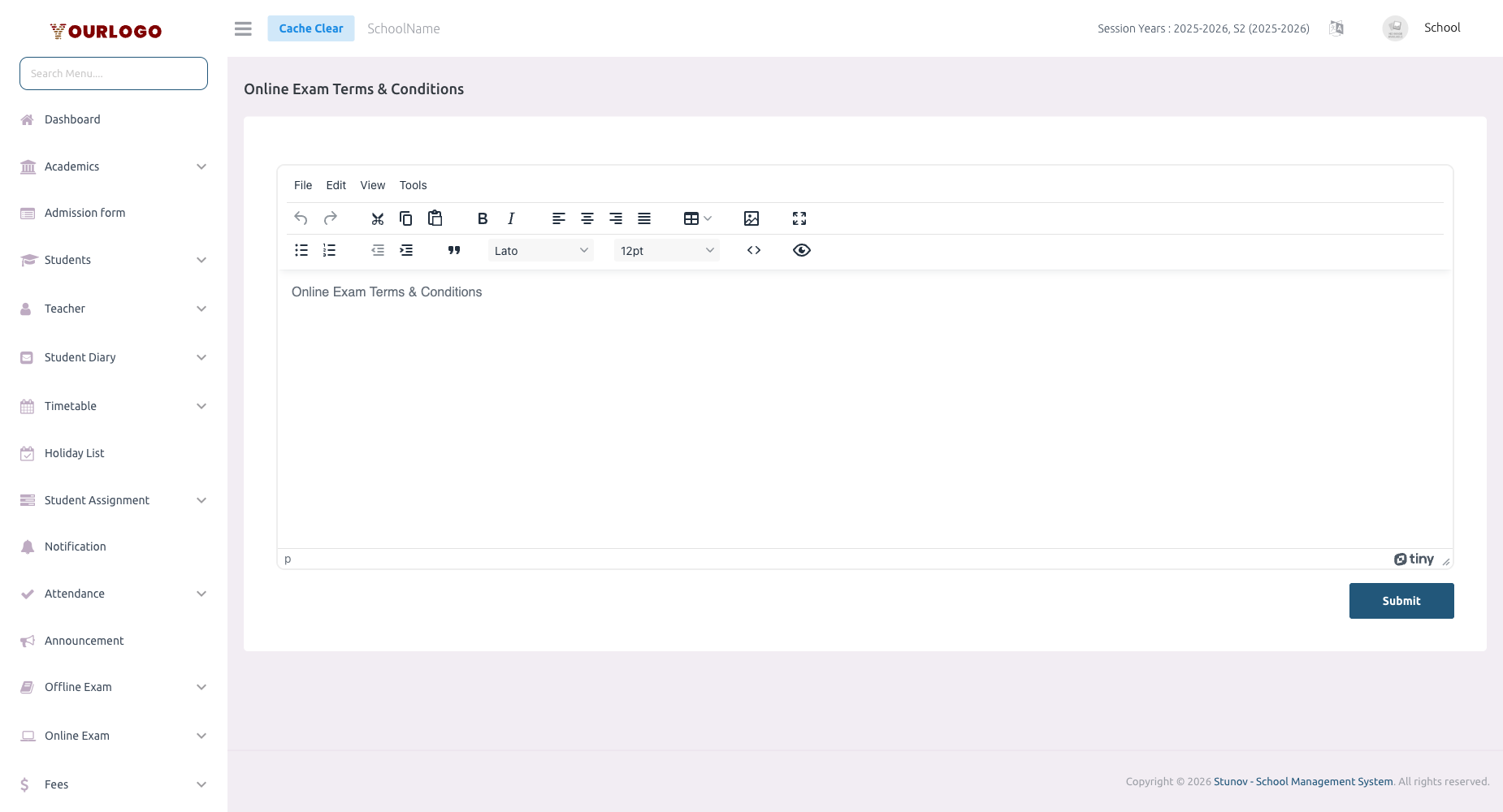
Online Exam Terms & Conditions — define exam rules students must accept
Update Online Exam Terms
1
Navigate to System Settings → Legal Pages → Online Exam Terms & Conditions
From the sidebar, expand **System Settings → Legal Pages** and click **Online Exam Terms & Conditions**.
2
Edit the terms content
Use the **rich text editor** to write or update your exam terms. You can format text with bold, italic, lists, headings, and links.
3
Submit
Click **Submit** to save the terms. The updated content will be shown to students on their next online exam attempt.
Recommended Content
Include these topics in your online exam terms:
| Topic | Example |
|---|---|
| Exam integrity | Students must not use unauthorized materials or seek outside help |
| Time limits | The exam must be completed within the allocated time; auto-submission occurs at timeout |
| Technical issues | Procedure for reporting connectivity problems during the exam |
| Submission rules | Once submitted, answers cannot be changed |
| Consequences of violations | Academic penalties for cheating or policy violations |
| Device requirements | Supported browsers and minimum device specifications |
Rich text editor
The editor supports HTML formatting. Use headings to organize sections, numbered lists for rules, and bold text to emphasize key points.
Where Students See This
- Students using the Stunov+ Student App see the terms before starting any online exam
- The terms appear as a read-only document with an "I Agree" checkbox
- Students cannot proceed to the exam without accepting the terms
Related Pages
- Online Exam — Create and manage online exams
- Privacy Policy — School privacy policy settings
- Terms & Conditions — General terms and conditions