Terms & Conditions
The Terms & Conditions page lets you define the legal agreement between your school and its users (parents, students, staff). This content is displayed in the mobile apps and on the school website, and users may be required to accept these terms during registration.
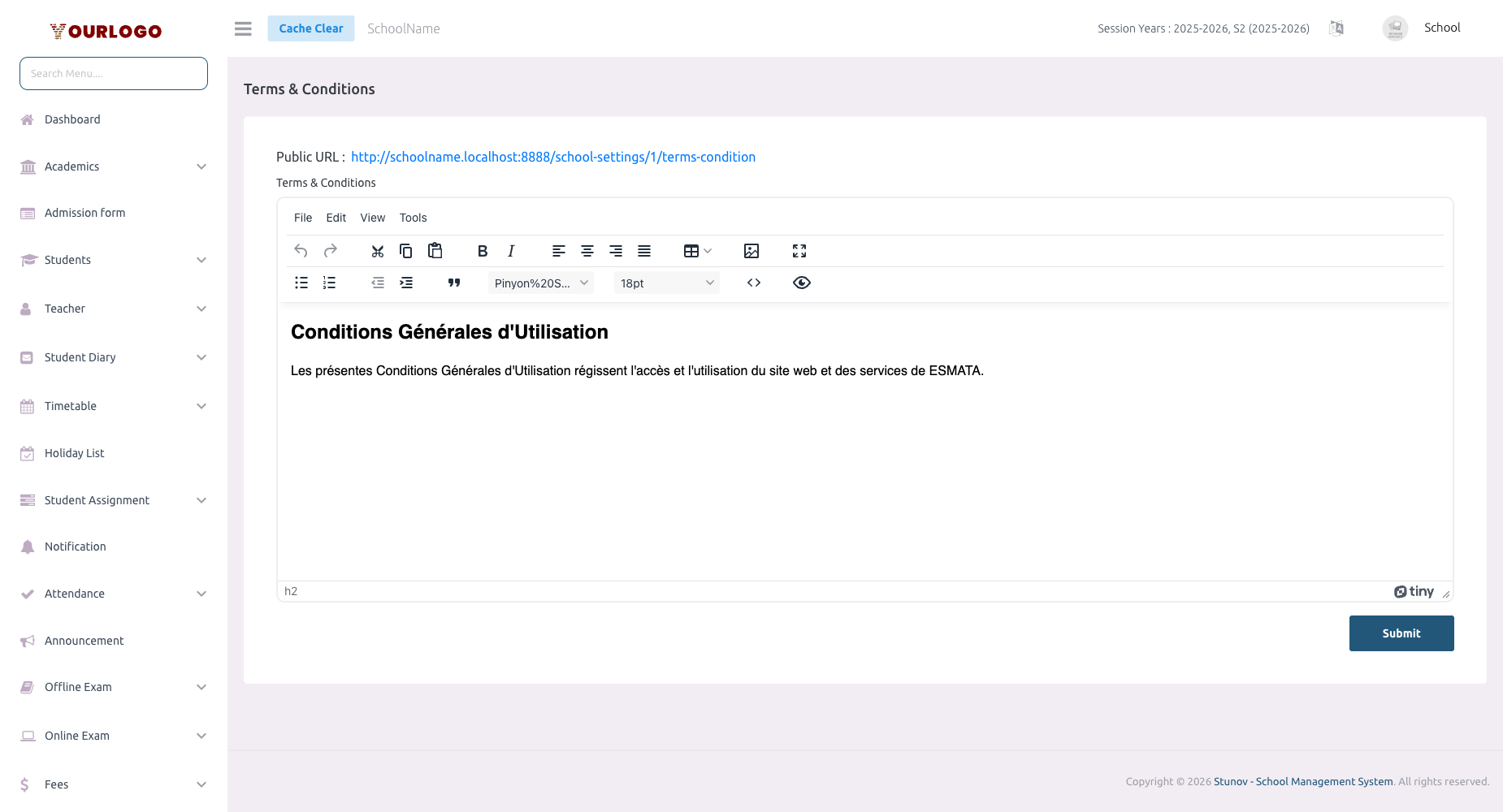
Terms & Conditions — define the legal agreement for your school platform
Update Terms & Conditions
1
Navigate to System Settings → Legal Pages → Terms & Conditions
From the sidebar, expand **System Settings → Legal Pages** and click **Terms & Conditions**.
2
Edit the terms content
Use the **rich text editor** to write or update your terms and conditions. Structure your content with clear headings and numbered clauses.
3
Submit
Click **Submit** to save. The updated terms appear immediately across all platforms.
Recommended Sections
| Section | Description |
|---|---|
| Acceptance | How and when users agree to these terms |
| User accounts | Rules for account creation, credentials, and security responsibilities |
| Acceptable use | Permitted and prohibited actions on the platform |
| Fee payments | Payment obligations, deadlines, and consequences of non-payment |
| Intellectual property | Ownership of content, course materials, and school branding |
| Liability limitations | Limits on the school’s liability for service interruptions or data loss |
| Account termination | Conditions under which accounts may be suspended or terminated |
| Modifications | How the school will notify users of changes to these terms |
| Governing law | Which jurisdiction’s laws apply to these terms |
Where This Appears
- Student/Parent App — Shown during registration and accessible from app settings
- Staff App — Accessible from the app settings screen
- School Website — Linked in the footer
- Admission forms — Applicants may need to accept terms during online admission
Related Pages
- Privacy Policy — Your school’s data privacy policy
- Refund & Cancellation — Refund and cancellation policies
- Online Exam Terms — Specific terms for online examinations