Third-Party APIs
The Third-Party APIs page lets you configure external service integrations for your school. Currently, this supports Google reCAPTCHA — a security feature that protects your school's public forms from spam and automated bot submissions.
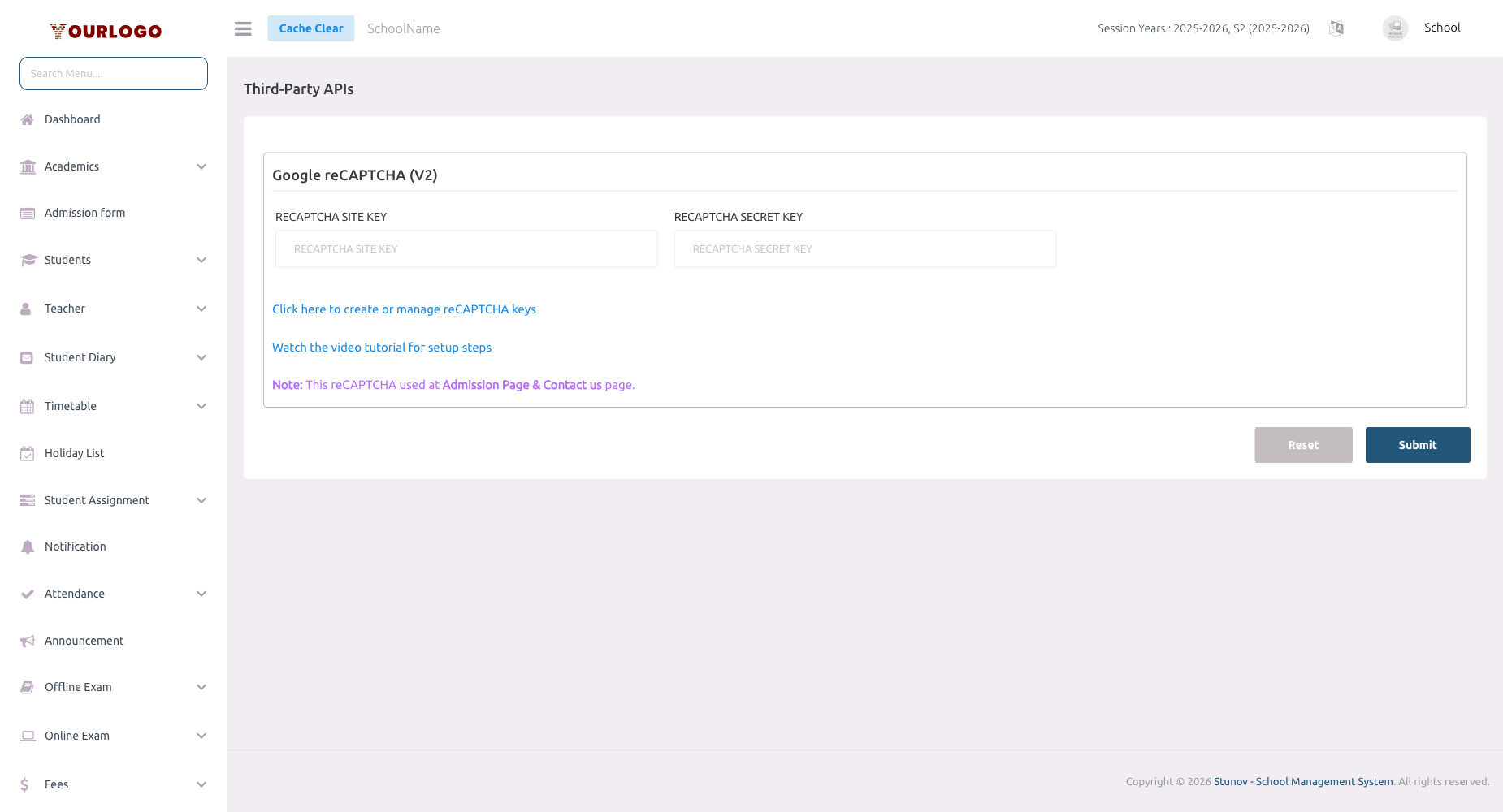
Third-Party APIs — configure Google reCAPTCHA for form protection
Configure Google reCAPTCHA
1
Navigate to System Settings → Third-Party APIs
From the sidebar, expand **System Settings** and click **Third-Party APIs**.
2
Get reCAPTCHA keys from Google
Visit [Google reCAPTCHA Admin](https://www.google.com/recaptcha/admin) and register your school’s domain. Select **reCAPTCHA v2** or **v3** and copy the generated **Site Key** and **Secret Key**.
3
Enter the Site Key
Paste your **reCAPTCHA Site Key** into the corresponding field. This key is used in the frontend to display the reCAPTCHA widget.
4
Enter the Secret Key
Paste your **reCAPTCHA Secret Key** into the corresponding field. This key is used on the server-side to verify reCAPTCHA responses.
5
Submit
Click **Submit** to save the configuration. reCAPTCHA will be activated on your school’s public forms.
reCAPTCHA Fields
| Field | Description |
|---|---|
| reCAPTCHA Site Key | Public key displayed on the frontend — shows the reCAPTCHA widget to users |
| reCAPTCHA Secret Key | Private key used on the server to validate responses — keep this confidential |
Where reCAPTCHA appears
Once configured, reCAPTCHA protects your school’s public-facing forms such as the online admission form, contact inquiry form, and school registration page.
How to Get reCAPTCHA Keys
- Go to https://www.google.com/recaptcha/admin
- Sign in with your Google account
- Click + to register a new site
- Enter a Label (e.g., "My School Website")
- Select reCAPTCHA v2 ("I'm not a robot" checkbox) or reCAPTCHA v3 (invisible)
- Add your school’s domain(s) under Domains
- Accept the terms and click Submit
- Copy the Site Key and Secret Key and paste them in Stunov
Keep your Secret Key private
Never share or expose the reCAPTCHA Secret Key in client-side code. It should only be used on the server.
Related Pages
- General Settings — Core school configuration
- Payment Settings — Payment gateway API configuration
- Web Settings — School website content management