Class Subject
Class Subject is where you assign subjects to classes. Subjects are categorized as either Core (Compulsory) — taken by all students — or Elective (Optional) — where students choose from a group. If a class has semesters enabled, each subject can be assigned to a specific semester.
View Class Subjects
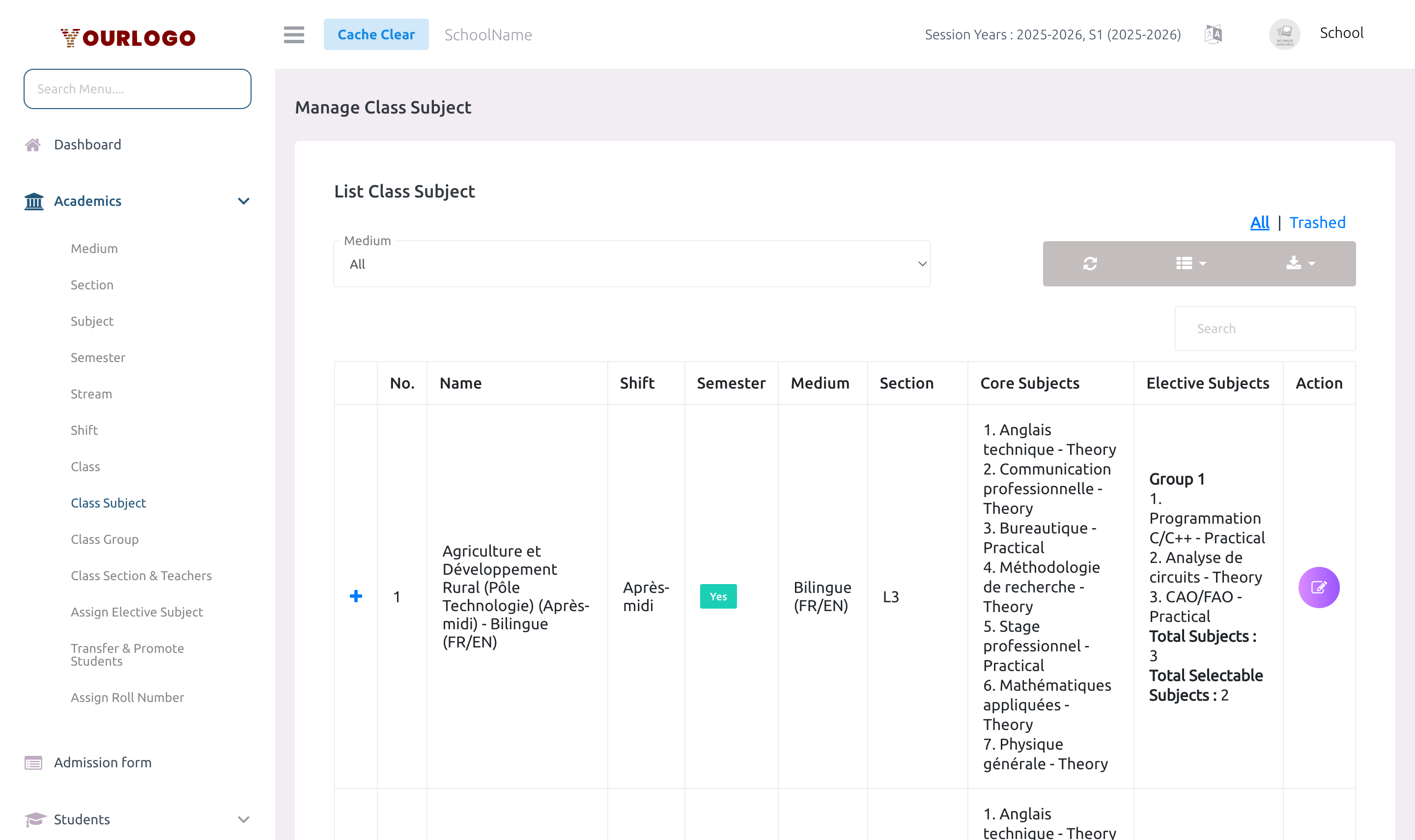
The Class Subject list page shows all classes and their assigned subjects.
| Column | Description |
|---|---|
| No. | Row number |
| Class | Class name |
| Medium | Instruction medium |
| Stream | Stream (if set) |
| Shift | Shift (if set) |
| Core Subjects | List of compulsory subjects assigned |
| Elective Groups | Elective subject groups with subject counts |
| Action | Edit button |
Filters available:
- Medium — Filter by instruction medium
- Shift — Filter by school shift
- Stream — Filter by academic stream
- Core Subject — Filter by a specific core subject
- Elective Group — Filter by elective subject group
Assign Subjects to a Class
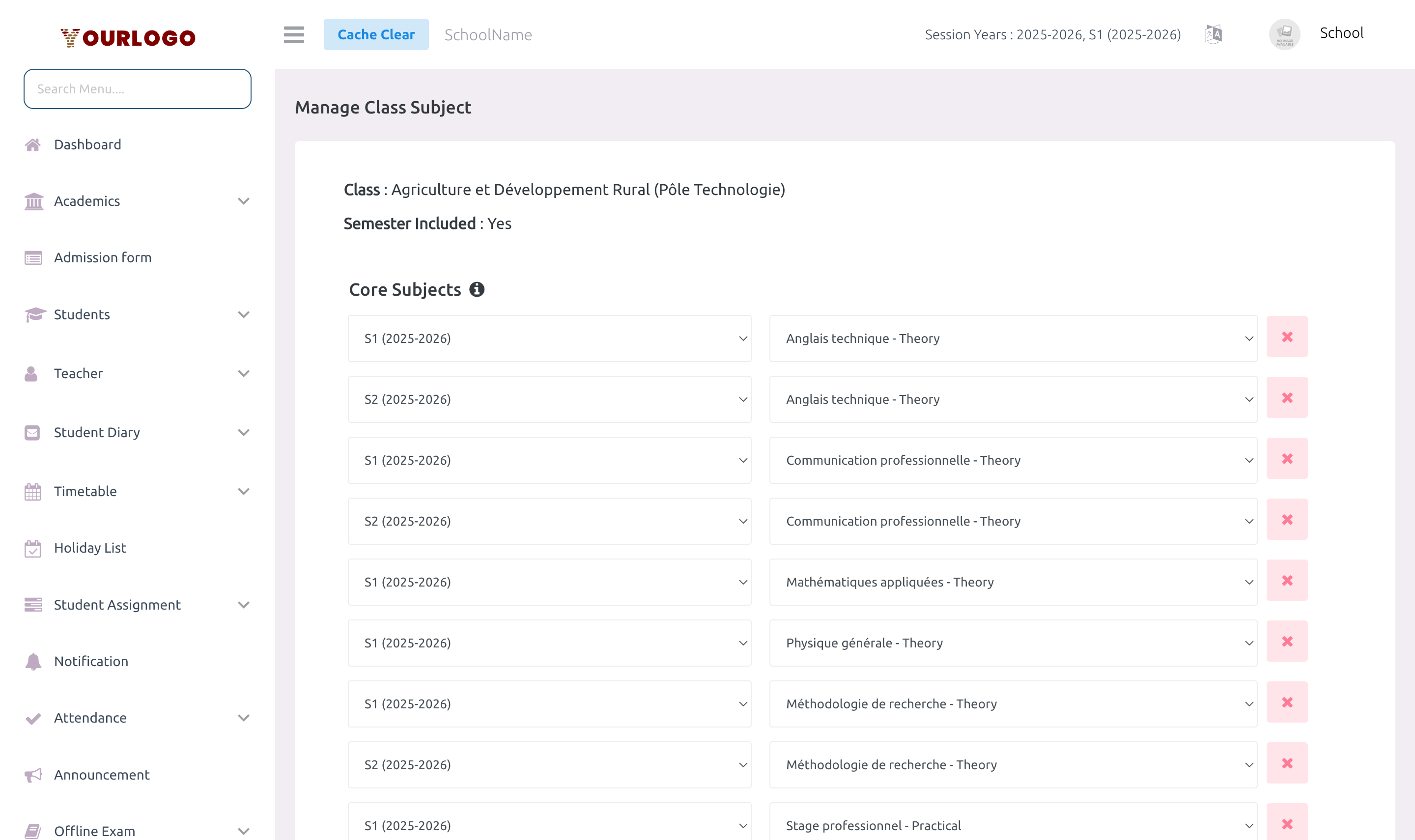
Core Subjects
| Field | Type | Required | Description |
|---|---|---|---|
| Subject | Dropdown | Required | Select from available subjects (matching the class medium). |
| Semester | Dropdown | Optional | Only shown if class has "Include Semesters" enabled. Assigns this subject to a specific semester. |
Core subjects are type Compulsory — all students in the class must take these subjects.
Elective Subject Groups
| Field | Type | Required | Description |
|---|---|---|---|
| Subjects | Multi-select | Required | The pool of subjects in this elective group (e.g., Art, Music, Drama). |
| Total Selectable Subjects | Number | Required | How many subjects each student can choose from this group (e.g., pick 2 out of 4). |
| Semester | Dropdown | Optional | Optional semester assignment for the entire elective group. |
Elective groups work as follows:
- Each group offers a pool of subjects (e.g., 4 subjects)
- You define how many a student must select (e.g., 2)
- Students are assigned elective subjects via the Assign Elective Subject page
Remove a Subject
To remove a single subject from a class:
- Click the Delete button next to the subject row in the edit form
- Confirm the removal
To remove an entire elective group:
- Click Delete Group on the elective group header
- This removes all subjects in that group from the class
Deleting a class subject will also remove associated timetable entries and any student elective subject selections for that subject.
Staff App View
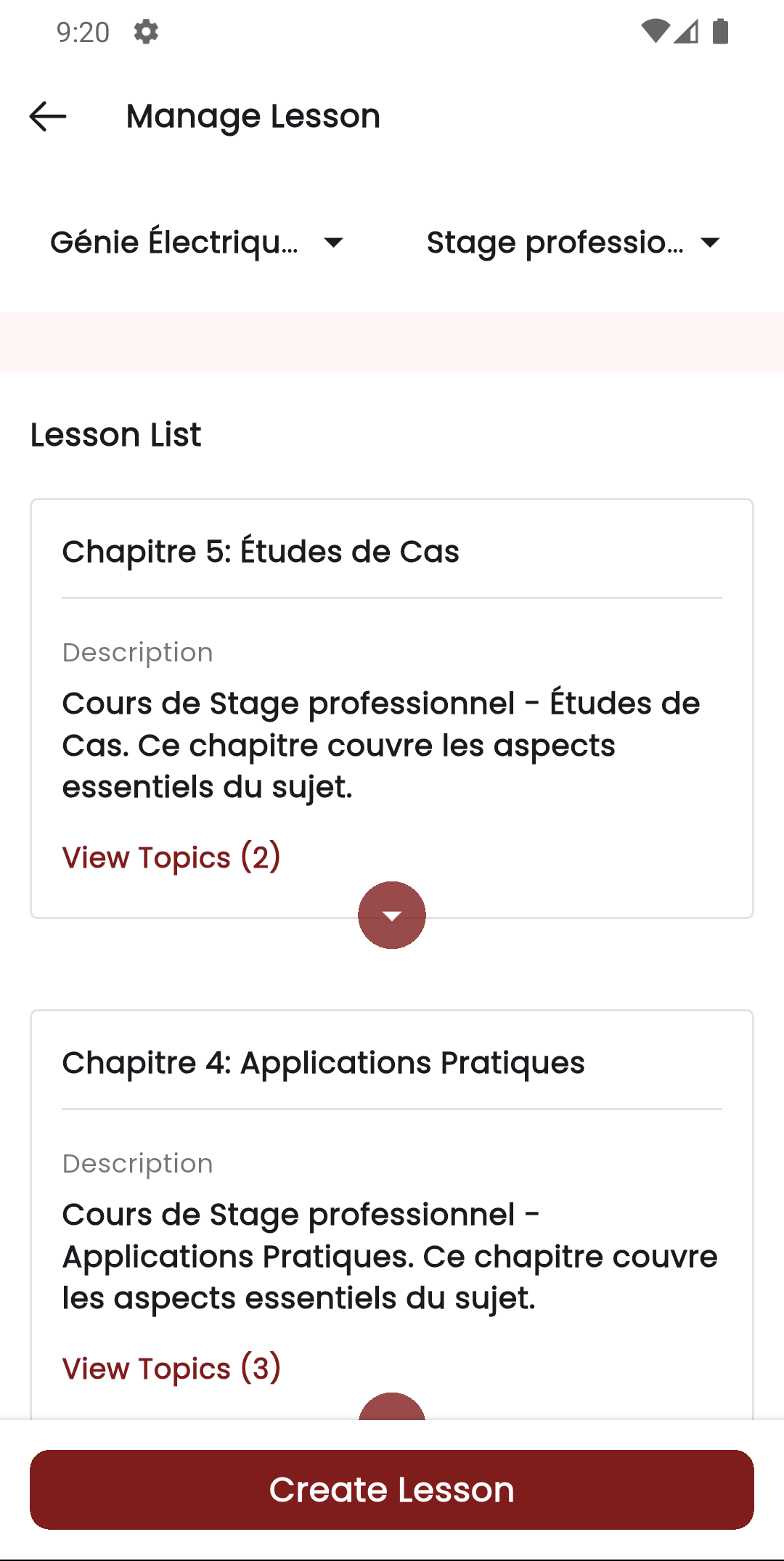
In the Stunov+ Staff app, teachers interact with class subjects through lessons. When creating lessons, the subject list is filtered to the teacher's assigned class subjects, showing subject icons and colors.
Related Pages
- Subject — Create subjects before assigning them
- Class — Classes must exist with sections before subject assignment
- Semester — Required for semester-based subject assignment
- Assign Elective Subject — Assign elective subjects to individual students
- Class Section & Teachers — Assign teachers to teach specific subjects