Section
A Section divides a class into smaller groups (e.g., Section A, Section B, Science Section). Sections are assigned to classes during class creation and are essential for organizing students, assigning teachers, and managing timetables.
Sections must exist before you can create Classes. Each Class requires at least one Section.
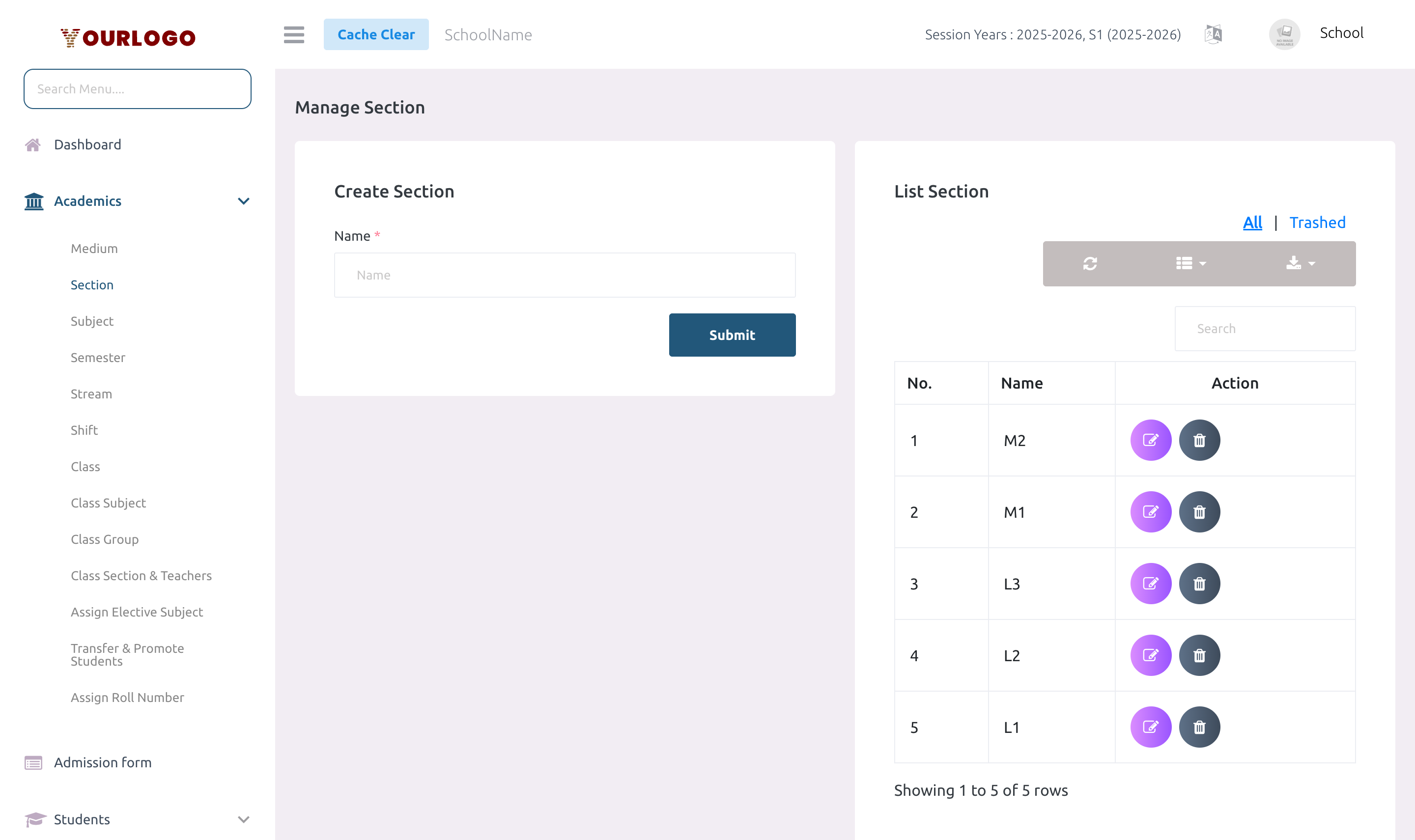
Create a Section
Form Fields
| Field | Type | Required | Description |
|---|---|---|---|
| Name | Text | Required | The section name (e.g., A, B, Science). Must be unique per school. |
View Sections
The Section list page shows all sections in a searchable, paginated table.
| Column | Description |
|---|---|
| No. | Row number |
| Name | The section name |
| Action | Edit and Delete buttons |
- Use the search bar to filter sections by name
- Use the Show entries dropdown to control pagination
Edit a Section
Delete a Section
If the section is assigned to any class (via Class Sections), the system will prevent deletion. Unassign the section from all classes first.
Restore a Deleted Section
- Switch to the Trash view in the Section list
- Click Restore next to the deleted section
- The section returns to the active list
To permanently remove a section, use Force Delete from the Trash view.
Staff App View
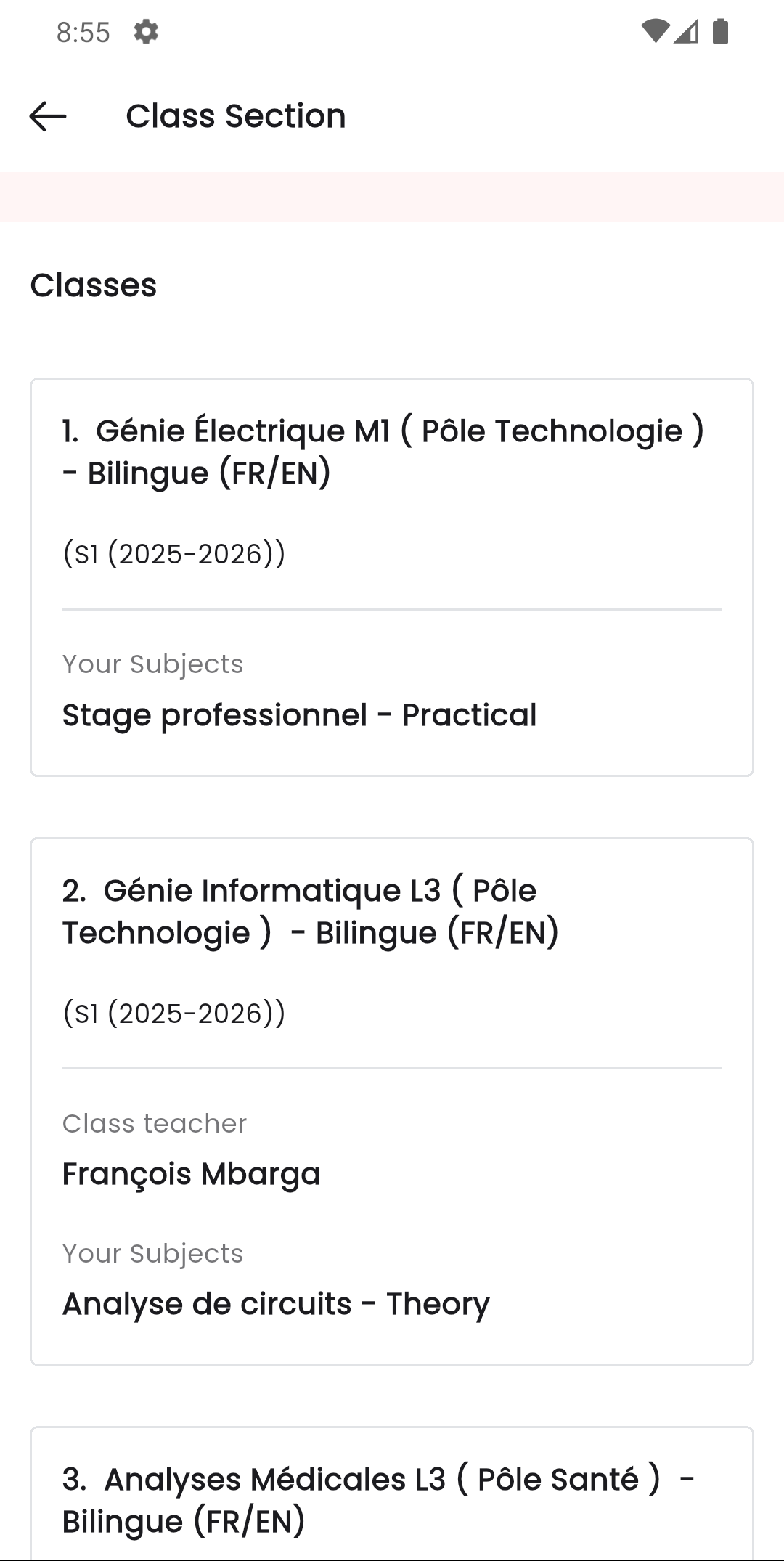
In the Stunov+ Staff app, teachers select class sections when taking attendance, managing assignments, or viewing timetables. The section picker is a core navigation element throughout the teacher workflow.
Related Pages
- Class — Sections are assigned to Classes during creation
- Class Section & Teachers — Manage teacher assignments per class section
- Attendance — Attendance is taken per class section