Assign Roll Number
Roll Numbers are sequential identifiers assigned to students within their class section. They are used in attendance sheets, exam hall tickets, grade reports, and ID cards. Roll numbers are automatically assigned during student admission and promotion, but you can manually reassign them from this page.
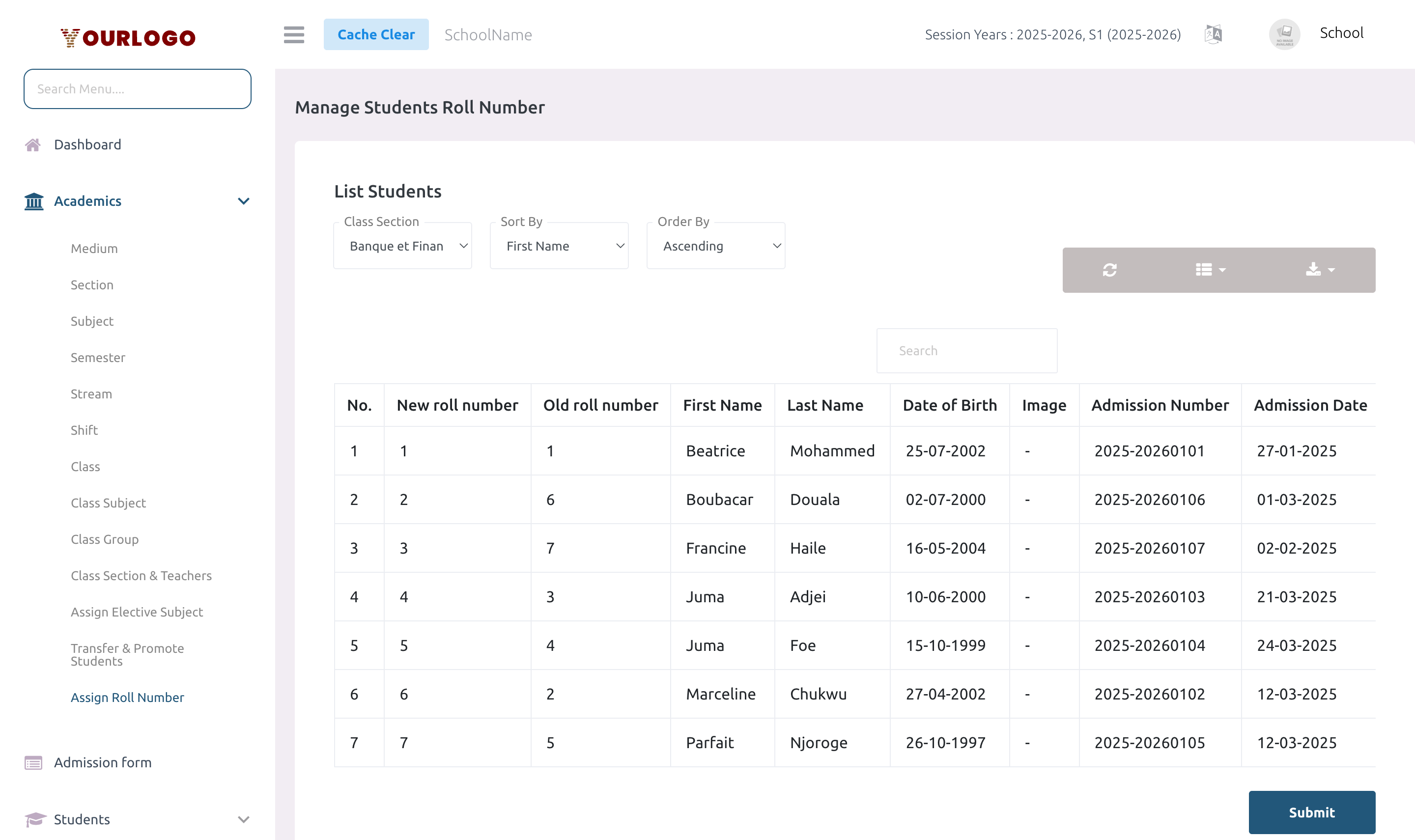
Assign Roll Number — select a class section and manually edit roll numbers for each student
View Roll Numbers
1
Navigate to Academic Management → Academics → Assign Roll Number
From the sidebar, expand **Academic Management → Academics** and click **Assign Roll Number**.
2
Select a Class Section
Choose a **Class Section** from the dropdown. The student list with their current roll numbers appears.
3
Review the list
The table shows all students in the selected section with their current roll numbers and names.
| Column | Description |
|---|---|
| No. | Row number |
| Student Name | Full name of the student |
| Roll Number | Current roll number (editable) |
Reassign Roll Numbers
1
Select the Class Section
Choose the class section whose roll numbers you want to reassign.
2
Edit roll numbers
The roll number field next to each student is editable. Type the new roll number for each student. **All fields are required** — no student can be left without a roll number.
3
Submit
Click **Submit** to save all roll number changes. The system updates each student's record within a single transaction.
Form Fields
| Field | Type | Required | Description |
|---|---|---|---|
| Roll Number (per student) | Text/Number | Required | The new roll number for the student. All roll numbers in the section must be filled. |
Automatic Roll Number Assignment
Roll numbers are automatically assigned in the following scenarios:
| Scenario | Sorting Logic |
|---|---|
| Student admission | Next available number in the class section |
| Student promotion | Re-sorted based on school settings (default: first name, ascending) |
| Student transfer | Assigned incrementally starting after the current highest number in the destination section |
The sort column and sort order for promotion are defined in the school's system settings (roll_number_sort_column and roll_number_sort_order).
When to manually reassign
- After transferring students between sections
- At the start of a new session year
- When you want a specific ordering (e.g., alphabetical by last name, or by gender)
Staff App View
In the Stunov+ Staff app, roll numbers appear in the attendance screen where teachers take daily attendance. Each student is listed with their roll number, making it easy to verify assignments match the web panel configuration.
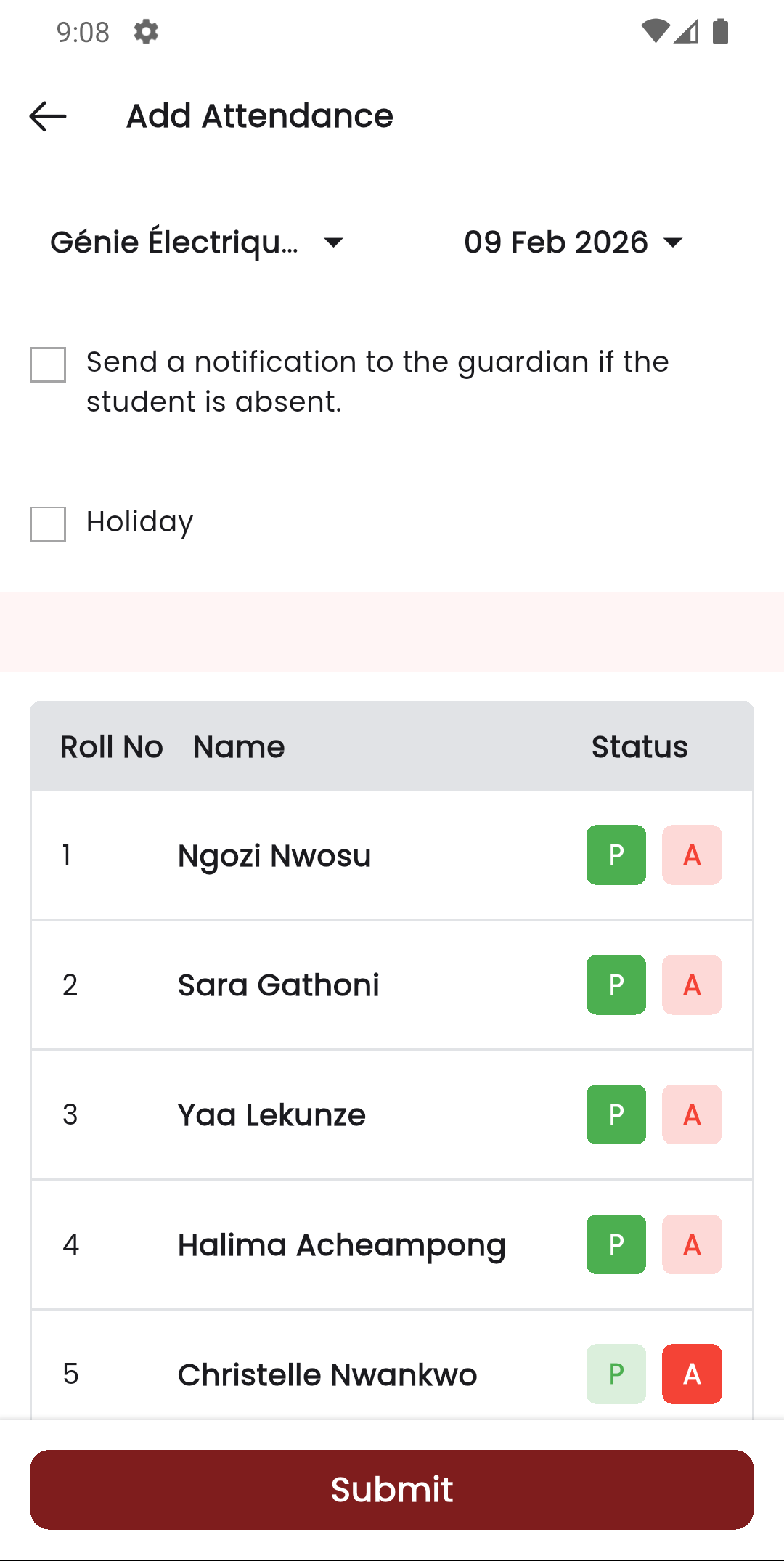
Roll Number assignment — Web panel (left) and Staff app attendance with roll numbers (right)
Related Pages
- Transfer & Promote Students — Promotion auto-assigns roll numbers
- Students — Roll numbers are assigned during admission
- Certificate & ID Card — Roll numbers appear on ID cards