Semester
Semesters divide the academic year into distinct grading periods (e.g., Semester 1, Trimester 2). Each semester has a defined start and end month. Semesters are used when assigning subjects to classes — if a class has semesters enabled, each subject can be assigned to a specific semester.
Semesters are optional. If your school uses a single annual grading period, you can skip semester setup. Enable semesters per class when creating or editing a Class.
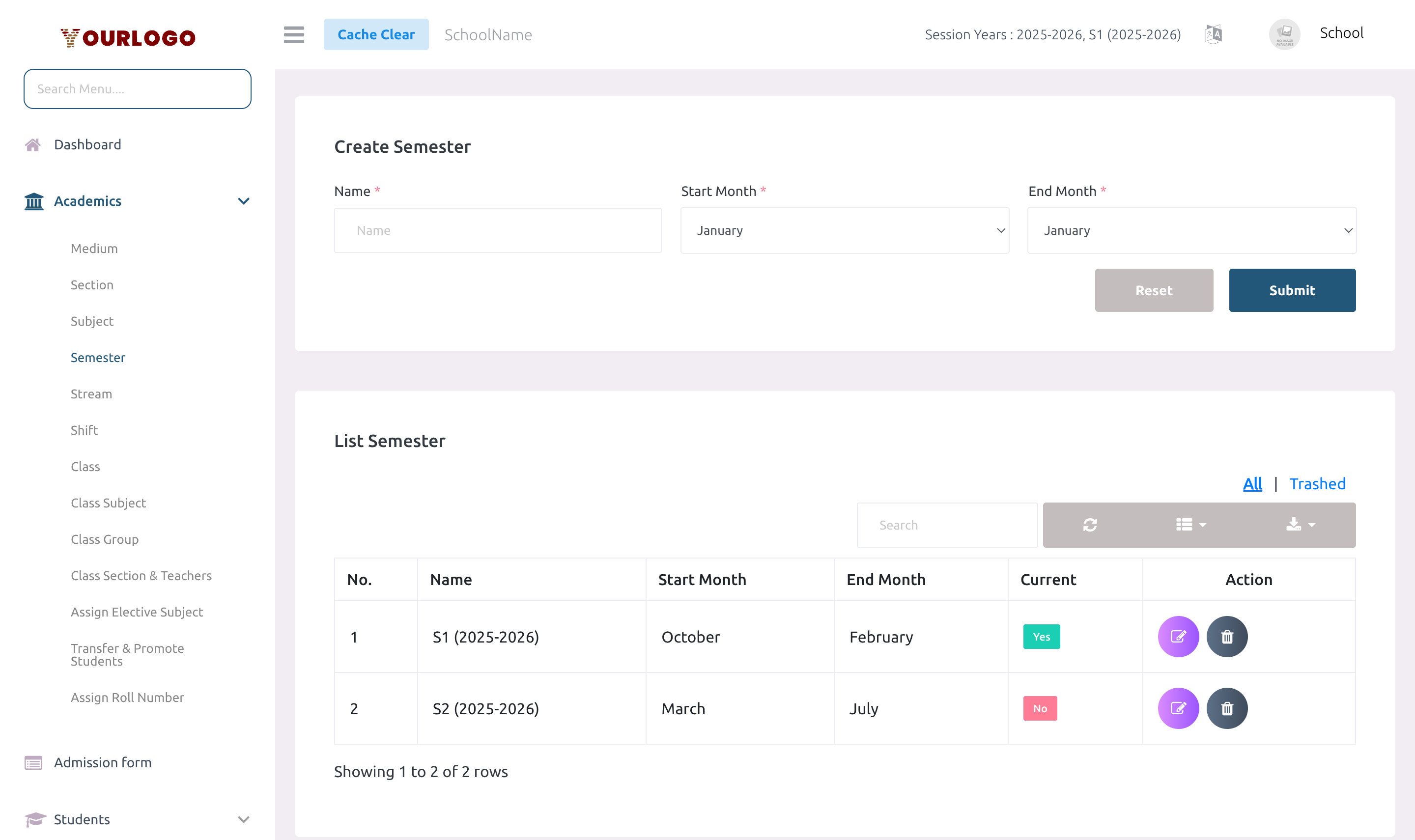
Create a Semester
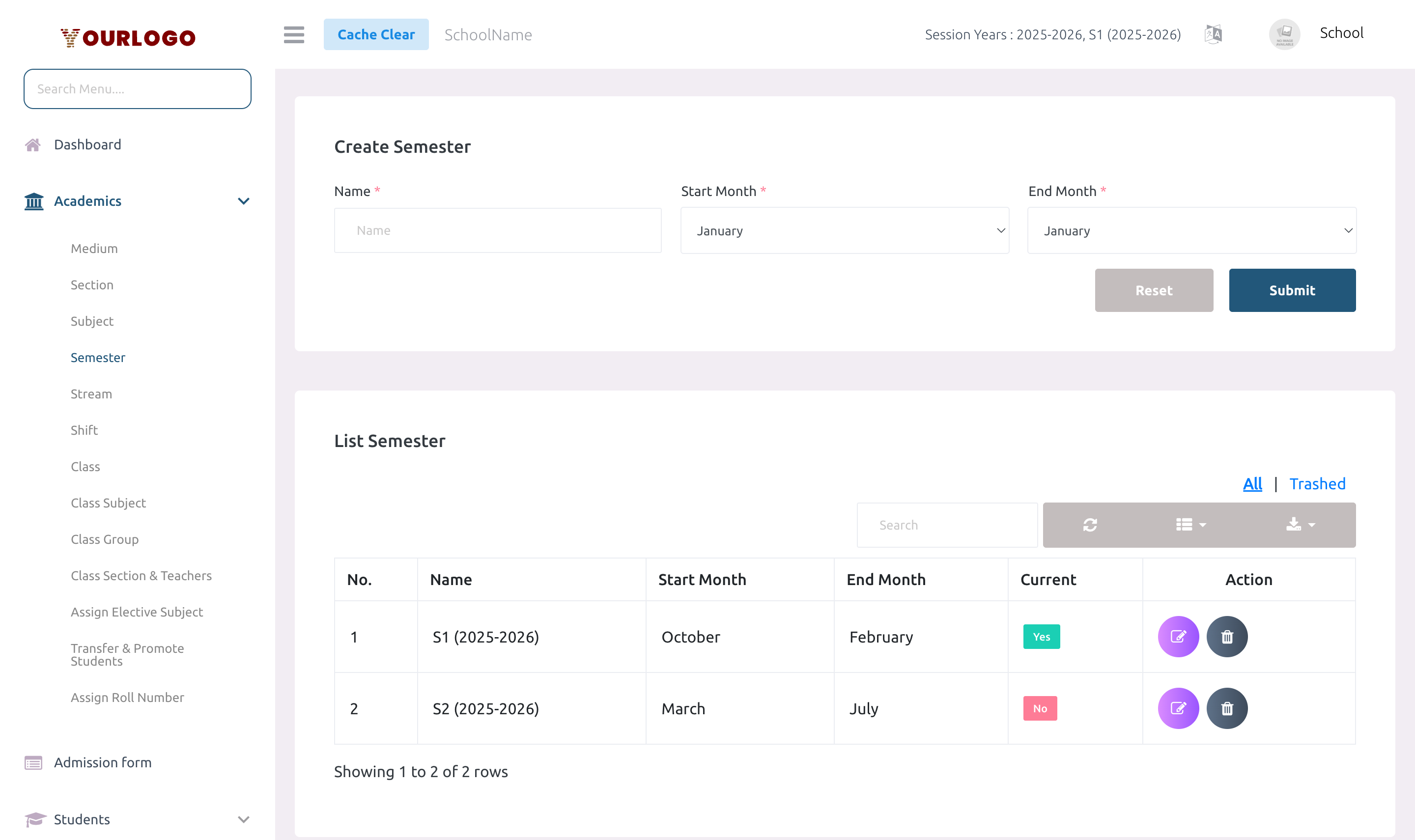
Form Fields
| Field | Type | Required | Description |
|---|---|---|---|
| Name | Text | Required | Semester name (e.g., Semester 1, Trimester 2). Must be unique per school. |
| Start Month | Dropdown (1–12) | Required | The month when this semester begins. Displayed as month name. |
| End Month | Dropdown (1–12) | Required | The month when this semester ends. Must differ from start month. Cannot overlap with other semesters. |
The system checks that your semester's month range does not overlap with any existing semester — including ranges that wrap around the calendar year (e.g., October to February). If an overlap is detected, you will see an error with the conflicting month name.
View Semesters
The Semester list page shows all semesters in a paginated table.
| Column | Description |
|---|---|
| No. | Row number |
| Name | Semester name |
| Start Month | Starting month name |
| End Month | Ending month name |
| Current | Badge indicating if this semester is currently active based on the current date |
| Action | Edit and Delete buttons |
Edit a Semester
- Click the Edit button in the Action column
- Update the name, start month, or end month
- Click Submit to save changes
The overlap validation runs again on update.
Delete a Semester
- Click the Delete button in the Action column
- Confirm the deletion
Deleting a semester also removes its link to the current session year tracking. Any class subjects assigned to this semester will lose their semester association.
Deleted semesters can be restored from the Trash view.
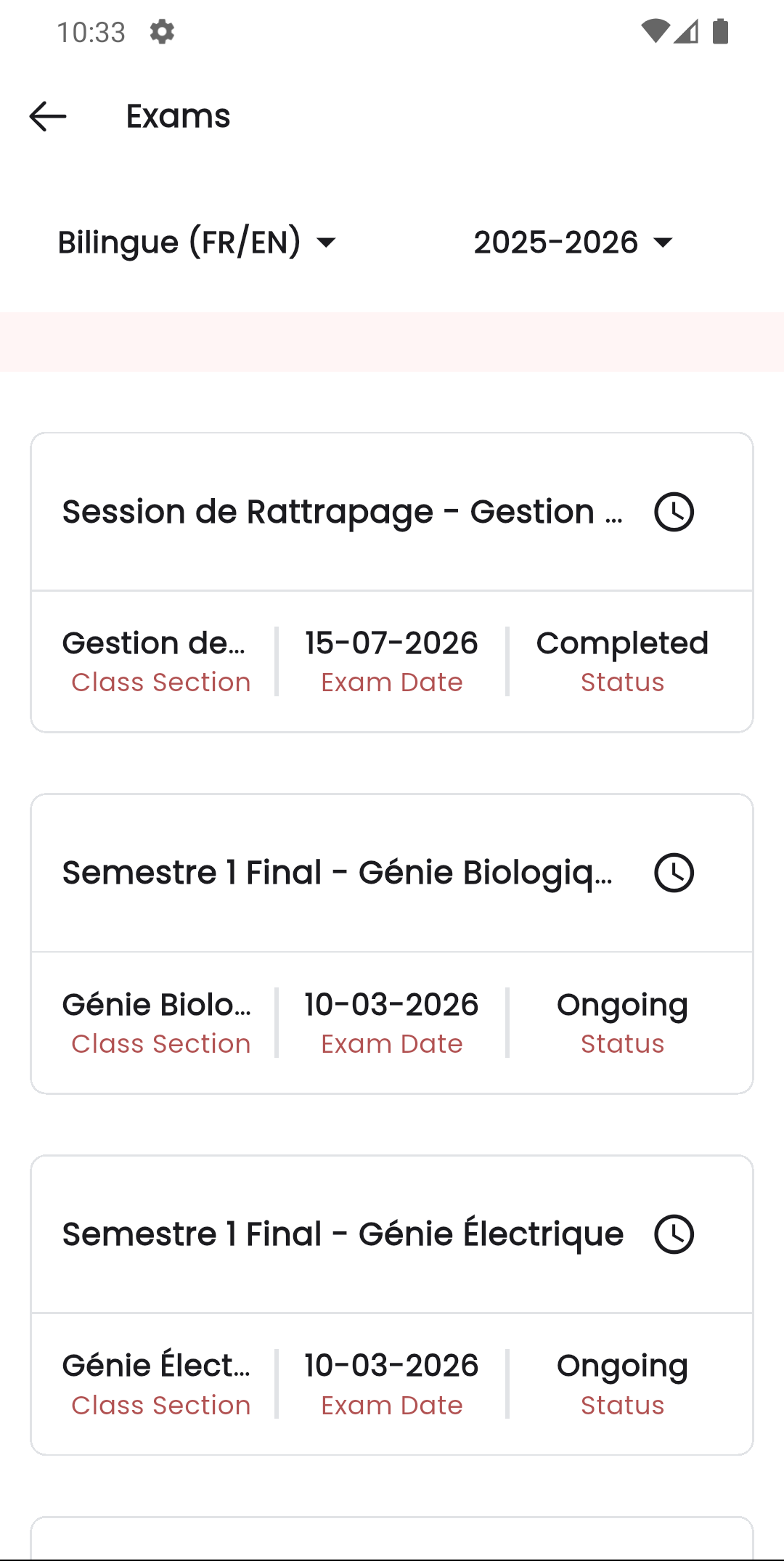
Staff App View
In the Stunov+ Staff app, semesters structure how exams and results are displayed. When a class has semesters enabled, the exam list in the teacher app groups exams by semester, letting teachers track progress per term.
Related Pages
- Class — Enable semesters per class with the "Include Semesters" toggle
- Class Subject — Assign subjects to specific semesters within a class
- System Settings — Session Year — Semesters are tracked per session year