Storage Plans
The Storage Plans page shows your current storage quota and how much of it you've used, and lets you buy additional storage when you need more room. You choose how many gigabytes to add, pick a payment method, and confirm — the extra space is applied to your school.
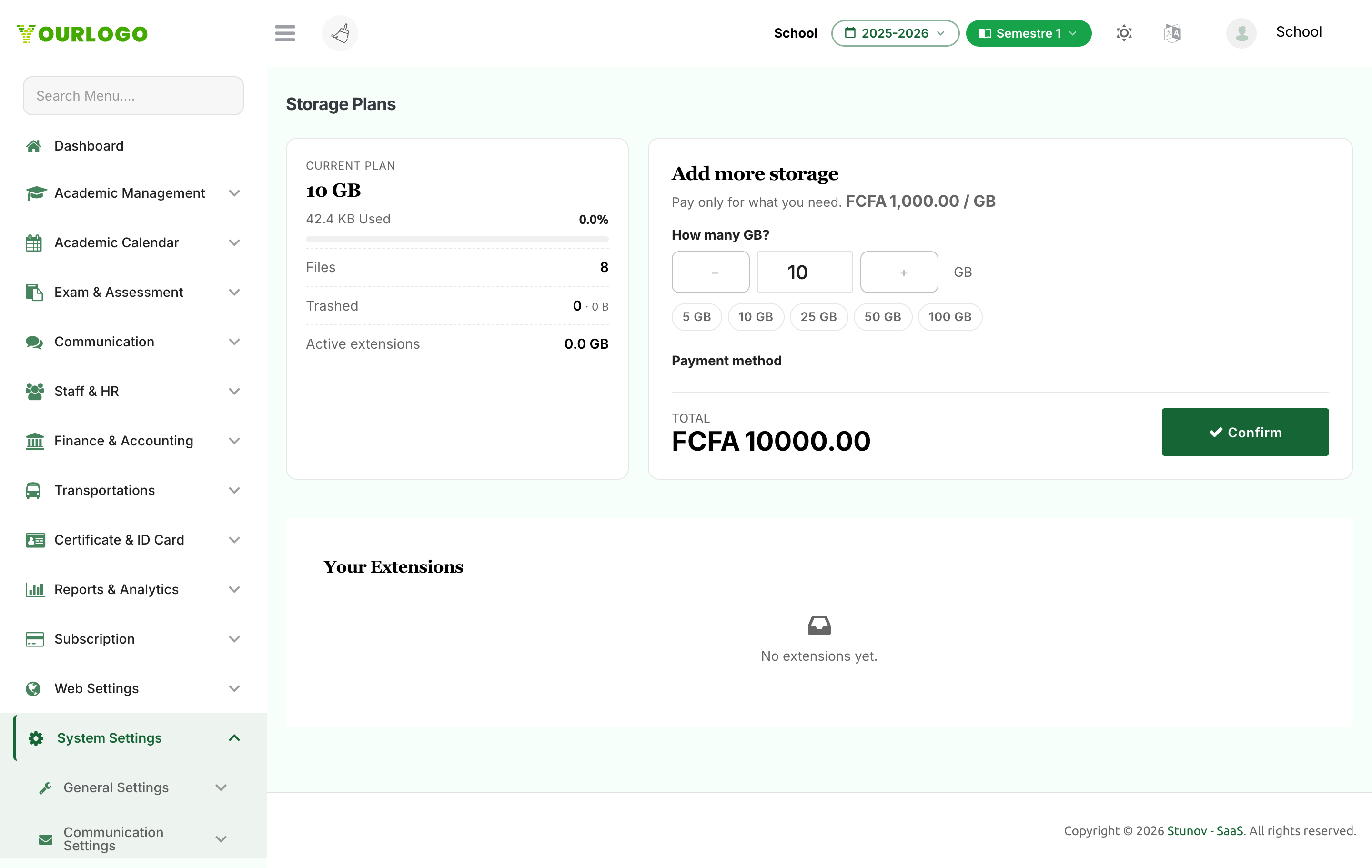
Current Plan
The left panel summarises your plan: your storage limit (or Unlimited), how much is used, a usage meter, your file and trash counts, your wallet balance (if any), and the total storage added through extensions.
Add More Storage
Add Storage Fields
| Field | Type | Required | Description |
|---|---|---|---|
| How many GB? | Number (stepper) | Required | The amount of storage to add, between 1 and 500 GB. Quick presets are available. |
| Payment method | Radio | Required | School Wallet (when funded) or a configured payment gateway. |
| Mobile money number | Tel | Optional | The payer phone number. Shown and required only for mobile money gateways. |
Trial schools must subscribe before they can extend storage. The page blocks extension purchases until your school is on an active (non-trial) subscription.
Your Extensions
The history table at the bottom lists every storage extension you've purchased, with the GB added, Status (Active, Pending, etc.), payment Method, and Date.
Related Pages
- Storage Overview — Usage summary and breakdowns
- Files & Trash — Free up space before buying more
- Subscription — Manage your school's subscription plan