
Files & Trash

The Files & Trash page is the file browser for Storage Management. List every stored file, filter by category, session year, size, or name, and free up space by moving files to the trash. Trashed files are recoverable for a retention window (30 days by default) before they're purged — and you can restore or permanently delete them yourself at any time.
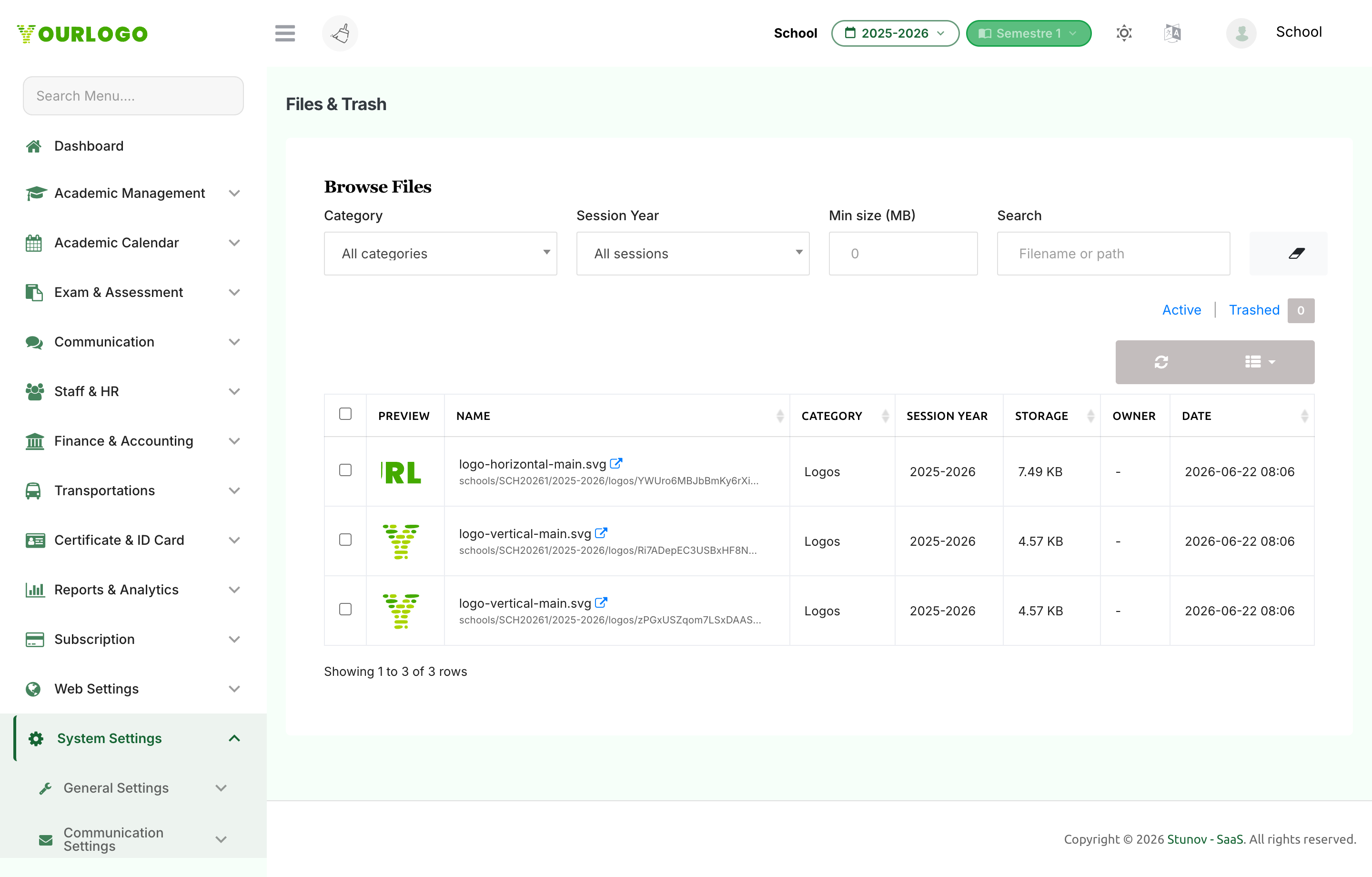
Files and Trash page with filters, the file table, and bulk action bar
Files & Trash — filter, select, and trash or restore files

Browse and Filter Files

1
Navigate to System Settings → Storage → Files & Trash
From the sidebar, open **System Settings → Storage** and click **Files & Trash**.
2
Apply filters
Narrow the list by **Category**, **Session Year**, **Min size (MB)**, or a **Search** term that matches the file name or path. Use the **Clear** (eraser) button to reset all filters.
3
Switch between Active and Trashed
Use the **Active** / **Trashed** toggle to view current files or the trash. The Trashed tab shows a live count badge.

The table lists a preview, Name, Category, Session Year, Storage (size), Owner, and Date. You can sort by name, category, size, or date.


Move Files to Trash

1
Select files
On the **Active** tab, tick the checkboxes for the files you want to remove. A bulk action bar appears showing how many are selected.
2
Click Trash
Click **Trash** on the action bar and confirm. The files are soft-deleted and remain recoverable.

A confirmation reports how many files moved to trash and how much space was freed.


Restore or Permanently Delete

1
Open the Trashed tab
Switch to the **Trashed** view to see soft-deleted files.
2
Restore
Select files and click **Restore**. Files return to active storage — provided restoring them keeps you within your quota.
3
Delete forever
Select files and click **Delete** to purge them permanently. This cannot be undone.
4
Empty trash
Click **Empty trash** to permanently remove everything in the trash at once.
Permanent deletion can't be undone

Restoring brings a file back, but Delete and Empty trash remove files from storage immediately and irreversibly. Trashed files are also auto-purged after the retention period (30 days by default).